
Introduction
Digital technology is now part of everyday life. From communicating online and managing information to creating content and using artificial intelligence, digital skills can help people study, work, and solve problems more effectively.
The good news is that you don’t need to be a technology expert to get started.
Many essential digital skills can be learned gradually using free resources, simple exercises, and everyday applications.
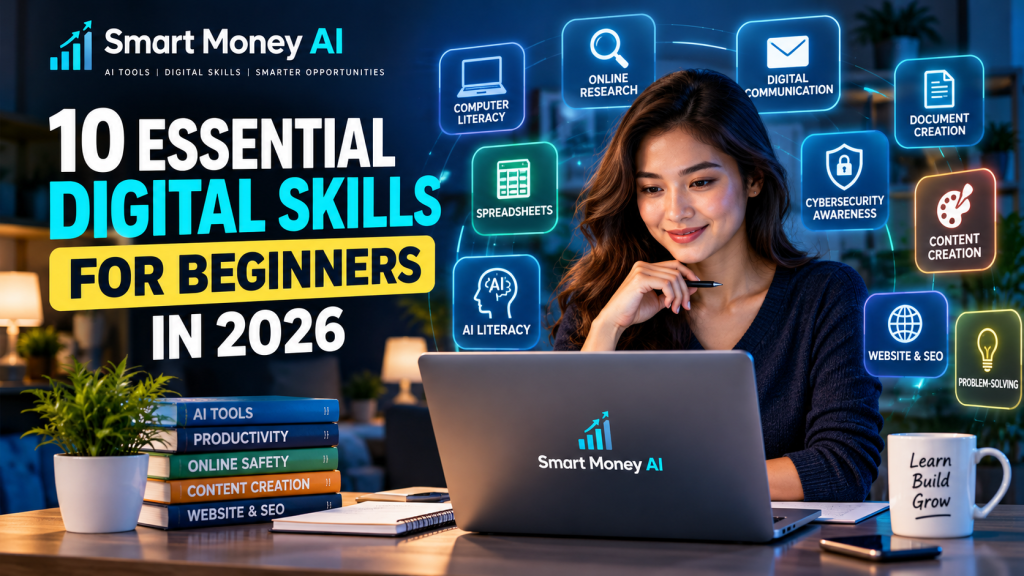
In this guide, we’ll explore 10 essential digital skills for beginners in 2026, explain why they matter, and show you practical ways to develop them.
Whether you’re a student, job seeker, content creator, freelancer, or someone interested in becoming more confident with technology, these skills can provide a useful foundation.
Table of Contents
What Are Digital Skills?
Digital skills are the abilities needed to use computers, smartphones, software, and online services effectively, safely, and responsibly.
They range from basic tasks, such as sending emails and organizing files, to more advanced activities, including spreadsheet analysis, website management, and using artificial intelligence tools.
Digital skills are not limited to people working in technology companies.
They are useful across education, business, communication, administration, and creative work.
Why Are Digital Skills Important in 2026?
Developing digital skills can help you:
- Communicate more effectively online
- Find and evaluate information
- Organize personal and professional tasks
- Create digital content
- Work with documents and spreadsheets
- Protect your online accounts
- Understand emerging technologies
- Explore opportunities to learn specialized skills
You don’t need to master everything at once. Begin with the skills that match your current needs and build from there.
10 Essential Digital Skills for Beginners: Quick Comparison
| Digital Skill | What You Learn | Beginner Practice |
|---|---|---|
| 1. Computer and smartphone literacy | Basic device operations | Organize files and settings |
| 2. Online research | Finding reliable information | Compare three sources |
| 3. Digital communication | Email and online collaboration | Write a professional email |
| 4. Word processing | Creating and editing documents | Prepare a one-page report |
| 5. Spreadsheet basics | Organizing and calculating data | Create a simple budget |
| 6. AI literacy | Using AI tools responsibly | Improve a basic AI prompt |
| 7. Cybersecurity awareness | Protecting accounts and information | Enable two-factor authentication |
| 8. Content creation | Producing useful digital materials | Design an educational graphic |
| 9. Website and SEO basics | Understanding websites and search | Create a sample article outline |
| 10. Digital problem-solving | Troubleshooting everyday issues | Follow a structured checklist |
Let’s explore each skill in detail.
1. Computer and Smartphone Literacy
Computer and smartphone literacy is the ability to use everyday digital devices confidently.
This is one of the most important starting points for beginners because many other digital skills depend on it.
What Should You Learn?
Focus on understanding:
- Basic operating system navigation
- Installing and updating applications
- Creating and organizing folders
- Downloading and uploading files
- Managing device storage
- Connecting to Wi-Fi networks
- Adjusting accessibility settings
- Using basic keyboard shortcuts
Practical Example
Imagine you’ve downloaded several documents for an online course.
Instead of leaving them scattered across your downloads folder, create a folder named “Digital Skills Course” and organize the documents by topic.
This simple habit makes information easier to locate.
Beginner Exercise
Create three folders:
- Documents
- Learning Materials
- Personal Projects
Move a few non-sensitive files into the appropriate folders.
Key takeaway: Learning how to manage your device and files makes everyday digital work more organized.
2. Online Research and Information Literacy
The internet provides access to enormous amounts of information, but not everything published online is accurate.
Information literacy means knowing how to search effectively, evaluate sources, and distinguish reliable information from unsupported claims.
Important Research Skills
Learn how to:
- Use specific search terms
- Compare multiple sources
- Identify official websites
- Check publication dates
- Recognize sponsored content
- Evaluate the author’s expertise
- Identify misleading headlines
- Verify important claims
Practical Example
Suppose you want to learn about a new AI tool.
Instead of relying on a single social media post, compare the tool’s official website, product documentation, and independent educational resources.
Check whether the information is current.
Beginner Exercise
Search for a topic you’re interested in.
Open three different sources and compare:
- Who published the information?
- When was it published?
- Does it provide evidence?
- Do other trustworthy sources support its claims?
Key takeaway: Good research skills help you make better-informed decisions.
3. Digital Communication and Online Collaboration
Digital communication involves sharing information through email, messaging platforms, video meetings, and collaborative tools.
Clear communication is useful in education, professional environments, and everyday life.
Skills Worth Learning
Practice:
- Writing clear email subject lines
- Using polite and professional language
- Organizing messages
- Attaching files correctly
- Scheduling online meetings
- Sharing documents with appropriate permissions
- Collaborating on shared files
- Understanding basic online etiquette
Practical Example
A professional email should explain its purpose without unnecessary detail.
Example:
Subject: Request for Project Information
Hello,
I would like to request additional information about the project requirements and submission deadline.
Thank you for your assistance.
Best regards
Beginner Exercise
Write a short email requesting information about an online course.
Include a subject line, greeting, clear question, and polite closing.
Key takeaway: Effective digital communication helps prevent misunderstandings and supports collaboration.
4. Word Processing and Document Creation
Word processing is the ability to create, edit, format, and share digital documents.
Common tools include Microsoft Word, Google Docs, and other document editors.
Essential Word Processing Skills
Learn how to:
- Create a new document
- Apply headings and subheadings
- Format paragraphs
- Insert tables and images
- Use spelling and grammar tools
- Add hyperlinks
- Save and export documents
- Share documents appropriately
Practical Example
Suppose you’re preparing a report about a topic you’ve researched.
You can create a document with a title, introduction, several sections, a table, and a conclusion.
Using consistent headings makes the document easier to read.
Beginner Exercise
Create a one-page report titled “Three Digital Skills I Want to Learn.”
Include:
- A short introduction
- Three headings
- One paragraph under each heading
- A conclusion
Save the document as a PDF.
Key takeaway: Document creation is a practical skill for education, administration, and professional communication.
5. Spreadsheet Skills and Basic Data Organization
Spreadsheets help organize information, perform calculations, and identify patterns.
Popular spreadsheet tools include Microsoft Excel and Google Sheets.
You don’t need advanced mathematical knowledge to begin.
What Should Beginners Learn?
Start with:
- Rows, columns, and cells
- Entering and editing data
- Formatting numbers
- Sorting and filtering
- Basic formulas
- Creating simple charts
- Understanding data accuracy
Useful Spreadsheet Formulas
| Formula | Purpose |
|---|---|
=SUM(A1:A5) | Adds values |
=AVERAGE(A1:A5) | Calculates an average |
=MAX(A1:A5) | Finds the highest value |
=MIN(A1:A5) | Finds the lowest value |
=COUNT(A1:A5) | Counts numeric cells |
Practical Example
You can create a spreadsheet to track a small project’s expenses.
Include columns for:
- Date
- Item
- Category
- Amount
Use the SUM formula to calculate the total.
Beginner Exercise
Create a spreadsheet containing five example expenses.
Calculate the total and create a simple chart showing the amounts.
Key takeaway: Spreadsheet skills help you work with information accurately and efficiently.
6. Artificial Intelligence Literacy
AI literacy is becoming an increasingly useful digital skill.
It involves understanding what artificial intelligence can do, where it has limitations, and how to use it responsibly.
AI tools can assist with writing, learning, brainstorming, research, and productivity.
However, they can also produce incorrect or misleading information.
What Should You Learn?
Focus on:
- Understanding basic AI concepts
- Writing clear prompts
- Asking follow-up questions
- Evaluating AI-generated answers
- Recognizing possible inaccuracies
- Protecting private information
- Understanding appropriate AI use
Practical Example
A vague AI prompt might be:
“Teach me marketing.”
A more useful prompt is:
“Explain digital marketing to a complete beginner. Cover five important concepts, provide simple examples, and suggest a seven-day learning plan.”
The second prompt provides clearer instructions.
Beginner Exercise
Try asking an AI assistant to explain a topic you’re learning.
Then request:
“Give me three practical examples and a short quiz to test my understanding.”
Review the response and verify any important facts.
Recommended AI Learning Resources
If you’re new to AI tools, explore these Smart Money AI guides:
- 10 Best AI Tools for Beginners: A Practical Guide
- How to Use ChatGPT for Beginners: A Step-by-Step Guide
- ChatGPT vs Google Gemini: Which AI Tool Is Better for Beginners?
Key takeaway: AI literacy means using artificial intelligence thoughtfully, not accepting every AI-generated answer without checking it.
7. Cybersecurity Awareness and Online Safety
Cybersecurity awareness involves understanding common online risks and taking reasonable steps to protect your devices, accounts, and information.
You don’t need to become a cybersecurity professional to develop safer digital habits.
Essential Online Safety Practices
Learn to:
- Create strong, unique passwords
- Use a reputable password manager
- Enable multi-factor authentication
- Recognize suspicious messages
- Keep software updated
- Review application permissions
- Back up important files
- Avoid sharing sensitive information unnecessarily
Understanding Phishing
Phishing is a type of online deception in which someone attempts to trick people into revealing information or taking unsafe actions.
Suspicious messages may claim that an account requires urgent verification or that a prize is waiting.
Instead of clicking an unexpected link, visit the service’s official website directly.
Beginner Exercise
Review the security settings of an account you use.
Check whether multi-factor authentication is available and enabled.
Key takeaway: Simple security habits can reduce the risk of common online threats.
8. Digital Content Creation
Content creation involves producing useful materials for websites, social media, presentations, videos, and other digital platforms.
It combines communication, creativity, research, and basic technical skills.
Content Creation Skills to Learn
Start with:
- Writing clear headlines
- Structuring information
- Creating simple graphics
- Editing images
- Recording clear audio
- Understanding basic video editing
- Adding accessible captions
- Checking copyright and usage rights
Useful Beginner Tools
Examples include:
- Canva for graphic design
- Google Docs for writing
- CapCut or other beginner-friendly editors for video editing
- Built-in smartphone camera and editing tools
Features and pricing vary by platform.
Practical Example
Create an educational graphic explaining three ways to improve online productivity.
Use a clear title, readable text, and a simple layout.
Beginner Exercise
Design one informational graphic about a digital skill you’ve learned.
Make sure the information is accurate and the text is easy to read.
Key takeaway: Content creation helps you communicate ideas clearly through digital formats.
9. Website Management and Basic SEO
Understanding how websites work is another valuable digital skill.
Even if you don’t plan to become a web developer, basic website knowledge can help you publish information, manage content, and understand online visibility.
Important Website Skills
Learn about:
- Domain names and web hosting
- Content management systems
- Website pages and blog posts
- Navigation menus
- Images and accessibility
- Internal and external links
- Website security and updates
- Search engine optimization
What Is SEO?
Search engine optimization, or SEO, involves improving website content and technical accessibility so search engines can better understand and discover pages.
Good SEO starts with creating useful, accurate, well-organized content for readers.
Beginner SEO Practices
Focus on:
- Clear page titles
- Descriptive headings
- Helpful original content
- Relevant internal links
- Descriptive image ALT text
- Readable URLs
- Mobile-friendly layouts
- Accurate information
Practical Example
If you’re writing an article about learning spreadsheets, organize it into sections covering basic concepts, formulas, examples, and common questions.
Link to other relevant articles when those links genuinely help the reader.
Beginner Exercise
Create an outline for a blog post titled “How to Learn Spreadsheets as a Beginner.”
Include an introduction, five main sections, and a conclusion.
Key takeaway: Basic website and SEO knowledge can help you create more useful and discoverable online content.
10. Digital Problem-Solving and Adaptability
Technology changes regularly.
Instead of trying to memorize every application, it’s helpful to develop the ability to learn unfamiliar tools and solve common problems.
Important Problem-Solving Skills
Practice:
- Identifying the actual problem
- Reading error messages carefully
- Checking official help resources
- Following instructions step by step
- Testing one change at a time
- Keeping records of successful solutions
- Learning from mistakes
- Adapting to new interfaces
Practical Example
Suppose an application stops working correctly.
Rather than immediately reinstalling it, check whether the application requires an update, whether the issue affects other users, and whether the official help documentation provides a solution.
Avoid making risky system changes based on unverified instructions.
Beginner Exercise
Choose an unfamiliar but safe feature in an application you already use.
Read its official help instructions and practice using it.
Key takeaway: Digital adaptability helps you stay confident as technology evolves.
Which Digital Skills Should Beginners Learn First?
You don’t need to learn all 10 skills simultaneously.
A practical learning order depends on your goals.
| Your Goal | Skills to Prioritize |
|---|---|
| Become comfortable with technology | Device literacy, online research, cybersecurity |
| Improve school or office productivity | Documents, spreadsheets, communication |
| Learn AI tools | AI literacy, research, digital problem-solving |
| Start a blog | Writing, website basics, SEO, content creation |
| Create educational videos | Content creation, research, communication |
| Explore digital career paths | Spreadsheets, AI literacy, collaboration, cybersecurity |
For most complete beginners, device literacy, online research, and online safety provide a useful starting point.
You can then add specialized skills based on your interests.
How to Learn Digital Skills for Beginners: A 30-Day Plan
A simple learning plan can make progress easier to manage.
The following schedule is a flexible example, not a requirement.
Week 1: Build Digital Confidence
Focus on:
- Organizing files and folders
- Learning useful device shortcuts
- Practicing online searches
- Evaluating information sources
- Reviewing basic account security
Weekly project: Create a well-organized folder containing notes from three reliable educational resources.
Week 2: Improve Everyday Productivity
Focus on:
- Writing professional emails
- Creating formatted documents
- Understanding spreadsheet basics
- Using simple formulas
- Sharing files appropriately
Weekly project: Create a one-page report and a spreadsheet containing example data.
Week 3: Explore AI and Content Creation
Focus on:
- Understanding AI capabilities and limitations
- Writing effective prompts
- Checking AI-generated information
- Designing a simple educational graphic
- Learning basic content editing
Weekly project: Create a short educational guide using your own research and examples, with AI assistance where helpful.
Week 4: Learn Website Basics and Problem-Solving
Focus on:
- Understanding domains and hosting
- Exploring website navigation
- Learning basic SEO concepts
- Practicing safe troubleshooting
- Reviewing what you’ve learned
Weekly project: Prepare a sample blog article outline with headings, relevant links, and an image idea.
At the end of 30 days, review your progress and choose one or two skills to develop further.
Free Resources for Learning Digital Skills
You can begin learning many digital skills without purchasing expensive courses.
Useful starting points include:
Google Applied Digital Skills
Google Applied Digital Skills offers practical lessons on digital tools and everyday technology tasks.
Microsoft Learn
Microsoft Learn provides learning materials covering Microsoft technologies and digital concepts.
GCFGlobal
GCFGlobal offers beginner-friendly lessons on computers, office applications, and everyday digital literacy.
Google Search Central
Google Search Central provides official guidance about how Google Search works and how to make website content accessible to search engines.
Smart Money AI
At Smart Money AI, we publish beginner-friendly guides about AI tools, digital skills, and practical online opportunities.
Learning tip: Choose one resource, complete a small lesson, and apply what you’ve learned before moving to the next topic.
Common Mistakes Beginners Should Avoid
When learning digital skills, it’s easy to become overwhelmed by the number of available tools and tutorials.
Avoid these common mistakes:
Trying to Learn Everything at Once
Start with one or two skills that support your immediate goals.
Watching Tutorials Without Practicing
Watching demonstrations can help, but hands-on practice is essential for building confidence.
Ignoring Online Security
Make safe account practices part of your learning process from the beginning.
Trusting Every Online Source
Compare information and verify important claims.
Relying Entirely on AI
Use AI as a learning assistant rather than a replacement for understanding.
Paying for Too Many Tools
Explore free learning resources and basic software features before purchasing subscriptions.
Can Digital Skills Help You Explore Online Work Opportunities?
Digital skills can support many kinds of legitimate projects and professional activities.
Examples include:
- Administrative support
- Content writing and editing
- Spreadsheet organization
- Website content management
- Digital marketing support
- Graphic design
- Educational content creation
- Technical support
However, developing a skill does not guarantee employment or income.
Opportunities depend on experience, the quality of your work, market demand, and other factors.
If you’re interested in a particular field, build a small portfolio of practice projects and continue improving your skills.
Interested in exploring practical opportunities after developing your digital skills? Read our 10 Legitimate Ways to Make Money Online for Beginners in 2026 to discover different online work options, useful skills, and common scams to avoid.
Frequently Asked Questions About Digital Skills for Beginners
What are the most important digital skills for beginners?
Device literacy, online research, digital communication, document creation, spreadsheet basics, AI literacy, and cybersecurity awareness are useful foundational skills.
Can I learn digital skills without technical experience?
Yes. Many beginner-level skills can be learned through simple tutorials and regular practice.
How long does it take to learn basic digital skills?
The time varies depending on your starting point, learning goals, and opportunities to practice. You can begin developing useful abilities through short, consistent learning sessions.
Do I need a computer to learn digital skills?
A smartphone can help you learn many digital basics, but a computer is often more convenient for spreadsheets, document formatting, coding, and website management.
Are digital skills useful for people outside the technology industry?
Yes. Digital skills are useful in education, administration, communication, business, and many other fields.
Is AI literacy an important digital skill?
AI literacy can be valuable because AI tools are increasingly used for research, writing, learning, and productivity. Understanding their limitations is just as important as knowing how to use them.
Can I learn digital skills for free?
Yes. Many organizations offer free introductory tutorials and educational resources. Some advanced courses or certifications may require payment.
Which digital skill should I learn first?
If you’re a complete beginner, start with device literacy, safe internet use, and online research. Then choose additional skills based on your interests and goals.
Do I need certificates to demonstrate digital skills?
Not always. Certificates may be useful in some situations, but practical experience, completed projects, and the ability to demonstrate your skills can also be important.
How can I practice digital skills every day?
Try small activities such as organizing files, creating documents, using spreadsheet formulas, checking information sources, or exploring a new software feature.
Want to develop practical artificial intelligence skills without paying for expensive courses? Explore our How to Learn AI Skills for Free in 2026: A Beginner’s Step-by-Step Roadmap to discover free learning resources, essential AI skills, beginner projects, and a practical 30-day learning plan.
Want to explore more valuable skills for the future? Read our guide to the 10 Best Digital Skills to Learn in 2026 for Beginners, covering artificial intelligence, data analysis, cybersecurity, digital marketing, and practical career development.
Want to put your digital skills into practice? Explore our AI for Digital Marketing in 2026 guide to learn how beginners can use AI for content creation, SEO, and online marketing.
As you develop your digital skills, creating a professional portfolio is a great way to showcase your knowledge and projects. Follow our step-by-step guide on how to create a portfolio using AI to present your skills professionally.
Conclusion
Learning digital skills for beginners doesn’t have to be complicated or expensive.
The most important step is to begin with practical activities and build confidence gradually.
Computer literacy, online research, communication, spreadsheets, AI literacy, cybersecurity, content creation, and website basics all provide useful foundations for today’s digital environment.
Choose the skills that match your goals, practice consistently, and remain open to learning as technology changes.
At Smart Money AI, we aim to make AI tools and digital learning easier to understand through practical, beginner-friendly guides.
Explore our 10 Best AI Tools for Beginners to discover tools that may support your digital learning journey.