
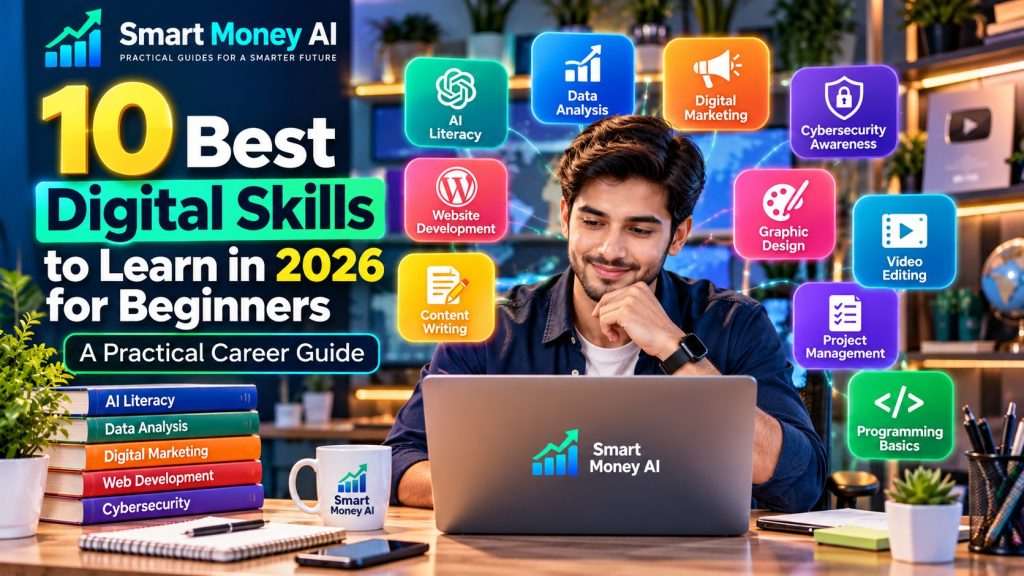
Technology continues to change how people study, communicate, and work. From artificial intelligence and data analysis to cybersecurity and digital marketing, many everyday activities now require at least some understanding of digital tools.
But with so many options available, which digital skills should beginners learn first?
The best digital skills to learn in 2026 are those that help you solve practical problems, adapt to new technology, and develop abilities that can be applied across different careers.
You don’t necessarily need an expensive degree, advanced equipment, or previous technical experience to begin exploring these skills.
Many reputable organizations provide free introductory lessons, tutorials, and practice materials.
In this guide, we’ll explore 10 useful digital skills, their real-world applications, beginner-friendly learning resources, and a practical roadmap for getting started.
Whether you’re a student, a job seeker, or a professional interested in developing new abilities, this guide will help you choose a sensible starting point.
Editor’s Note: Learning resources, software features, course availability, and pricing can change. Verify current details on official provider websites.
Table of Contents
Why Digital Skills Matter in 2026
Digital skills are abilities that help people use technology to complete tasks, communicate, create information, and solve problems.
Some are basic, such as organizing files or using spreadsheets.
Others are more specialized, such as analyzing data, developing websites, or understanding cybersecurity.
Digital skills can support:
- Better organization and communication
- More effective research
- Improved problem-solving
- Creative projects and presentations
- Adaptability when software changes
- Preparation for further education
- Exploration of different career paths
However, learning a digital skill does not guarantee employment or a particular salary.
Career outcomes depend on factors such as experience, location, qualifications, market conditions, and the quality of your work.
The goal is to build useful abilities and demonstrate them through practical projects.
10 Best Digital Skills to Learn in 2026
1. Artificial Intelligence Literacy
Artificial intelligence literacy means understanding what AI systems can do, where they have limitations, and how to use them responsibly.
AI assistants can support tasks such as brainstorming, explaining concepts, organizing information, and drafting content.
But they can also produce incorrect or misleading information.
What beginners should learn:
- How AI assistants work at a basic level
- Writing clear instructions or prompts
- Evaluating AI-generated information
- Protecting private information
- Recognizing bias and limitations
- Using AI according to school or workplace rules
Tools to explore: ChatGPT, Google Gemini, and Microsoft Copilot.
Practice project: Use an AI assistant to create a study plan for learning a new subject. Review the plan and improve it based on your actual schedule.
Example prompt:
“Help me create a beginner-friendly seven-day learning plan for understanding spreadsheets. Include one practical exercise each day and explain important terms in plain English.”
AI literacy is useful across many fields because it combines technological understanding with critical thinking.
For a structured introduction, read our How to Learn AI Skills for Free in 2026.
2. Spreadsheet and Data Analysis Skills
Spreadsheets help people organize information, perform calculations, and identify patterns.
They are used in education, administration, business, research, and personal projects.
Beginners can start with simple spreadsheet functions before exploring more advanced analysis.
What beginners should learn:
- Entering and formatting data
- Sorting and filtering information
- Using SUM, AVERAGE, and COUNT
- Creating basic charts
- Understanding PivotTables
- Checking calculations for errors
Tools to explore: Microsoft Excel and Google Sheets.
Practice project: Create a fictional monthly budget with categories such as transportation, groceries, utilities, and entertainment.
Use formulas to calculate totals and create a chart showing spending by category.
Free learning resources: Google Workspace Learning Center and Microsoft’s official Excel help materials.
Why it matters: Spreadsheet skills are transferable across many different roles and projects.
3. Digital Marketing Fundamentals
Digital marketing involves communicating with audiences through websites, search engines, email, and online platforms.
Learning the fundamentals can help beginners understand how organizations present products, services, and information online.
What beginners should learn:
- Understanding a target audience
- Creating useful content
- Search engine optimization fundamentals
- Email marketing concepts
- Basic website analytics
- Measuring campaign results responsibly
Tools to explore: Google Analytics, Google Search Console, and Canva.
Practice project: Create a sample digital marketing plan for a fictional neighborhood bookstore.
Include an audience description, three educational content ideas, and a simple method for measuring engagement.
Free learning resources: Google Skillshop and HubSpot Academy.
Why it matters: Digital marketing combines communication, research, creativity, and analytical thinking.
Avoid assuming that a particular strategy guarantees sales or online traffic.
4. Cybersecurity Awareness
Cybersecurity awareness is the ability to recognize common online threats and follow safer digital practices.
It is valuable for anyone using email, websites, online accounts, or shared devices.
Beginners do not need advanced programming knowledge to understand basic cybersecurity principles.
What beginners should learn:
- Recognizing phishing messages
- Creating strong, unique passwords
- Using multifactor authentication
- Keeping software updated
- Understanding safe file sharing
- Protecting personal information
Practice project: Create a cybersecurity safety checklist for a fictional small office or school club.
Include account protection, software updates, and procedures for reporting suspicious messages.
Free learning resources: The Cybersecurity and Infrastructure Security Agency (CISA) provides public cybersecurity guidance.
Why it matters: Cybersecurity awareness helps people protect information and use technology more responsibly.
5. Website Development and WordPress
Website development involves creating and maintaining websites that are useful, accessible, and easy to navigate.
Beginners can start with content management systems such as WordPress before learning coding languages.
What beginners should learn:
- Website pages and navigation
- Domain names and hosting basics
- WordPress posts and pages
- Headings and internal links
- Mobile-friendly design
- Basic accessibility principles
- Website updates and maintenance
Tools to explore: WordPress, a modern web browser, and browser developer tools.
Practice project: Create a small educational website with a homepage, an About page, and two sample articles.
Focus on clear navigation and readable content.
Free learning resources: Learn WordPress and MDN Web Docs.
Why it matters: Website skills are useful for personal portfolios, educational projects, and many digital roles.
6. Content Writing and Digital Communication
Digital communication includes writing clear emails, articles, reports, instructions, and other online materials.
Strong writing remains useful even when AI tools are available.
AI can support editing, but people still need to understand their audience and communicate accurately.
What beginners should learn:
- Writing clear sentences
- Organizing information with headings
- Understanding tone and audience
- Editing for grammar and clarity
- Checking sources
- Respecting copyright
- Writing accessible content
Tools to explore: Google Docs, Microsoft Word, and Grammarly.
Practice project: Write a 600-word beginner-friendly guide explaining a digital skill.
Edit it for clarity, verify factual claims, and ask a trusted reader for feedback.
Why it matters: Communication skills support education, teamwork, and professional relationships.
7. Graphic Design and Visual Communication
Graphic design involves communicating ideas through images, typography, color, and layout.
It is useful for presentations, educational materials, websites, and social media.
Beginners can learn design principles using accessible tools.
What beginners should learn:
- Typography and readability
- Color contrast
- Visual hierarchy
- Layout and spacing
- Image dimensions
- Accessible design
- Basic image licensing
Tools to explore: Canva, Adobe Express, and Figma.
Practice project: Create a fictional event poster and a matching social media graphic.
Make sure the main message is readable on both desktop and mobile screens.
Why it matters: Effective visual communication helps people understand information quickly.
Good design should prioritize clarity rather than decoration alone.
8. Video Editing and Multimedia Production
Video editing involves organizing footage, audio, captions, and visual elements into a coherent presentation.
The skill can support educational videos, presentations, tutorials, and creative projects.
What beginners should learn:
- Organizing video clips
- Trimming and arranging footage
- Understanding aspect ratios
- Improving audio clarity
- Adding readable captions
- Using transitions appropriately
- Respecting music and video copyrights
Tools to explore: DaVinci Resolve and other beginner-friendly video editors.
Practice project: Create a 60-second educational video explaining three useful computer shortcuts.
Use original footage or properly licensed materials.
Why it matters: Video communication is used in education, training, and many creative fields.
9. Project Management and Digital Organization
Project management skills help people plan work, track progress, and collaborate effectively.
Beginners can learn these skills through school projects, personal goals, or small team activities.
What beginners should learn:
- Breaking projects into tasks
- Setting realistic deadlines
- Tracking progress
- Managing shared documents
- Communicating updates
- Identifying potential problems
Tools to explore: Trello, Notion, Google Calendar, and Microsoft Planner.
Practice project: Create a four-week project plan for organizing a fictional community event.
Include tasks, deadlines, responsibilities, and a progress checklist.
Why it matters: Organization and teamwork are valuable across many industries.
10. Basic Programming and Automation Concepts
Programming helps people understand how software follows instructions to process information and perform tasks.
Beginners can start with simple programming concepts before building more complex applications.
What beginners should learn:
- Variables and data types
- Conditions and loops
- Functions
- Debugging
- Basic Python syntax
- Responsible automation
- Understanding program limitations
Tools to explore: Python, Visual Studio Code, and beginner-friendly learning environments.
Practice project: Create a simple Python program that calculates the average of several numbers.
Then modify it to display a helpful message based on the result.
Free learning resources: Python’s official documentation and introductory programming courses from reputable educational organizations.
Why it matters: Programming develops logical thinking and can provide a foundation for further technical study.
Best Digital Skills to Learn: Comparison Table
| Digital Skill | Beginner Difficulty | Example Practice Project | Potential Application |
|---|---|---|---|
| AI literacy | Beginner | AI-assisted study plan | General productivity |
| Spreadsheets | Beginner | Sample budget dashboard | Administration and analysis |
| Digital marketing | Beginner–Intermediate | Marketing content plan | Communications |
| Cybersecurity awareness | Beginner | Online safety checklist | Digital safety |
| WordPress | Beginner–Intermediate | Portfolio website | Website management |
| Digital writing | Beginner | Educational article | Communication |
| Graphic design | Beginner–Intermediate | Event poster | Visual content |
| Video editing | Beginner–Intermediate | Short tutorial video | Multimedia |
| Project management | Beginner | Project task board | Team coordination |
| Programming | Beginner–Intermediate | Simple Python program | Software fundamentals |
Difficulty levels are general estimates. Your experience may vary depending on your background and the complexity of each project.
How to Choose the Right Digital Skill
Choosing the best digital skills to learn depends on your interests, goals, and current abilities.
If you enjoy writing and communication, explore content writing or digital marketing.
If you prefer working with numbers, spreadsheets and data analysis may be a good starting point.
If you enjoy creative projects, graphic design or video editing may be appealing.
If you like solving technical problems, website development or programming could be worth exploring.
You do not need to choose your entire career path immediately.
Instead, try one small project and evaluate whether you enjoy the work.
Questions to Ask Yourself
- What kinds of problems do I enjoy solving?
- Do I prefer creative, analytical, or organizational tasks?
- Which skills could support my education or current responsibilities?
- What free learning resources are available?
- Can I complete a small practice project within two weeks?
Your answers can help narrow your options.
Free Resources for Learning Digital Skills
Several organizations provide useful introductory materials.
Google Skillshop
Google Skillshop offers learning resources related to selected Google products and professional tools.
Official website: https://skillshop.withgoogle.com/
Microsoft Learn
Microsoft Learn provides technical learning materials, documentation, and guided learning paths.
Official website: https://learn.microsoft.com/training/
Learn WordPress
Learn WordPress provides educational materials covering WordPress website creation and management.
Official website: https://learn.wordpress.org/
MDN Web Docs
MDN Web Docs offers detailed information about HTML, CSS, JavaScript, and web development fundamentals.
Official website: https://developer.mozilla.org/
freeCodeCamp
freeCodeCamp offers programming tutorials and learning resources for people developing coding skills.
Official website: https://www.freecodecamp.org/
CISA Cybersecurity Guidance
CISA publishes public resources on cybersecurity awareness and safer online practices.
Official website: https://www.cisa.gov/
Some platforms offer both free and paid options. Always verify course requirements and availability before enrolling.
A Practical 30-Day Digital Skills Learning Roadmap
A structured plan can help you build momentum without trying to learn everything at once.
Week 1: Choose and Explore
Select one digital skill.
Learn the basic terminology, identify reliable resources, and complete introductory lessons.
For example, if you choose spreadsheets, practice entering data and using basic formulas.
Week 2: Practice the Fundamentals
Complete small exercises that reinforce what you’ve learned.
For spreadsheet learners, this might involve sorting data and creating simple charts.
For writing learners, it might involve outlining and editing short articles.
Week 3: Build a Practical Project
Choose a project that demonstrates your new abilities.
Examples include:
- A sample spreadsheet dashboard
- A personal portfolio webpage
- An educational infographic
- A short tutorial video
- A simple Python program
Focus on completing one useful project rather than starting several unfinished ones.
Week 4: Review and Improve
Evaluate your project for accuracy, clarity, and usability.
Ask for feedback from a teacher, mentor, colleague, or trusted person.
Identify what you would improve in a second version.
Document what you’ve learned and decide whether to continue developing the same skill.
Thirty days can provide a useful introduction, but becoming proficient often requires more practice.
How to Build a Beginner Digital Skills Portfolio
A portfolio is a collection of projects that demonstrates what you can do.
You don’t need professional clients to create useful portfolio samples.
You can build projects around fictional scenarios, educational topics, or personal interests.
For example:
Writing portfolio: Two original educational articles.
Design portfolio: Three posters demonstrating different layouts.
Spreadsheet portfolio: A fictional budget tracker and a simple chart.
Website portfolio: A small website with clear navigation.
Programming portfolio: Two beginner-friendly Python projects with explanations.
Each sample should clearly describe the task, your approach, and the final result.
Avoid including confidential information or presenting fictional projects as paid client work.
How AI Can Help You Learn Digital Skills
AI assistants can support the learning process by explaining unfamiliar concepts and generating practice exercises.
For example, you can ask an AI assistant to explain spreadsheet formulas, suggest writing exercises, or help identify programming mistakes.
Example AI prompt:
“Act as a beginner-friendly digital skills tutor. Teach me the basics of Google Sheets over seven days. Include one short explanation, one practical exercise, and three review questions each day.”
Remember that AI-generated explanations may contain errors.
Compare important information with official documentation and reputable educational resources.
You can also explore our 10 Best AI Tools for Beginners: A Practical Guide to discover useful learning assistants.
Can Digital Skills Help With Career Development?
Digital skills can support career preparation by helping people complete tasks, communicate effectively, and adapt to changing technology.
For example, spreadsheet knowledge may support administrative work, while web development skills may be useful for maintaining websites.
However, employers may also consider qualifications, communication skills, experience, teamwork, and other factors.
A short online course does not automatically qualify someone for a specialized position.
Practical projects, continued learning, and relevant experience can help demonstrate your abilities.
Common Mistakes Beginners Should Avoid
Trying to Learn Too Many Skills at Once
Learning several unrelated skills simultaneously can make it difficult to develop confidence.
Start with one area and build gradually.
Watching Tutorials Without Practicing
Tutorials are helpful, but practical exercises are essential.
Apply what you learn through small projects.
Buying Expensive Courses Too Early
Free introductory resources are often sufficient for exploring a new subject.
Understand your learning needs before purchasing training.
Expecting Immediate Career Results
Digital skills take time to develop.
Focus on learning and producing quality work rather than expecting instant employment or income.
Ignoring Privacy and Security
Use strong account protection and avoid sharing confidential information with unfamiliar services.
Relying Entirely on AI
AI can assist with learning, but you should understand the concepts and verify its explanations.
Frequently Asked Questions
What are the best digital skills to learn in 2026?
Useful options include AI literacy, spreadsheet analysis, digital marketing, cybersecurity awareness, website development, digital communication, graphic design, video editing, project management, and programming.
Which digital skill is easiest for beginners?
Basic digital writing, spreadsheet organization, and project management are accessible starting points for many beginners. The easiest option depends on your interests and previous experience.
Can I learn digital skills for free?
Yes. Organizations such as Microsoft Learn, Learn WordPress, MDN Web Docs, and freeCodeCamp provide free educational resources.
Do I need a college degree to start learning digital skills?
No. Many introductory digital skills can be learned independently. However, certain careers may require formal qualifications, certifications, or professional experience.
How long does it take to learn a digital skill?
Basic concepts may be learned within weeks, while advanced proficiency can take months or longer. Progress depends on the subject, practice time, and prior knowledge.
Is AI literacy an important digital skill?
AI literacy is increasingly relevant because AI tools are used for writing, planning, research, and other activities. Understanding their limitations and using them responsibly is important.
Should I learn programming or digital marketing first?
Choose based on your interests. Programming may appeal to people who enjoy logical problem-solving, while digital marketing may suit those interested in communication and audience research.
Can digital skills help with online work?
Digital skills can provide a foundation for various online activities, but earning opportunities depend on experience, demand, eligibility, and other factors.
If you’re just starting your digital learning journey, explore our guide to 10 Essential Digital Skills for Beginners in 2026. It provides additional practical insights to help you build a strong foundation and develop useful skills for the future.
Ready to put your digital skills into practice? Read our AI for Digital Marketing in 2026 guide to discover practical ways to use AI for SEO, content creation, and marketing.
Social media marketing is another valuable digital skill to develop. Explore our beginner’s guide to AI for social media marketing to learn how AI can help you create content, plan posts, and improve your social media workflow.
Learning digital skills can also help you prepare for freelance opportunities. If you want to explore how AI tools can support writing, design, content creation, and other freelance services, read our beginner’s guide to freelancing with AI skills in 2026. It explains how to develop practical abilities, create portfolio samples, and prepare for potential client projects.
Learning digital skills is only the beginning. You also need a way to showcase your abilities to potential clients or employers. Discover how to create a portfolio using AI and present your projects professionally.
Conclusion
The best digital skills to learn in 2026 are those that help you become more capable, adaptable, and confident when using technology.
Artificial intelligence, spreadsheets, cybersecurity awareness, website development, digital marketing, and creative communication all offer valuable opportunities for learning.
You don’t need to master every skill.
Choose one that interests you, use reliable educational resources, and complete a small project that demonstrates what you’ve learned.
Continue practicing, ask for feedback, and gradually expand your abilities.
The most important first step is not choosing the perfect skill. It’s choosing a useful skill and beginning to practice.
Editor’s Note: This article is published by Smart Money AI for educational and informational purposes. Learning resources, software capabilities, and career requirements may change. No particular course, skill, or project guarantees employment, business success, or income. Readers should verify important details using official sources.