
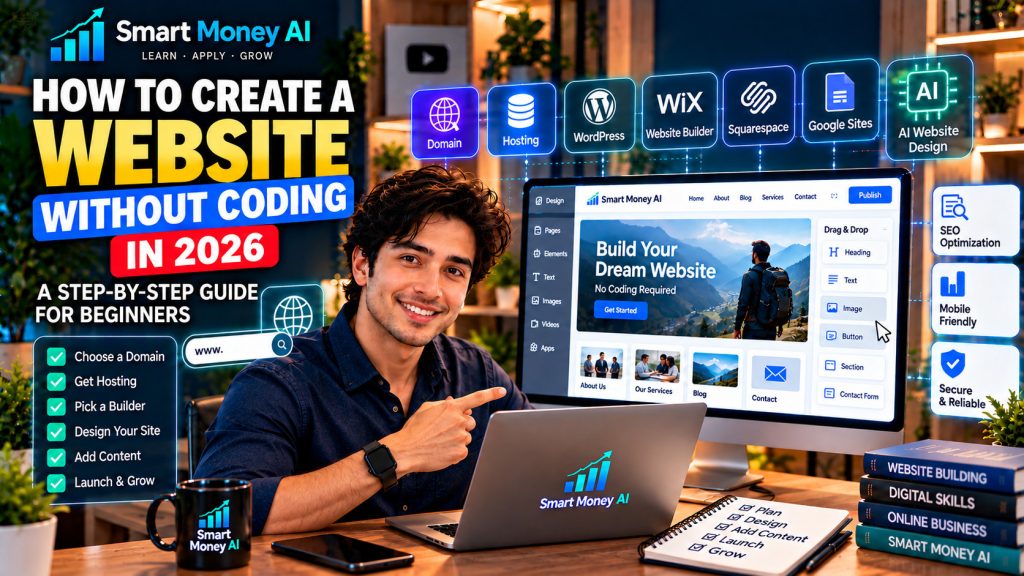
Have you ever wanted to create your own website but felt discouraged because you don’t know how to code?
The good news is that you can build a professional-looking website without learning HTML, CSS, or programming languages.
In 2026, website builders, WordPress, and AI-powered design tools make it easier for beginners to create websites for blogs, personal portfolios, small businesses, and online projects.
If you’re wondering how to create a website without coding, this step-by-step guide will help you understand the process, choose the right tools, and launch a website confidently.
You will learn how to select a domain name, choose hosting, design pages, add content, improve SEO, and publish your first website.
Building your own website is a valuable digital skill. To explore other useful skills, read our guide to 10 essential digital skills for beginners in 2026.
Table of Contents
What Is a No-Code Website?
A no-code website is a website created using visual tools instead of manually writing programming code.
Many website-building platforms provide ready-made templates, drag-and-drop editors, customizable layouts, and publishing tools.
For example, you can add a heading, insert an image, change background colors, and create navigation menus using visual controls.
Popular website-building options include WordPress, Wix, Squarespace, and Google Sites.
Some platforms also offer AI features that help generate layouts, draft content, or suggest website structures.
Although these tools simplify website creation, you still need to make decisions about your site’s purpose, content, design, security, and maintenance.
Why Create a Website Without Coding?
A website can provide a central online location for your information, projects, products, or services.
Build Your Online Presence
A website allows people to find information about your work or organization.
Unlike a social media profile, your own website gives you more control over its structure and content, subject to your hosting and platform arrangements.
Showcase Your Skills
Students, freelancers, and professionals can create websites to display projects, writing samples, achievements, and portfolios.
Support a Small Business
A small-business website can explain services, display contact details, answer common questions, and help potential customers learn about the business.
Publish Educational Content
A blog allows you to share tutorials, guides, reviews, and other useful information.
Learn Valuable Digital Skills
Building a website helps you practice content organization, design, basic SEO, online publishing, and website maintenance.
These skills can be useful for personal projects and professional development.
What You Need Before Building a Website
Before starting, prepare four essential things.
1. A Clear Website Purpose
Decide what you want the website to accomplish.
Examples include:
- Publishing educational articles.
- Showcasing a professional portfolio.
- Providing information about a local business.
- Promoting freelance services.
- Sharing a creative project.
- Building an online community.
Your purpose will influence the design, pages, and features you need.
2. A Domain Name
A domain name is the address visitors type into their browsers to reach your website.
For example:
yourbusiness.com
Choose a domain name that is easy to remember, spell, and share.
Avoid unnecessarily complicated names, excessive hyphens, and confusing abbreviations.
Before registering a domain, check its availability and whether it could conflict with an existing business name or trademark.
3. A Website Platform
Your website platform provides the tools used to create and manage your site.
Some platforms include hosting, while others require a separate hosting provider.
Choose based on your technical comfort, budget, website goals, and need for future customization.
4. Basic Website Content
Prepare the information visitors will need.
For a beginner website, this may include:
- Website name.
- Short description.
- Home page introduction.
- About page.
- Contact information.
- Services or portfolio details.
- Initial blog articles, if applicable.
You do not need dozens of pages before launching.
A small, useful website is better than a large collection of incomplete pages.
How to Create a Website Without Coding: 12 Steps
Step 1: Choose Your Website Type
Start by identifying the kind of website you want.
A personal portfolio usually needs project pages and contact information.
A blog needs article categories, readable post layouts, and navigation.
A small-business website may require service descriptions, location details, and inquiry forms.
Beginner tip: Write one sentence describing your website’s main purpose before choosing a platform.
For example:
“My website will teach beginners how to use digital tools through practical tutorials.”
This simple statement helps guide later decisions.
Step 2: Select a Website Builder
Different website builders serve different needs.
WordPress is widely used for blogs and content-focused websites.
Wix and Squarespace offer visual website-building experiences.
Google Sites provides a simpler option for basic informational websites.
Compare platforms using these questions:
- Is the editor easy to understand?
- Can I use my own domain?
- What does the plan include?
- Can I change the design later?
- Does the platform support SEO settings?
- Can I export or move my content?
- What maintenance responsibilities will I have?
Avoid choosing a platform based only on its introductory price.
Step 3: Register Your Domain Name
After choosing a suitable name, register it through a domain registrar or an eligible hosting provider.
Check the registration price, renewal price, and any optional services.
Some hosting plans include a domain registration for an initial period, but renewal charges may apply later.
Keep your domain account credentials secure and enable multifactor authentication when available.
Step 4: Choose Hosting If Required
Web hosting stores your website files and makes them accessible online.
If you use a hosted website builder, hosting may already be included.
If you choose self-hosted WordPress, you will normally need a hosting service.
When comparing hosting plans, consider:
- Reliability.
- Storage and performance.
- Security features.
- Backups.
- Customer support.
- SSL certificates.
- Renewal pricing.
- WordPress compatibility.
You do not necessarily need an expensive hosting plan for a new, low-traffic website.
Choose a plan that suits your current needs and can be upgraded if necessary.
Step 5: Install or Set Up Your Website Platform
For self-hosted WordPress, many hosting providers offer an automated installation process.
After installation, sign in to your WordPress dashboard.
The dashboard allows you to manage pages, posts, themes, plugins, menus, and settings.
For hosted website builders, you will usually begin by creating an account and selecting a template.
Beginner tip: Complete the platform’s basic setup before installing additional features.
Step 6: Choose a Professional Website Theme
A theme controls much of your website’s visual appearance.
Select a design that suits your content and audience.
For a beginner blog, prioritize:
- Readable fonts.
- Clear navigation.
- Mobile-friendly layouts.
- Good contrast.
- Consistent spacing.
- Simple page structures.
Avoid themes with excessive animations or complicated layouts that distract visitors.
You can customize colors, typography, logos, and other visual elements later.
Step 7: Create Your Essential Website Pages
Most informational websites benefit from a few core pages.
Home Page
Explain what the website offers and help visitors find important content.
About Page
Describe the purpose of the website and who it serves.
Contact Page
Provide an appropriate way for visitors to contact you.
Privacy Policy
Explain relevant data collection and processing practices.
Your privacy policy should reflect the actual services and tools your website uses. A generic template may not be sufficient.
Blog or Resources Page
If you publish articles, organize them into useful categories.
Additional pages may be needed depending on your services, location, audience, and legal obligations.
Step 8: Design Your Home Page
Your home page creates an important first impression.
A practical beginner layout might include:
Header: Logo and navigation menu.
Hero Section: Main heading, short introduction, and primary action.
Content Categories: Links to important topics.
Featured Content: Useful articles, services, or projects.
Footer: Contact information and relevant policy links.
Use clear headings that explain the website’s purpose.
For example:
“Learn Practical AI and Digital Skills”
A supporting paragraph might explain:
“Explore beginner-friendly tutorials, useful tools, and step-by-step guides to improve your digital confidence.”
Keep your layout focused on helping visitors understand what to do next.
Step 9: Add Your Website Content
Content gives visitors a reason to explore your website.
For a blog, start with a small collection of useful articles.
For a business website, explain your services and answer common customer questions.
For a portfolio, describe your projects and demonstrate your skills.
Focus on:
- Original information.
- Clear explanations.
- Helpful examples.
- Accurate claims.
- Relevant images.
- Logical headings.
- Easy-to-read paragraphs.
Avoid filling your website with repetitive or unreviewed AI-generated text.
Quality and usefulness matter more than publishing a large number of pages quickly.
Step 10: Improve Basic Website SEO
Search engine optimization, or SEO, helps search engines understand your website’s content.
Beginner SEO practices include:
Write Clear Page Titles
Each important page should have a descriptive, distinct title.
Use Logical Headings
Organize information using a main heading and relevant subheadings.
Create Descriptive URLs
A readable URL helps explain what a page contains.
For example:
yourwebsite.com/beginner-website-guide/
Add Image Alt Text
Describe meaningful images accurately to improve accessibility.
Link Related Pages
Internal links help visitors discover related information.
Optimize Mobile Usability
Check that text, menus, buttons, and images work properly on phones.
Improve Loading Performance
Use appropriately sized images, reliable hosting, and a lightweight design.
You can learn more from Google’s official Search Central documentation.
SEO is an ongoing process. No plugin or technique guarantees high search rankings.
Step 11: Test Your Website Before Launch
Before making your website public, check how it behaves.
Open the site on a desktop computer and a smartphone.
Review:
- Navigation menus.
- Page layouts.
- Contact forms.
- Internal links.
- External links.
- Images.
- Spelling and grammar.
- Buttons.
- Mobile readability.
- Security settings.
If your website includes a contact form, submit a test message and confirm that it reaches the intended destination.
Also verify that your website uses HTTPS.
Step 12: Publish Your Website
After completing your initial pages and testing, you are ready to launch.
Make sure the website is publicly accessible and that search engine visibility is configured appropriately.
Then submit your website to Google Search Console.
Search Console can help you monitor indexing, identify certain technical issues, and understand how your pages appear in Google Search.
Submitting a URL for indexing does not guarantee immediate inclusion in search results.
Continue improving your content, fixing problems, and updating the website after launch.
Best No-Code Website Builders for Beginners in 2026
The following platforms are worth considering.
WordPress
WordPress is useful for blogging, publishing educational content, and building websites that may grow over time.
Self-hosted WordPress offers substantial flexibility through themes and plugins, but the website owner is responsible for aspects of hosting, maintenance, and security.
WordPress is a popular option for building websites without coding. You can explore its features and website-building tools on the official WordPress website.
Wix
Wix provides visual editing tools, templates, and hosted website-building services.
It may appeal to beginners who want an integrated platform.
Squarespace
Squarespace offers website templates and tools for creating business, portfolio, and content websites.
Its integrated approach can simplify some aspects of website management.
Google Sites
Google Sites is designed for straightforward informational websites.
It may suit simple projects that do not require advanced blogging or customization features.
Which Website Builder Should You Choose?
| Your Goal | Platform to Consider |
|---|---|
| Content-focused blog | WordPress |
| Visual small-business website | Wix or Squarespace |
| Simple informational site | Google Sites |
| Flexible, expandable website | Self-hosted WordPress |
| Portfolio website | WordPress, Wix, or Squarespace |
These are starting points, not universal rankings. Features and pricing can change, so compare current plans before choosing.
How AI Can Help You Build a Website
AI tools can support several stages of website creation.
Generate Website Ideas
AI can help you brainstorm website names, categories, and page structures.
Draft Website Copy
AI can suggest home page introductions, service descriptions, and frequently asked questions.
Plan Navigation
AI can recommend a simple menu based on your website’s purpose.
Suggest Design Directions
AI can help develop color palettes, layout ideas, and visual concepts.
Review Existing Content
AI can identify unclear writing, repeated information, and opportunities to improve readability.
Example AI Website Planning Prompt
“Act as a beginner-friendly website planning assistant.
I want to create a professional website for [describe your project].
My audience is [describe your audience].
Suggest a simple website structure with a home page, about page, contact page, and any additional pages that would be useful.
Recommend a navigation menu, home page sections, and five content ideas.
Use clear American English and avoid unnecessary technical jargon.
Explain each recommendation briefly.”
Use the output as a planning draft, then make your own decisions about the final website.
How Much Does It Cost to Create a Website Without Coding?
Website costs depend on the platform, domain, hosting, features, and services you choose.
Possible expenses include:
- Domain registration and renewal.
- Website builder subscriptions.
- Web hosting.
- Premium themes or templates.
- Paid plugins or integrations.
- Professional email.
- Optional design or maintenance services.
Some platforms provide free plans with restrictions, while others require payment to use a custom domain or access certain features.
Be careful when comparing promotional prices with renewal prices.
A realistic beginner budget should account for recurring costs rather than just the initial setup.
Common Website-Building Mistakes to Avoid
Choosing a Complicated Design
A visually impressive website is not necessarily easy to use.
Prioritize readability and navigation over unnecessary effects.
Publishing Without Useful Content
Visitors need clear information about what your website offers.
Prepare your essential pages before launch.
Ignoring Mobile Visitors
A design that looks good on a large monitor may be difficult to use on a phone.
Test both.
Installing Too Many Plugins
Unnecessary plugins can increase maintenance requirements and introduce compatibility or security concerns.
Install only features you need.
Forgetting Backups
Backups help you recover content if something goes wrong.
Confirm how backups are created, stored, and restored.
Ignoring Security Updates
Keep your platform, themes, and plugins updated.
Use strong passwords and multifactor authentication where supported.
Expecting Immediate Search Traffic
A newly published website may take time to appear in search results and attract visitors.
Focus on publishing useful content and improving the user experience consistently.
Website Launch Checklist
Before launching, confirm that:
- Your domain points to the correct website.
- HTTPS works properly.
- Your home page clearly explains your purpose.
- Navigation menus work.
- Important pages are complete.
- Contact information is accurate.
- Privacy information reflects your actual practices.
- Images display correctly.
- The website works on mobile devices.
- Internal and external links open correctly.
- Backups and security settings are configured.
- Your website is ready for search engine discovery.
Frequently Asked Questions
Can I Create a Website Without Knowing Coding?
Yes. Visual website builders and content management systems allow beginners to create many types of websites without writing code.
Is WordPress Good for Beginners?
WordPress can be suitable for beginners, especially when using a straightforward theme and an easy-to-manage hosting service. However, self-hosted WordPress requires some ongoing maintenance.
Can AI Build an Entire Website for Me?
Some AI-powered services can generate website layouts and draft content. However, you still need to review accuracy, design, functionality, privacy, and technical settings before publishing.
Can I Create a Website for Free?
Some platforms offer free plans, but these may include limitations on storage, features, branding, or custom domains.
Do I Need Hosting for My Website?
Every public website needs hosting infrastructure. With hosted website builders, hosting is generally included in the service. Self-hosted WordPress normally requires a separate hosting arrangement.
How Long Does It Take to Build a Website?
A basic informational website may be assembled relatively quickly, while a larger blog or business website can require considerably more planning, content preparation, and testing.
Will My Website Automatically Appear on Google?
Not necessarily. Google must discover and process your pages, and indexing is not guaranteed. Google Search Console can help you inspect and request indexing for eligible URLs.
Can I Earn Money From a Website?
Some websites generate revenue through advertising, affiliate partnerships, services, or products. Results vary considerably, and revenue is never guaranteed.
Final Thoughts
Learning how to create a website without coding in 2026 is a practical way to develop digital skills and build an online presence.
You can begin with a clear purpose, choose a suitable website platform, create essential pages, and publish useful content without becoming a programmer.
Website builders and AI tools can make the process easier, but successful websites still require thoughtful planning, accurate information, regular maintenance, and attention to visitors’ needs.
Start with a simple website that works well.
As your experience grows, you can improve the design, add new content, and introduce features that support your goals.