
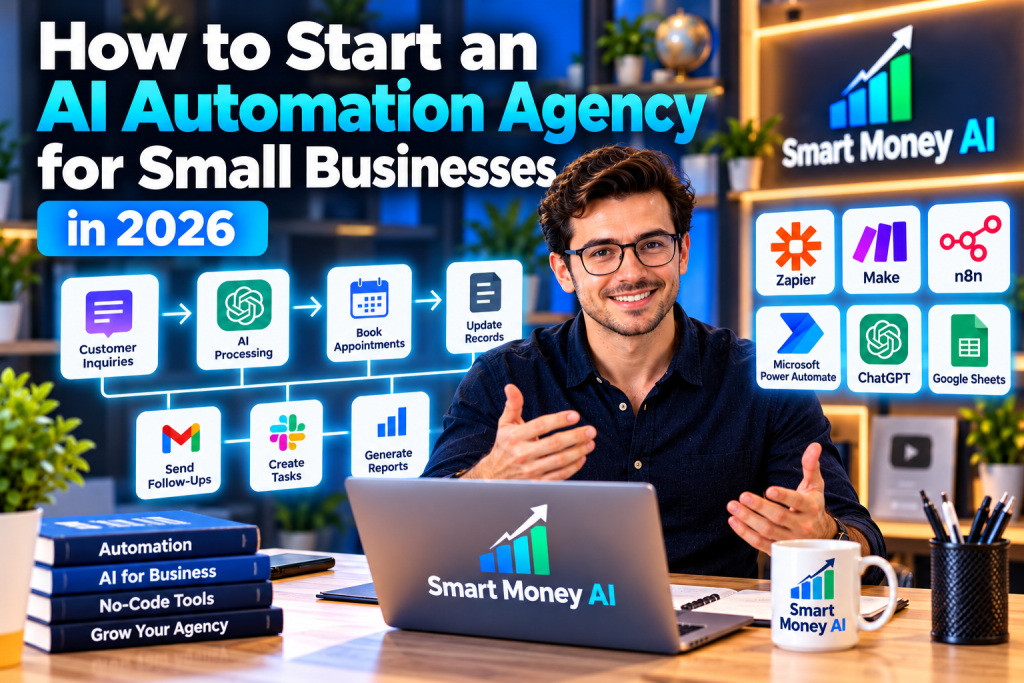
Small businesses often spend valuable time on repetitive tasks such as organizing customer inquiries, updating spreadsheets, sending appointment reminders, and preparing routine reports.
Many of these activities involve moving information between applications or following the same steps repeatedly.
Artificial intelligence and no-code automation tools can help businesses simplify certain workflows, reduce unnecessary manual work, and improve consistency.
This creates an opportunity for people who can understand business processes, identify suitable automation opportunities, and implement reliable solutions.
One possible business model is an AI automation agency.
However, starting an AI automation agency is not as simple as connecting a few applications and promising businesses that artificial intelligence will do everything automatically.
Clients need dependable systems, appropriate data protection, clear documentation, and ongoing support.
If you’re wondering how to start an AI automation agency for small businesses in 2026, this beginner-friendly guide explains the process step by step.
You’ll learn what an automation agency does, which services you could offer, how to develop the necessary skills, how to create demonstration projects, and how to manage client relationships.
You’ll also learn how to price projects, protect business information, avoid common mistakes, and build a realistic foundation for a service business.
Table of Contents
1. What Is an AI Automation Agency?
An AI automation agency is a service business that helps clients design, implement, and maintain workflows using automation software and, where appropriate, artificial intelligence.
The agency may work with small businesses that want to reduce repetitive administrative work or improve how information moves between applications.
For example, a small business might receive customer inquiries through an online form.
An automation could help transfer those inquiries into a spreadsheet, notify the appropriate employee, and create a follow-up task.
If AI is included, it might assist with classifying the inquiry or preparing a draft response for human approval.
The agency’s responsibility is to understand the client’s needs, configure an appropriate workflow, test it, and explain how it works.
What Does an Agency Actually Sell?
An AI automation agency may offer:
- Workflow assessments.
- Automation planning.
- No-code application integrations.
- Customer inquiry organization.
- Appointment reminder workflows.
- Document processing assistance.
- AI-assisted email drafting.
- Internal reporting workflows.
- Automation troubleshooting.
- Ongoing maintenance.
Clients generally pay for a useful business solution rather than for the automation software itself.
Automation Versus Artificial Intelligence
Automation and AI are related but different.
Traditional automation follows predefined instructions.
For example, when a form is submitted, a workflow creates a new spreadsheet row.
AI-assisted automation uses an AI model for a task such as interpreting text, classifying a message, or preparing a summary.
For example, an AI model might classify an inquiry as a booking request or a general question.
AI-assisted steps require additional safeguards because model outputs can be inaccurate or inconsistent.
Not every workflow needs AI.
In many cases, a simple rule-based automation is more reliable and less expensive.
2. Why Small Businesses May Need Automation Services
Small businesses frequently rely on multiple software applications.
A business might use one tool for customer inquiries, another for appointments, and a spreadsheet for tracking work.
When these systems are not connected, employees may need to copy information manually.
Repetitive Administrative Work
Repeatedly transferring information between applications can consume time.
Automation may help reduce some of these tasks.
Inconsistent Processes
When employees follow different procedures, information can become disorganized.
A standardized workflow can help create more consistent records.
Missed Follow-Ups
Customer inquiries may be overlooked when notifications and task assignments are unclear.
A carefully designed system can help route inquiries to the right person.
Limited Technical Resources
Small businesses may not have dedicated software integration specialists.
An external service provider may help evaluate and configure suitable tools.
Need for Better Visibility
Organized workflows can make it easier to review operational information.
However, automation does not automatically improve every business.
Sometimes the better solution is simplifying an existing process rather than introducing new software.
3. Seven AI Automation Services You Could Offer
Beginners should focus on services they can understand, test, and support responsibly.
Here are seven potential service categories.
Service 1: Customer Inquiry Organization
A business may receive inquiries through website forms or other approved channels.
You could help create a workflow that:
- Receives a new inquiry.
- Records relevant information.
- Assigns a category.
- Notifies the appropriate employee.
- Creates a follow-up task.
An AI model could assist with categorization, but uncertain or sensitive messages should be reviewed by a person.
Example:
A home-maintenance company receives inquiries about repairs, estimates, and appointment availability.
A workflow organizes these messages into categories so staff can respond more efficiently.
The system should not invent prices, make commitments, or send unapproved responses.
Service 2: Appointment Reminder Workflows
Businesses that schedule appointments may need reliable reminder systems.
Examples include:
- Tutoring services.
- Photography studios.
- Consulting businesses.
- Home-service providers.
An automation could send reminders through an approved scheduling or messaging service.
The workflow must respect customer communication preferences, consent requirements, and applicable messaging rules.
Potential benefit: More consistent appointment communication.
However, reminders cannot guarantee that customers will attend.
Service 3: AI-Assisted Email Drafting
Some businesses receive repetitive questions.
AI may help prepare draft replies based on approved information.
For example, a business could provide a verified FAQ document.
When an inquiry arrives, the system may suggest a response for an employee to review.
Important: Beginners should not configure AI to send unrestricted responses about refunds, contracts, payments, or other sensitive matters without appropriate controls.
A human approval step is often the safer approach.
Service 4: Internal Task Creation
Small teams may use forms, spreadsheets, and task management applications.
An automation can help create tasks when a defined event occurs.
Example:
When a project request is approved, the workflow creates a task in a project management system and assigns it to the appropriate team.
This can help standardize internal processes.
Service 5: Document Organization
Businesses may need to organize documents by project, date, or category.
Automation tools can help with:
- File naming.
- Folder organization.
- Document notifications.
- Status tracking.
- Approved information extraction.
AI may assist with interpreting document contents.
However, confidential or regulated information requires suitable permissions and safeguards.
Service 6: Routine Business Reporting
Businesses often review recurring operational information.
You could create a workflow that gathers approved data from connected systems and prepares a draft summary.
For example, a small ecommerce business might want a weekly report showing order counts and fulfillment status.
AI could help explain trends, but the numerical data must be verified.
The workflow should not invent results or present unsupported explanations as facts.
Service 7: Automation Maintenance and Support
Automations can stop working when:
- An application changes.
- An account loses access.
- An integration expires.
- A workflow encounters unexpected data.
- A service reaches a usage limit.
Some clients may need ongoing support.
Maintenance services can include:
- Checking workflow performance.
- Reviewing error reports.
- Updating integrations.
- Improving documentation.
- Testing changes.
- Helping employees understand the system.
Ongoing support requires clear responsibilities and realistic response expectations.
4. Step 1: Understand Business Processes Before Using AI
A common beginner mistake is choosing software before understanding the problem.
A business owner may say:
“We want to automate our customer service.”
That statement is too broad to design a reliable solution.
You need to understand the actual workflow.
Ask Practical Questions
For example:
- How do customer inquiries arrive?
- Who reviews them?
- Which information is recorded?
- What happens after an inquiry is received?
- Which steps are repeated?
- Where do mistakes occur?
- Which decisions require human approval?
Create a Simple Process Map
Imagine a business that handles service requests.
Its current workflow might be:
Customer submits a form → employee reads the message → employee copies details into a spreadsheet → manager assigns the request → employee contacts the customer.
This process map helps identify possible improvements.
Identify the Real Problem
Perhaps the main issue is not answering inquiries.
It may be that staff forget to assign them.
In that case, automatic task creation might solve the problem without any AI model.
Start with the simplest reliable solution.
Adding AI should be justified by a specific need.
5. Step 2: Learn the Essential Technical Skills
You do not necessarily need advanced programming skills to begin learning automation.
If you’re just getting started, explore our guide to the 10 essential digital skills for beginners in 2026 to build a stronger foundation for learning AI automation.
However, you must understand how digital systems exchange information.
Workflow Logic
Learn how triggers and actions work.
A trigger is an event that starts a workflow.
An action is something the workflow performs.
Example:
Trigger: A new form submission.
Action: Add the information to an approved spreadsheet.
Conditional Logic
Some workflows need different actions depending on the information received.
For example:
If an inquiry is marked urgent, notify a designated team member.
Otherwise, add it to the normal review queue.
Data Mapping
Data mapping determines which information moves between fields.
For example:
The customer’s name from a form should populate the correct name field in a spreadsheet.
Incorrect mapping can create unreliable records.
Error Handling
Learn what happens when an automation fails.
A dependable workflow should not silently lose important information.
API Basics
An application programming interface, or API, allows supported software systems to communicate.
You do not need to master API development immediately, but understanding the concept is useful.
Privacy and Security
Learn basic principles such as:
- Limiting access.
- Protecting credentials.
- Using approved connections.
- Avoiding unnecessary data collection.
- Maintaining secure records.
- Reviewing application permissions.
These skills are essential when working with business information.
6. Step 3: Explore AI and No-Code Automation Tools
Several platforms can support automation workflows.
If you’re unfamiliar with AI software, our guide to the 10 best AI tools for beginners explains popular tools and their practical uses.
Each has different capabilities, pricing structures, integrations, and technical requirements.
Zapier
Zapier connects supported applications and allows users to create workflows based on triggers and actions.
To explore supported integrations and automation features, visit the official Zapier website.
It may be suitable for straightforward business integrations.
Make
Make provides a visual environment for building workflows between supported services.
To learn more about visual workflow automation and available integrations, explore the official Make website.
It can be useful for processes involving multiple steps and conditions.
n8n
n8n is a workflow automation platform with options for more customizable integrations.
To explore customizable workflows, integrations, and automation capabilities, visit the official n8n website.
Some configurations require greater technical knowledge and maintenance.
Microsoft Power Automate
Power Automate supports workflow automation within Microsoft’s ecosystem and other compatible services.
To learn about automating business processes with Microsoft applications, explore the official Microsoft Power Automate website.
It may be relevant to businesses already using Microsoft applications.
ChatGPT
ChatGPT can assist with:
- Understanding workflow requirements.
- Drafting documentation.
- Developing test cases.
- Explaining technical concepts.
- Preparing AI-assisted text-processing instructions.
Actual integrations depend on the available tools, accounts, permissions, and product capabilities.
To explore AI-assisted planning, documentation, and workflow development, visit the official ChatGPT website.
Google Sheets
Google Sheets can serve as a simple data tracking or reporting component.
To learn how spreadsheets can support data organization and automated reporting, explore the official Google Sheets website.
It is not primarily an AI automation platform, but it can be useful within a workflow.
How to Choose
Compare:
- Supported applications.
- Ease of use.
- Reliability.
- Security features.
- Pricing.
- Usage limits.
- Error monitoring.
- Client requirements.
- Maintenance needs.
Avoid purchasing several subscriptions before identifying a real use case.
7. Step 4: Build Your First Demonstration Automation
Before offering services to clients, practice with fictional data and accounts you are authorized to use.
A demonstration project can help you learn how workflows behave.
Example Project: Customer Inquiry Tracking
Imagine a fictional home-cleaning business.
The goal is to organize inquiries received through a form.
Define the Workflow
The process could be:
- A test inquiry is submitted.
- The workflow receives the form data.
- The information is added to a spreadsheet.
- A task is created for a team member.
- A notification is sent to an approved test address.
Prepare Sample Data
Use fictional names, email addresses, and service requests.
Do not use real customer information without authorization.
Configure the Workflow
Choose compatible tools and connect the test applications.
Map each form field to its intended destination.
Test Different Situations
Check what happens when:
- A required field is missing.
- A message contains unexpected text.
- A submission is duplicated.
- An application is temporarily unavailable.
- A notification cannot be delivered.
Review the Results
Confirm that:
- Information appears in the correct fields.
- Duplicate records are handled appropriately.
- Notifications reach the intended destination.
- Failures are visible.
- The workflow can be stopped when necessary.
Document the Process
Prepare a short explanation of:
- What the workflow does.
- Which applications it uses.
- What triggers it.
- What information it processes.
- What happens when something fails.
A well-documented demonstration can become a useful portfolio sample.
8. Step 5: Learn When to Add AI to a Workflow
Not every automation needs artificial intelligence.
AI is most useful when a task requires interpreting information that cannot be handled easily through simple rules.
Suitable AI-Assisted Tasks
Examples include:
- Classifying general inquiry topics.
- Summarizing non-sensitive notes.
- Drafting routine text for review.
- Extracting information from approved documents.
- Suggesting categories for internal records.
Tasks Requiring Greater Caution
Examples include:
- Approving refunds.
- Making financial decisions.
- Giving medical or legal advice.
- Changing customer account permissions.
- Sending contractual commitments.
- Processing sensitive personal information.
These tasks may require qualified oversight, strict controls, or specialized compliance measures.
Use Human Approval
Consider a workflow in which AI drafts a customer email.
A safer process might be:
Customer inquiry → AI prepares a draft → employee checks the response → employee approves and sends it.
This approach reduces the risk of automatically sending incorrect information.
Set Clear Boundaries
AI instructions should specify what information may be used and what the model must not invent.
However, prompts alone are not sufficient security controls.
Reliable systems also need permissions, validation, monitoring, and appropriate human review.
9. Step 6: Choose a Small-Business Niche
Specializing in a particular type of business can make your services easier to explain.
Possible niches include:
- Home-service businesses.
- Photography studios.
- Independent consultants.
- Small ecommerce stores.
- Creative agencies.
- Educational service providers.
- Local professional services.
Choose a niche based on your ability to understand its workflows.
Example: Photography Businesses
A photography studio may use:
- Online inquiry forms.
- Scheduling software.
- Email.
- Shared calendars.
- Project tracking documents.
Potential automation opportunities could include organizing inquiries and creating internal follow-up tasks.
Example: Small Ecommerce Businesses
An online store may need help organizing approved order information, internal notifications, and routine reports.
Avoid Overgeneralization
Two businesses in the same industry may use very different software.
Do not assume that a workflow suitable for one client will work for another.
Each project requires discovery and testing.
10. Step 7: Create a Professional Automation Portfolio
A portfolio can help potential clients understand what you can build.
To learn more about building an online service business, read our guide on how to start an online business with AI in 2026.
You do not need to disclose confidential business information or invent past customers.
Create demonstration projects using fictional scenarios.
Portfolio Example 1: Inquiry Management
Show how a fictional business inquiry moves from a form into a task tracking system.
Portfolio Example 2: Weekly Reporting
Demonstrate how approved sample data can be organized into a weekly report.
Portfolio Example 3: AI-Assisted Email Drafting
Show how a system prepares a draft response using a fictional FAQ document, with human approval required before sending.
What to Include
For each demonstration, explain:
- The business problem.
- The applications involved.
- The workflow steps.
- The role of AI, if any.
- Testing performed.
- Limitations.
- Human approval requirements.
Use Diagrams
A simple workflow diagram can make a technical project easier to understand.
Be Accurate About Results
If a workflow is a demonstration, label it as such.
Do not claim that it saved a real business time or money unless you have reliable evidence.
11. Step 8: Develop Your Service Packages
Clear service packages help clients understand your offer.
Package A: Workflow Assessment
Possible deliverables:
- Discovery meeting.
- Review of one business process.
- Process map.
- Identification of repetitive tasks.
- Automation recommendations.
- Basic risk and feasibility assessment.
This package focuses on planning rather than implementation.
Package B: Basic Workflow Setup
Possible deliverables:
- One defined automation.
- Connection of approved applications.
- Field mapping.
- Basic error handling.
- Testing.
- Setup documentation.
- One revision round.
Package C: AI-Assisted Workflow
Possible deliverables:
- One defined workflow.
- Approved AI-assisted processing step.
- Human review checkpoint.
- Testing with representative data.
- Documentation.
- Staff handover.
Package D: Monthly Maintenance
Possible deliverables:
- Periodic workflow checks.
- Error review.
- Minor adjustments within an agreed scope.
- Usage monitoring.
- Documentation updates.
- Support requests within defined limits.
These are illustrative packages.
Actual scope depends on technical complexity, client requirements, and your capabilities.
12. Step 9: How to Price AI Automation Services
Automation projects can vary significantly in complexity.
A simple form-to-spreadsheet workflow is different from a multi-application system involving AI, permissions, and approval steps.
Common Pricing Models
Fixed project fee: A set price for clearly defined work.
Hourly billing: Payment based on actual working time.
Assessment fee: Payment for reviewing and planning a workflow.
Maintenance retainer: A recurring fee for specified support services.
Consider All Project Activities
Pricing should account for:
- Client discovery.
- Workflow design.
- Application setup.
- Integration configuration.
- Testing.
- Error handling.
- Documentation.
- Training.
- Revisions.
- Ongoing support.
Hypothetical Pricing Calculation
Suppose a small automation project requires:
| Task | Estimated Time |
|---|---|
| Discovery and planning | 2 hours |
| Workflow configuration | 3 hours |
| Testing and corrections | 2 hours |
| Documentation and handover | 1 hour |
| Total | 8 hours |
At an illustrative labor rate of $30 per hour, the labor component would be:
8 × $30 = $240
This does not include software subscriptions, taxes, or other business expenses.
It is a calculation example, not a recommended price or earnings forecast.
Explain Ongoing Software Costs
Clients should understand whether they must pay separately for:
- Automation platform subscriptions.
- AI usage.
- Additional application plans.
- Hosting.
- Maintenance.
Do not hide recurring expenses inside vague project descriptions.
13. Step 10: Find Potential Small-Business Clients
Finding clients begins with understanding which businesses may benefit from your services.
For another approach to serving business clients, explore our guide on how to offer ChatGPT-powered services to small businesses in 2026.
Professional Networking
Participate in relevant business communities and share useful information about workflow improvement.
Portfolio Website
Create a simple website explaining:
- The businesses you help.
- The problems you address.
- Your services.
- Demonstration projects.
- Your working process.
- Contact information.
Business Process Consultations
Some potential clients may benefit from an initial conversation about repetitive tasks.
Listen carefully before recommending software.
Freelance Platforms
Some platforms allow qualified service providers to offer automation work.
Review their current eligibility, age requirements, fees, and policies before joining.
Referrals
Reliable delivery and clear documentation may encourage satisfied clients to recommend your services.
Avoid Aggressive Sales Claims
Do not promise that automation will eliminate employees, guarantee revenue growth, or remove every business error.
Describe realistic benefits and limitations.
14. Step 11: Conduct a Proper Client Discovery Session
Before configuring software, understand the client’s existing process.
Identify the Business Goal
Ask what the client wants to improve.
Examples include:
- Reducing repeated data entry.
- Organizing inquiries.
- Improving internal notifications.
- Preparing routine reports.
Review Existing Applications
Determine which tools the business currently uses.
Understand Data Requirements
Identify what information moves through the workflow.
Ask whether it includes confidential, personal, financial, or regulated data.
Identify Decision Points
Some steps may require human judgment.
For example, approving a refund should not automatically become an AI decision.
Discuss Failure Scenarios
Ask what should happen if an application stops working.
Define Success
Choose realistic measures.
For example:
- Fewer manual data-entry steps.
- More consistent task creation.
- Better visibility into pending inquiries.
- Reduced time spent preparing routine reports.
Do not promise specific improvements before measuring the current process.
15. Step 12: Test Automations Before Deployment
Testing is essential because automated mistakes can affect many records or messages.
Test Normal Conditions
Confirm that the workflow performs its intended function.
Test Missing Information
What happens if a form is submitted without a required field?
Test Duplicate Events
Could the same submission create multiple records?
Test Application Failures
What happens when an integration becomes unavailable?
Test AI Output Quality
If AI classifies or summarizes information, review a representative set of examples.
Check for inaccurate or inconsistent results.
Test Human Approval Steps
Confirm that sensitive actions cannot proceed without the required approval.
Review Access Permissions
Make sure the workflow has only the access necessary to operate.
Document Test Results
Record important issues and how they were resolved.
Plan for Rollback
Where practical, establish a way to disable the automation or return to the previous process if problems occur.
Do not deploy an untested workflow into a live business environment.
16. Data Privacy and Security for Automation Agencies
Automation agencies may work with important business information.
Security should be part of the design process, not an afterthought.
Obtain Authorization
Only access client systems and data with appropriate permission.
Use Appropriate Account Access
Prefer approved integrations and permission-controlled accounts.
Avoid unnecessary sharing of passwords.
Limit Data Collection
Process only the information required for the workflow.
Protect Sensitive Information
Customer records, employee details, financial information, and confidential documents may require additional safeguards.
Review Third-Party Providers
Understand how connected services store, process, and retain information.
Follow Applicable Laws
Privacy and security requirements depend on the business, location, data involved, and industry.
In the United States, different federal and state requirements may apply.
Create a Clear Handover Process
Clients should understand:
- Which applications are connected.
- Who has access.
- How to disable the workflow.
- How errors are reported.
- Who is responsible for maintenance.
A technically impressive automation is not successful if it exposes sensitive information or creates unmanaged risks.
17. How to Maintain and Improve Client Automations
Automation is rarely a one-time activity.
Software providers may change their features, integrations, and usage limits.
Monitor Errors
Check whether workflows are completing successfully.
Review Usage
Understand whether the workflow remains within platform limits and budgets.
Update Documentation
Record important changes.
Test After Modifications
A small change in one application can affect other workflow steps.
Review Business Needs
A workflow that was useful six months ago may need adjustments as the client’s operations change.
Define Support Responsibilities
A maintenance agreement should explain:
- What support is included.
- How issues are reported.
- Expected response arrangements.
- Which changes require separate approval.
- Who pays for third-party software.
Clear expectations help prevent misunderstandings.
18. Common Mistakes New AI Automation Agencies Make
Automating a Poorly Understood Process
If you do not understand the existing workflow, you may automate the wrong steps.
Begin with discovery.
Using AI When Simple Rules Would Work
AI can introduce unnecessary costs and uncertainty.
Choose the simplest appropriate solution.
Promising Complete Automation
Some tasks require human judgment, approvals, or exception handling.
Be realistic about limitations.
Ignoring Error Handling
Automations can fail.
Plan for errors and make them visible.
Processing Confidential Data Without Permission
Always obtain appropriate authorization and use suitable safeguards.
Skipping Documentation
Clients need to understand what the system does and how it can be maintained.
Underestimating Maintenance
Integrations may break or require updates.
Account for ongoing responsibilities.
Offering Too Many Complex Services
Begin with workflows you can configure and support competently.
Failing to Test With Representative Data
A workflow that succeeds with one perfect example may fail in real-world conditions.
Test different scenarios.
Making Unsupported Savings Claims
Do not promise specific time or cost savings without reliable evidence.
19. A Practical 30-Day AI Automation Agency Starting Plan
This example plan focuses on learning and building a credible foundation.
Week 1: Learn Automation Basics
- Understand triggers and actions.
- Practice simple no-code workflows.
- Learn data mapping.
- Explore conditional logic.
- Study basic privacy and security principles.
Goal: Understand how automation systems work.
Week 2: Build Demonstration Projects
- Create a fictional inquiry-tracking workflow.
- Build a basic reporting automation.
- Test common failure scenarios.
- Document each project.
- Review the role of AI versus traditional automation.
Goal: Develop practical technical skills.
Week 3: Prepare Your Service Business
- Choose one small-business niche.
- Define a workflow assessment service.
- Create a portfolio.
- Prepare a client questionnaire.
- Develop proposal and handover templates.
- Review applicable business requirements.
Goal: Make your offer clear and professional.
Week 4: Validate Your Offer
- Speak with potential clients.
- Learn about their existing processes.
- Share relevant demonstrations.
- Gather feedback.
- Refine your service scope.
- Continue improving your technical skills.
Goal: Understand whether your services address genuine business needs.
This schedule is illustrative. It does not guarantee that you will become ready for complex client projects or secure paying customers within 30 days.
20. How Much Can an AI Automation Agency Earn?
There is no guaranteed income from operating an AI automation agency.
Revenue depends on:
- Technical expertise.
- Client demand.
- Project complexity.
- Pricing.
- Competition.
- Maintenance commitments.
- Software expenses.
- Business operating costs.
Hypothetical Revenue Example
Imagine an agency completes two small projects in a month, each priced at $300.
Gross project revenue would be:
2 × $300 = $600
If business expenses total $150, the amount remaining would be $450 before any additional costs or applicable taxes.
This is an illustrative calculation, not an expected result.
An agency may also incur expenses without obtaining clients.
Focus on Project Quality
Before increasing your workload, consider:
- Can you deliver the project reliably?
- Can you explain the workflow clearly?
- Are the client’s data and systems protected?
- Is the project priced realistically?
- Can you provide necessary support?
- Does the solution solve a genuine problem?
Long-term sustainability depends on more than the number of automations you build.
21. Frequently Asked Questions
Can beginners start an AI automation agency?
Beginners can start learning automation and developing demonstration projects. Offering paid services responsibly requires sufficient technical skills, reliable testing, and an understanding of client requirements.
Do I need coding skills?
Not necessarily for basic no-code workflows. However, programming and API knowledge can become valuable for more advanced projects.
Which automation tool is best for beginners?
The best choice depends on the applications involved, workflow complexity, budget, and technical skills. Zapier, Make, and other platforms offer different capabilities.
Can ChatGPT automate an entire business?
ChatGPT may assist with certain workflows, but complete business automation is generally unrealistic. Human oversight remains necessary for many operational decisions.
What services should a beginner offer first?
Simple workflow assessments, internal task creation, or approved data organization may be more manageable than complex systems involving sensitive information.
How do I demonstrate experience without clients?
Create clearly labeled demonstration projects using fictional business scenarios and test data.
How should I price automation projects?
Consider discovery, configuration, testing, documentation, maintenance, software expenses, and project complexity.
Do clients need their own software subscriptions?
Often, clients may need appropriate accounts or subscriptions for connected services. Requirements vary by platform and workflow.
Can I offer monthly maintenance?
Yes, if you can provide the agreed support reliably. Define the scope, responsibilities, and fees clearly.
Is an AI automation agency passive income?
No. Client discovery, system design, testing, maintenance, and support require ongoing work.
What is the biggest risk in business automation?
Risks vary, but inaccurate processing, unauthorized data access, and undetected workflow failures can create significant problems.
How long does it take to learn automation?
The timeline depends on your existing skills and the complexity of the systems you want to build. Simple workflows may be easier to learn than production systems involving multiple applications and sensitive data.
Final Thoughts
Starting an AI automation agency for small businesses in 2026 is an opportunity to combine digital skills, problem-solving, and practical technology.
But the most important part of the business is not the AI model or automation platform.
It is understanding how a business operates and designing a solution that makes a real process more reliable or efficient.
Begin with simple workflows and fictional demonstration projects.
Learn how applications connect, how data moves, how errors occur, and when human approval is necessary.
As your skills improve, choose a specific business niche, define clear service packages, and develop a professional process for discovery, testing, documentation, and support.
Use AI only when it adds genuine value.
Avoid exaggerated promises, protect client information, and be transparent about the limitations of automation.
A dependable AI automation agency is built by solving practical business problems responsibly—not by automating everything simply because the technology makes it possible.
Editor’s Note: This article provides general educational information and does not constitute legal, financial, cybersecurity, or tax advice. Software capabilities, pricing, platform policies, and regulatory requirements may change. Business results and earnings are not guaranteed.