
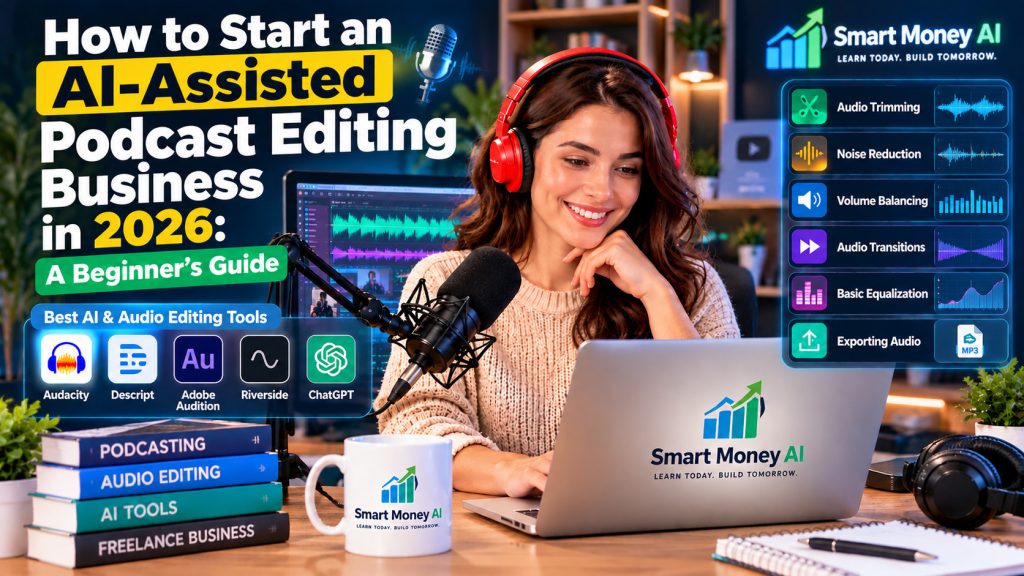
Podcasting gives creators, entrepreneurs, educators, and businesses a way to connect with their audiences. However, producing a professional podcast takes more than recording a conversation. Each episode may require audio cleanup, editing, show notes, and preparation for publishing.
For busy podcast hosts, these tasks can become time-consuming. That creates an opportunity for freelancers who can provide reliable podcast editing services.
In 2026, AI-assisted audio tools can help beginners complete certain editing tasks more efficiently. You do not need to own an expensive recording studio to start learning. With a computer, suitable software, basic audio editing skills, and a clear service offering, you can begin building a podcast editing business from home.
In this guide, you will learn how to start an AI-assisted podcast editing business, which tools to explore, how to develop your skills, where to find potential clients, and how to approach pricing responsibly.
Table of Contents
What Is an AI-Assisted Podcast Editing Business?
An AI-assisted podcast editing business provides audio editing and related production services to podcast creators using a combination of traditional editing techniques and artificial intelligence tools.
The goal is to help podcast hosts turn raw recordings into polished episodes that are ready for review and publication.
Services may include:
- Removing unnecessary pauses and repeated words
- Reducing distracting background noise
- Balancing speaker volume
- Improving audio clarity
- Editing introductions and conclusions
- Organizing episodes into a clear sequence
- Preparing transcripts and show notes
- Creating short promotional clips
AI can assist with tasks such as transcription, detecting filler words, and identifying possible edits. However, human review remains important because automated changes can sometimes remove meaningful speech or affect the natural flow of a conversation.
A successful editing service combines efficient technology with careful listening and dependable customer service.
Why Consider a Podcast Editing Business in 2026?
Podcast editing can be an appealing service business for people who enjoy audio, technology, and creative work.
1. It Can Be Operated Remotely
You can work with clients in different cities or states without meeting them in person. Audio files and project instructions can be exchanged through approved cloud storage or collaboration platforms.
2. It Offers Opportunities for Repeat Work
Many podcasts release episodes weekly, biweekly, or monthly. A satisfied client may need editing support for future episodes.
Recurring work can make it easier to plan your schedule, although ongoing projects are never guaranteed.
3. AI Can Reduce Some Repetitive Tasks
AI-assisted tools may help identify long pauses, generate draft transcripts, and suggest audio improvements.
This can free up more time for listening, quality control, and client communication.
4. You Can Start With a Focused Service
Beginners do not need to offer every production service immediately.
You could begin with basic spoken-word audio cleanup and gradually expand into show notes, promotional clips, or full episode production.
5. Skills Can Improve Through Practice
Podcast editing is a practical skill. You can build experience by editing sample recordings, comparing results, and learning how to recognize common audio problems.
Step 1: Understand What Podcast Clients Actually Need
Before choosing software or setting prices, understand the problems your service will solve.
Different podcast creators may need different levels of support.
For example:
Independent creators may want basic editing so their episodes sound cleaner.
Business podcasters may need consistent audio, professional introductions, and reliable delivery schedules.
Interview podcast hosts may require editing between multiple speakers, removing interruptions, and improving uneven audio levels.
Educational podcasters may value clear speech, accurate transcripts, and well-organized show notes.
You can begin by focusing on one type of client.
A narrow service offering makes it easier to explain what you do and develop a repeatable workflow.
Step 2: Learn the Essential Podcast Editing Skills
AI tools can simplify parts of the process, but you still need to understand the fundamentals of audio editing.
Audio Trimming
Learn how to remove unwanted sections without cutting off important words or making conversations sound unnatural.
Noise Reduction
Practice reducing steady background noise, such as a fan or low-level room hum.
Excessive noise reduction can make voices sound artificial, so compare the edited audio with the original recording.
Volume Balancing
When two speakers have different recording levels, listeners may need to adjust their volume repeatedly.
Learn how to make speech levels more consistent while preserving natural differences in delivery.
Audio Transitions
Understand how to use short fades and clean transitions between sections.
Abrupt cuts can distract listeners.
Basic Equalization
Equalization, often called EQ, adjusts the balance of frequencies in a recording.
For beginners, the goal is usually to improve speech clarity rather than create dramatic sound effects.
Exporting Audio
Learn how to deliver files in the format requested by the client.
MP3 is commonly used for podcast distribution, while WAV may be useful when a client needs a higher-quality working file.
Always confirm the client’s technical requirements before exporting.
Step 3: Choose AI and Audio Editing Tools
You do not need every tool on the market. Select software based on your budget, computer, editing needs, and willingness to learn.
Audacity
Audacity is an audio editor that can help beginners practice recording, trimming, noise reduction, and other editing fundamentals.
You can explore the official Audacity website to learn about its audio editing features, download options, and beginner resources. Audacity is a useful starting point for practicing podcast editing before investing in paid software.
It is useful for learning traditional editing skills without immediately committing to an expensive subscription.
Descript
Descript offers transcript-based editing features that can help users work with spoken-word recordings.
Visit the official Descript website to explore its transcript-based audio editing tools and available AI-assisted features. Beginners can review its current plans and tutorials to decide whether the software fits their podcast editing workflow.
Depending on the plan and available features, it may also provide AI-assisted tools for tasks such as removing filler words or improving speech.
Adobe Audition
Adobe Audition is a professional audio editing application with tools for multitrack editing, audio restoration, and detailed sound adjustments.
You can explore the official Adobe Audition website to learn about its professional audio editing capabilities, available tutorials, and subscription options. Compare its features with your editing needs before choosing a paid plan.
It may be worth exploring as your technical skills and client requirements grow.
Riverside
Riverside focuses on recording and podcast production workflows and offers features that may help creators prepare audio and video content.
Visit the official Riverside website to explore its podcast recording, editing, and AI-assisted production features. Review its current plans and available tools to determine whether Riverside is suitable for your podcast editing business.
Some editing and AI-assisted capabilities depend on the product plan.
ChatGPT
ChatGPT can help with supporting business tasks such as:
- Drafting client questionnaires
- Creating editing checklists
- Brainstorming service packages
- Preparing episode description templates
- Improving client communication
- Organizing project workflows
You can visit the official ChatGPT website to explore how AI can assist with podcast editing workflows, client communication, episode descriptions, and business planning. Always review AI-generated content for accuracy before using it in client projects.
ChatGPT does not replace the need to listen to the audio and check the final recording.
Beginner tip: Start with one main audio editor and one supporting AI tool. Learn them thoroughly before adding more software.
Step 4: Practice Editing Sample Podcast Episodes
Before offering paid services, develop a small portfolio of edited audio samples.
You can record your own practice conversations or use recordings for which you have clear permission.
Avoid downloading and modifying another creator’s podcast for commercial demonstrations without authorization.
A Simple Practice Project
- Record a five-minute conversation.
- Import the recording into your editing software.
- Listen to the entire recording.
- Identify unnecessary pauses, background noise, and uneven volume.
- Make a first round of edits.
- Use AI-assisted features where appropriate.
- Listen again for errors or unnatural transitions.
- Export the completed recording.
- Compare the original and edited versions.
Repeat this exercise with different types of recordings.
For example, practice with a single-speaker tutorial, a two-person interview, and a recording with mild background noise.
Your goal is not to make every recording sound identical. It is to improve clarity while preserving the speaker’s intended message.
Step 5: Build a Simple Podcast Editing Portfolio
A portfolio gives potential clients a way to evaluate your skills.
You do not need a large website or dozens of samples when starting.
Create two or three short demonstrations showing your editing ability.
What to Include
Sample 1: Basic Audio Cleanup
Demonstrate how you reduced distracting noise and improved speech clarity.
Sample 2: Interview Editing
Show how you balanced two speakers and improved the flow of a conversation.
Sample 3: Podcast Production Package
Present a short edited episode with a simple introduction, outro, and sample show notes.
For each sample, explain what you changed and why.
If you provide before-and-after audio, make sure the original recording is yours or that you have permission to share it.
You can organize your portfolio using a basic website or a shareable folder with clearly labeled files.
Step 6: Decide Which Podcast Editing Services to Offer
Offering clearly defined services helps clients understand what they will receive.
If you plan to serve entrepreneurs or business podcast hosts, you may also find our guide on how to offer ChatGPT-powered services to small businesses in 2026 helpful. It explains how AI-assisted services can be packaged and presented to business clients.
Here are three example packages.
Package 1: Basic Audio Cleanup
Designed for podcast creators who mainly need cleaner audio.
Possible services:
- Remove selected unnecessary pauses
- Reduce distracting background noise
- Balance speech volume
- Export one completed audio file
Package 2: Standard Podcast Editing
Designed for creators who need more complete episode preparation.
Possible services:
- Everything in the basic package
- Edit repeated words and selected filler words
- Improve transitions between sections
- Add client-provided intro and outro audio
- Complete a final listening review
Podcast creators may also use AI-generated voiceovers for introductions, announcements, or promotional segments when they have the necessary permissions. Our guide on how to use AI voice generators in 2026 explains how beginners can create realistic voiceovers and review AI-generated audio before using it in their projects.
Package 3: Podcast Editing and Content Support
Designed for clients who want editing plus basic publishing materials.
Possible services:
- Everything in the standard package
- Prepare a draft episode summary
- Generate and review a transcript
- Draft show notes
- Identify potential short promotional clips
Be clear about what each package excludes.
For example, a basic package might not include extensive repairs, video editing, music licensing, or multiple revision rounds.
Step 7: Learn How to Price Podcast Editing Services
Pricing is one of the most important business decisions for a new freelancer.
Your rates should reflect the time required, editing complexity, software expenses, and value of your service.
There is no universal price that works for every podcast.
Example Beginner Pricing Scenarios
The following figures are hypothetical planning examples, not verified market averages or guaranteed rates.
| Service | Illustrative Price |
|---|---|
| Basic audio cleanup for a short episode | $30–$60 |
| Standard editing for a short episode | $60–$120 |
| Editing plus show notes and transcript review | $100–$200 |
Actual client budgets and professional rates can be lower or higher.
Consider the Workload
A 30-minute recording does not necessarily take 30 minutes to edit.
A clean recording may require relatively little work, while a recording with interruptions, multiple speakers, or poor audio quality may take several hours.
Before quoting a price, ask about:
- Raw recording length
- Number of speakers
- Audio quality
- Type of editing requested
- Delivery deadline
- Expected revisions
- Additional content requirements
Hourly Versus Per-Episode Pricing
Hourly pricing may be suitable when the workload is difficult to predict.
Per-episode pricing may be easier for clients to understand when the scope is consistent.
You can also offer a monthly package for recurring clients after you understand their typical editing needs.
Step 8: Calculate Your Potential Revenue Realistically
Podcast editing income depends on your pricing, available work hours, ability to attract clients, and ongoing business expenses.
Consider these hypothetical examples.
Scenario A: Two Small Projects
If you complete two episodes at $50 each:
2 × $50 = $100 in gross revenue
Scenario B: Four Recurring Clients
If four clients each purchase four episodes per month at $75 per episode:
4 × 4 × $75 = $1,200 in monthly gross revenue
Scenario C: A Mix of Services
Suppose you complete:
- Eight basic edits at $50 each
- Four standard edits at $100 each
- Two expanded packages at $150 each
Your total would be:
$400 + $400 + $300 = $1,100 in gross revenue
These examples are calculations, not income predictions.
You must still account for software subscriptions, equipment, payment processing fees, taxes, unpaid administrative work, and time spent finding clients.
Your actual profit may be substantially lower than your gross revenue.
Step 9: Find Your First Podcast Editing Clients
Getting clients requires more than knowing how to use editing software.
You need to show potential customers how your service can solve a specific problem.
Freelance Marketplaces
You can explore platforms such as Upwork and Fiverr to understand how podcast editing services are presented.
If you are new to offering services online, our guide on how to start freelancing with AI skills in 2026 explains how beginners can develop a service offering, prepare a portfolio, and approach potential clients.
Review service descriptions, deliverables, and client expectations.
Avoid copying another freelancer’s portfolio or promising results you cannot provide.
Podcast Communities
Join relevant podcasting communities where promotional activity is permitted.
Participate by answering questions, sharing helpful editing advice, and learning what podcast hosts struggle with.
Professional Networking
LinkedIn can be useful for connecting with entrepreneurs, marketers, educators, and business owners who produce podcasts.
Focus on professional, relevant communication rather than mass messaging.
Direct Outreach
You may identify podcast creators who publicly invite service inquiries.
Send a short, personalized message explaining the type of editing support you offer.
Respect privacy rules, platform policies, and applicable marketing laws. Do not scrape private contact information or send unsolicited bulk messages.
Referrals
When you complete a project successfully, you can ask whether the client knows another podcast creator who might benefit from similar services.
Referrals can be useful, but they depend on the client’s experience and willingness to recommend you.
Step 10: Create a Professional Client Workflow
A consistent workflow can help you avoid missed deadlines and unnecessary revisions.
Here is a beginner-friendly process.
Stage 1: Client Inquiry
Ask about the podcast format, episode length, number of speakers, editing expectations, and delivery schedule.
Stage 2: Review the Recording
Listen to a sample before confirming the project price.
Identify potential technical problems and discuss any limitations.
Stage 3: Agree on the Scope
Confirm the deliverables, deadline, price, payment terms, revision policy, and permitted use of the audio.
For ongoing work, use a written agreement that both parties understand.
Stage 4: Receive the Files
Use a secure, agreed-upon file-sharing method.
Keep original recordings separate from edited working files.
Stage 5: Edit the Episode
Complete the required cleanup, timing adjustments, transitions, and other agreed services.
Use AI tools to assist where appropriate, but do not accept automated edits without review.
Stage 6: Perform Quality Control
Listen to the completed episode using headphones.
Check for missing words, unnatural cuts, sudden volume changes, and export problems.
Stage 7: Deliver the Project
Provide the completed files using the agreed delivery method.
Include a short summary of what was completed and explain how the client can request revisions.
Stage 8: Archive or Delete Files Appropriately
Follow your agreement for file retention and deletion.
Do not keep or reuse private client recordings beyond the permissions you have received.
Step 11: Use AI to Save Time Without Sacrificing Quality
AI works best when it supports a clear editing process.
AI-Assisted Transcription
A transcript can make it easier to locate sections of a recording.
However, automated transcription may misunderstand accents, names, technical terms, or overlapping speech.
Review important details manually.
AI-Assisted Filler Word Detection
Some tools can identify words such as “um” and “uh.”
Removing every filler word is not always desirable. Overediting can make speakers sound unnatural.
AI-Assisted Show Notes
AI can help draft summaries and episode descriptions from an authorized transcript.
Check the draft for factual accuracy and ensure it does not invent claims or quotes.
AI-Assisted Workflow Planning
You can use AI to organize tasks and prepare checklists.
Writing clear instructions can improve the usefulness of AI-generated checklists and podcast editing workflows. Our guide on how to write better AI prompts in 2026 explains practical techniques for getting more relevant and structured responses from AI assistants.
For example, ask an assistant to create a quality-control checklist for a two-speaker interview podcast.
Important Privacy Considerations
Podcast recordings may contain personal information, confidential business discussions, or unpublished content.
Before uploading client files to an AI platform, confirm that the client permits it and review the platform’s relevant privacy and data-handling terms.
When permission is unclear, use a workflow that does not disclose the recording to an external AI service.
Step 12: Understand Copyright and Audio Licensing
Podcast editors often work with recordings, music, sound effects, and other materials that may be protected by copyright.
You should not assume that music is free to use simply because it is available online.
Before adding background music or sound effects:
- Confirm the client has the right to use the material
- Review the applicable license
- Check whether commercial podcast use is permitted
- Follow any attribution requirements
- Keep records of permissions when appropriate
Also obtain permission before using client audio in your portfolio or promotional content.
For questions involving contracts, licensing, or specific legal obligations, consult an appropriate professional.
Step 13: Avoid Common Beginner Mistakes
Mistake 1: Relying Completely on AI
Automated editing can introduce mistakes.
Better approach: Listen to the final episode and verify the result.
Mistake 2: Accepting Poor-Quality Recordings Without Reviewing Them
Some recording problems cannot be fully repaired.
Better approach: Assess the sample and communicate realistic expectations.
Mistake 3: Offering Too Many Services
Trying to provide audio editing, video production, marketing, and publishing immediately can become overwhelming.
Better approach: Start with a small, well-defined service.
Mistake 4: Underestimating Editing Time
A short episode may require substantial cleanup.
Better approach: Track the time spent on practice projects before setting prices.
Mistake 5: Ignoring Client Instructions
Different podcasts have different styles.
Better approach: Ask about the client’s preferences and preserve the intended tone.
Mistake 6: Skipping File Backups
Accidental file loss can delay a project.
Better approach: Maintain appropriate backups and use clear file names.
Mistake 7: Promising Guaranteed Results
An editor cannot guarantee that a podcast will gain listeners or earn revenue.
Better approach: Promise only the deliverables and quality standards you can reasonably control.
Step 14: A 30-Day Plan to Start Your Podcast Editing Business
A structured plan can help you move from learning to offering your first service.
Week 1: Learn the Fundamentals
Day 1: Understand podcast editing and the services clients need.
Day 2: Install or access an audio editing application.
Day 3: Practice trimming and arranging audio.
Day 4: Learn basic noise reduction.
Day 5: Practice volume balancing.
Day 6: Explore a suitable AI-assisted feature.
Day 7: Review your progress and identify skills to improve.
Week 2: Build Your Portfolio
Days 8–9: Record or obtain authorized practice audio.
Days 10–11: Edit your first sample.
Days 12–13: Create a second sample with different editing requirements.
Day 14: Organize your samples and write short descriptions.
Week 3: Prepare Your Business
Days 15–16: Choose your target client type.
Days 17–18: Define two or three service packages.
Day 19: Estimate project time and expenses.
Day 20: Draft a client questionnaire and project checklist.
Day 21: Prepare a simple portfolio page or shareable presentation.
Week 4: Begin Client Outreach
Days 22–23: Research suitable freelance platforms and communities.
Days 24–25: Prepare personalized service introductions.
Days 26–27: Contact potential clients through appropriate channels.
Day 28: Review responses and improve your offer.
Day 29: Practice handling a sample client inquiry.
Day 30: Evaluate your progress and create a plan for the following month.
The goal of this 30-day plan is to build skills and establish a working process. It does not guarantee that you will secure a paying client within 30 days.
Frequently Asked Questions
Can beginners start a podcast editing business with AI?
Yes. Beginners can learn basic audio editing and use AI-assisted features to support certain tasks. However, they should practice thoroughly before offering paid services and review all final audio manually.
Do I need expensive equipment?
Not necessarily. A suitable computer, headphones, and editing software may be enough to begin learning. Equipment needs can change as projects become more demanding.
Can ChatGPT edit podcast audio automatically?
ChatGPT can help with supporting tasks such as planning workflows, drafting show notes, and creating checklists. Actual audio editing capabilities depend on the specialized tools and integrations being used.
How much can a beginner earn from podcast editing?
Earnings vary widely. They depend on client demand, editing ability, pricing, workload, expenses, and business development. There is no guaranteed income.
Is podcast editing a good side hustle?
It may be a suitable side business for someone who enjoys audio production, pays attention to detail, and can meet client deadlines. It also requires time to develop skills and find customers.
How long does it take to edit a podcast?
Editing time depends on the recording quality, episode length, number of speakers, and services requested. Some projects are straightforward, while others require extensive manual work.
Do I need to know audio engineering?
Advanced audio engineering knowledge is not required to begin practicing basic edits. However, understanding essential audio concepts will help you produce better results and communicate professionally with clients.
Can I use AI-generated show notes for paying clients?
You can use AI to prepare drafts when the client permits the workflow. Review the output for accuracy, remove unsupported claims, and follow any confidentiality requirements.
Final Thoughts
Starting an AI-assisted podcast editing business in 2026 is one way to explore service-based online work without developing a physical product.
AI tools can help with transcription, editing preparation, and administrative tasks, but they do not eliminate the need for technical skills, careful listening, and client communication.
Start by learning one audio editor, completing a few practice projects, and creating a small portfolio. Then define a service you can deliver consistently and begin approaching suitable clients.
Rather than focusing on quick earnings, concentrate on building useful skills, delivering reliable work, and improving your process over time.
Editor’s Note: This guide is educational and is not a promise of employment, clients, or income. Software features, subscription plans, marketplace policies, and business requirements may change. Verify current information before making purchasing or business decisions.
Your Next Step: Choose one audio editing tool, create a five-minute practice recording, and complete your first before-and-after editing sample. That small project can become the foundation of your future podcast editing portfolio.