
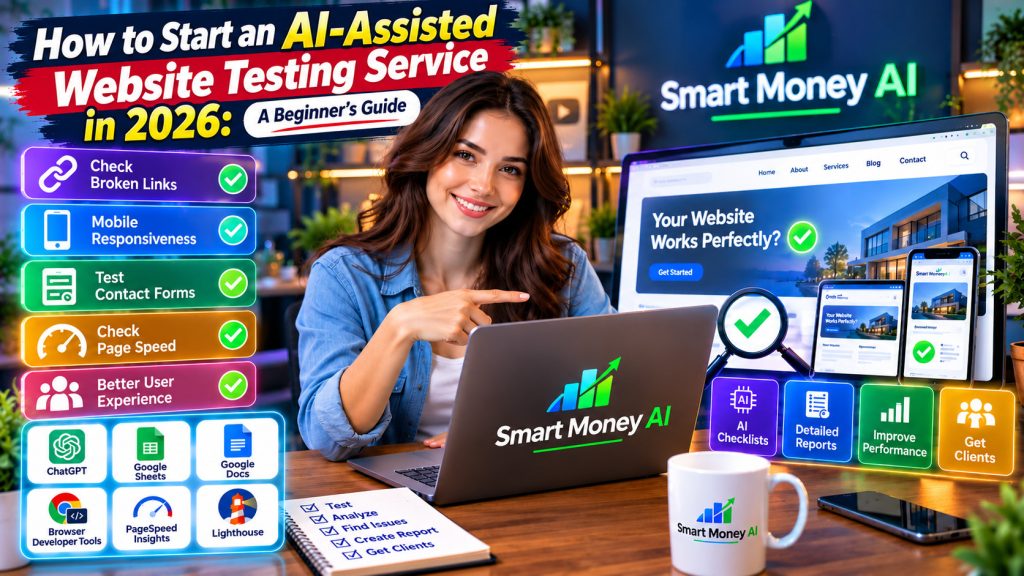
Every business website needs to work properly. Visitors expect pages to load quickly, navigation menus to function correctly, contact forms to submit successfully, and websites to display properly on smartphones.
However, small business owners do not always have the time or technical knowledge to check every part of their websites regularly.
This creates an opportunity for people who want to offer practical digital services.
One option is to start an AI-assisted website testing service.
By combining basic website testing skills with artificial intelligence tools, beginners can help businesses identify usability problems, document website issues, and improve the overall visitor experience.
You do not need to become an advanced software developer to begin learning these skills.
However, you do need patience, attention to detail, responsible testing practices, and a willingness to learn how websites function.
In this guide, you will discover how to start an AI-assisted website testing service in 2026, including the tools you may need, services you can offer, ways to practice, sample reports, pricing considerations, and methods for finding potential clients.
You’ll also learn how to use AI responsibly without depending on it to make technical decisions that require human verification.
Table of Contents
1. What Is an AI-Assisted Website Testing Service?
An AI-assisted website testing service helps website owners identify problems that could affect visitors.
These problems might include broken links, confusing navigation, unreadable text, incorrectly displayed images, or forms that do not work as expected.
AI tools can support the process by helping testers organize checklists, prepare test scenarios, summarize observations, and write understandable reports.
However, AI does not replace the need to check whether an issue actually exists.
Example
Imagine a small restaurant has a website where customers can view its menu and submit reservation inquiries.
During an authorized website review, you discover that:
- The contact button is difficult to find on mobile devices.
- Some menu images appear stretched.
- A reservation form displays an unclear error message.
- A link to the restaurant’s opening hours no longer works.
You document these issues and prepare a report explaining what you observed.
The restaurant owner can then decide whether to fix the issues personally or hire a developer.
Your role is to identify and communicate website problems, not necessarily to repair them.
That distinction makes basic website testing a potentially accessible service for beginners.
2. Why Do Businesses Need Website Testing?
A website may look attractive while still containing problems that frustrate visitors.
Regular testing helps businesses discover these issues before they negatively affect customers.
Better User Experience
Visitors should be able to find information without unnecessary confusion.
Clear menus, readable content, and properly functioning buttons can make websites easier to use.
Mobile Compatibility
Many visitors access websites using smartphones.
Businesses need to understand whether their websites display correctly on different screen sizes.
Functional Contact Forms
A contact form that fails to submit can prevent customers from reaching a business.
Clear Navigation
Broken or confusing navigation can make it difficult for visitors to find products, services, or contact details.
Website Accessibility
Accessibility improvements can help people with different abilities use websites more effectively.
Professional Credibility
A website with obvious errors may appear less trustworthy to potential customers.
Website testing provides businesses with information they can use to improve their online presence.
3. Can Beginners Start a Website Testing Service?
Yes. Beginners can learn to provide basic website usability and functionality reviews.
However, it is important to understand the difference between beginner-friendly testing and advanced technical testing.
Beginner-Friendly Testing
Examples include:
- Checking whether navigation links work.
- Reviewing website appearance on different screen sizes.
- Testing ordinary contact forms with permission.
- Identifying confusing instructions.
- Checking basic readability.
- Documenting layout problems.
- Reviewing visible error messages.
Advanced Technical Testing
More specialized work may involve:
- Automated software test development.
- Complex application testing.
- Database testing.
- Security assessments.
- Performance engineering.
- Accessibility compliance audits.
- Testing systems that handle sensitive information.
These activities may require additional technical training, professional tools, or specific qualifications.
Start with simple usability and functionality reviews before offering advanced testing services.
4. Step 1: Learn the Basics of How Websites Work
Before offering website testing services, understand the main components of a typical business website.
Website Pages
Common pages include:
Home, About, Services, Products, Blog, and Contact.
Navigation Menus
Navigation menus help visitors move between pages.
Buttons and Links
Buttons and hyperlinks direct visitors toward information or actions.
Contact Forms
Forms allow visitors to submit questions or requests.
Responsive Design
Responsive websites adjust their layouts for different screen sizes.
Website Hosting
Hosting services provide the infrastructure needed to make websites accessible online.
Content Management Systems
Some businesses manage their websites using platforms such as WordPress.
You do not need to master every website technology immediately.
Focus first on understanding what visitors expect a website to do.
5. Step 2: Understand Different Types of Website Testing
Website testing includes several categories.
Learning the differences will help you explain your services accurately.
Functional Testing
Functional testing checks whether website features behave as expected.
For example, does a contact button open the correct page?
Usability Testing
Usability testing examines whether visitors can complete tasks easily.
For example, can someone find a business’s opening hours without confusion?
Responsive Design Testing
Responsive testing checks how website layouts appear across different screen sizes.
Content Testing
Content testing looks for visible errors such as outdated information, confusing wording, or inconsistent formatting.
Basic Accessibility Review
An introductory accessibility review may identify obvious concerns, such as missing image descriptions or difficult-to-read text.
However, a basic review should not be advertised as a complete accessibility compliance audit.
Performance Observation
You can use approved tools to observe loading performance and identify potential improvement opportunities.
Advanced performance diagnosis should be left to appropriately qualified specialists.
6. Step 3: Choose Your Website Testing Niche
Selecting a niche can help you create a focused service.
Instead of offering every possible type of website testing, begin with a manageable group of websites.
Local Business Websites
Examples include restaurants, salons, repair services, and local stores.
Freelancer and Portfolio Websites
These websites often need clear contact information, project examples, and mobile-friendly layouts.
Small Business Service Websites
Consultants, tutors, and professional service providers may benefit from usability reviews.
Blogs and Content Websites
Blog owners may want help identifying broken navigation, formatting problems, or difficult-to-read pages.
Online Stores
E-commerce websites require careful testing.
Beginners should avoid making real purchases or testing payment workflows without explicit authorization and an agreed testing procedure.
Which Niche Is Best?
There is no universally best niche.
Choose one that matches your existing knowledge and the types of websites you can evaluate responsibly.
For example, if you are familiar with blogs, you might begin by reviewing navigation, article readability, and mobile layouts.
7. Step 4: Learn Essential Website Testing Skills
A successful website testing service requires more than simply opening a website.
You need a consistent method for evaluating what you see.
Observation Skills
Pay attention to small details.
Does a heading overlap an image?
Is a button difficult to read?
Does a menu disappear unexpectedly?
Clear Communication
Explain problems in simple language.
Avoid unnecessary technical jargon when communicating with beginners or small business owners.
Documentation
Record exactly what happened during a test.
Basic Troubleshooting
Learn how to distinguish a website problem from a temporary browser or internet connection issue.
Organization
Keep testing notes, screenshots, and reports organized.
Professional Judgment
Understand when a problem requires help from a developer, accessibility specialist, or security professional.
These skills improve through regular practice.
8. Step 5: Choose AI Tools to Support Your Testing Work
AI tools can make certain parts of website testing more organized.
However, their usefulness depends on the task and the information you provide.
ChatGPT
If you’re new to AI assistants, understanding how to use ChatGPT can make website testing tasks easier to organize. Our guide, How to Use ChatGPT for Beginners: A Step-by-Step Guide, explains how to get started with ChatGPT, write useful instructions, and apply AI assistance to everyday digital tasks.
ChatGPT can help you:
- Prepare website testing checklists.
- Generate sample user scenarios.
- Organize testing observations.
- Draft professional reports.
- Explain unfamiliar terminology.
- Create client communication templates.
Google Sheets
You can use Google Sheets to organize website testing checklists, record errors, track issues, and monitor testing progress. It helps beginners maintain structured records and share findings with clients. Visit the official Google Sheets platform to create and manage your website testing reports.
A spreadsheet can help you record issues, testing dates, affected pages, and progress.
Google Docs
Google Docs is useful for preparing professional website testing reports, documenting problems, and suggesting improvements. You can organize findings with headings, screenshots, and clear recommendations. Explore the official Google Docs platform to create, edit, and share website testing reports with clients.
A document editor can help you prepare client-friendly reports.
Browser Developer Tools
Modern browsers include developer tools that can help you inspect layouts and simulate different screen sizes.
Beginners can explore the official Chrome DevTools documentation to learn how browser developer tools help inspect website layouts, examine page elements, and test responsive designs. These tools can be particularly useful when identifying mobile display problems and understanding how websites behave across different screen sizes.
PageSpeed Insights
Google PageSpeed Insights can provide performance-related information for supported website pages.
To evaluate website loading performance, visit the official Google PageSpeed Insights tool. It provides performance reports and recommendations that can help you identify potential improvements. Review the results carefully, as performance scores may vary depending on testing conditions.
Lighthouse
Lighthouse can help assess selected aspects of web page quality, including performance and accessibility indicators.
To learn more about website quality testing, explore the official Google Lighthouse documentation. Lighthouse provides automated audits that can help identify potential issues related to website performance, accessibility, and other aspects of web page quality. Remember that automated results should be reviewed and verified rather than treated as a complete website assessment.
Important Reminder
Automated scores and AI-generated suggestions are not guarantees that a website is free from problems.
Always review findings and explain any limitations.
9. Step 6: Create a Website Testing Checklist With AI
A checklist helps ensure that you review websites consistently.
You can use an AI assistant to prepare an initial checklist.
Writing clear AI prompts can help you create more useful website testing checklists and organize your testing process. For practical guidance, read our article How to Write Better AI Prompts in 2026: 12 Practical Techniques for Beginners, which explains how to write specific instructions and improve the quality of AI-generated responses.
Example AI Prompt
“Create a beginner-friendly website usability testing checklist for a small business website. Include navigation, mobile layout, readability, images, contact forms, and basic accessibility observations. Present the checklist in a table with columns for test item, expected result, actual result, and status. Exclude security testing and any activity requiring unauthorized access.”
Review the generated checklist before using it.
Example Website Testing Checklist
| Test Area | What to Check | Status |
|---|---|---|
| Navigation | Menu links open correctly | Pass / Issue |
| Mobile Layout | Text and buttons display properly | Pass / Issue |
| Contact Page | Contact details are easy to find | Pass / Issue |
| Images | Images display without distortion | Pass / Issue |
| Readability | Text is clear and readable | Pass / Issue |
| Forms | Authorized test submissions work | Pass / Issue |
| Links | Important links reach the correct pages | Pass / Issue |
| Accessibility | Obvious usability barriers are documented | Review |
A checklist provides structure, but it should not prevent you from noticing problems outside the listed categories.
10. Step 7: Practice Testing on Websites You Own or Have Permission to Test
Before working with clients, practice in a controlled environment.
You can use:
- A website you own.
- A personal practice website.
- A demo website intended for testing.
- A website whose owner has explicitly authorized your review.
Example Practice Exercise
Suppose you create a simple five-page practice website.
Your task is to check:
- Whether the main menu works.
- Whether each page displays properly on mobile.
- Whether headings are readable.
- Whether images load correctly.
- Whether the contact page is easy to locate.
- Whether buttons behave as expected.
Record your findings in a spreadsheet.
Why Permission Matters
A publicly accessible website is not automatically available for unrestricted testing.
Passive observation of public pages differs from submitting forms, creating accounts, generating heavy traffic, or probing systems.
Obtain appropriate permission before conducting interactive tests, and remain within the agreed scope.
Never attempt to bypass access controls or test private systems without authorization.
11. Step 8: Learn How to Test Website Navigation
Navigation testing is one of the easiest places to begin.
What Should You Review?
Check whether:
- Main menu items are visible.
- Navigation labels are understandable.
- Links open the intended pages.
- Mobile menus work correctly.
- Visitors can return to the homepage.
- Important information is easy to find.
Example
A small business website has a menu item labeled “Our Services.”
When you select it, the link opens an unrelated page.
You document the issue.
Example Issue Report
Issue: Services menu opens the wrong page.
Location: Main navigation menu.
Expected result: The Services page should open.
Actual result: An unrelated page opens.
Suggested action: Review the menu link destination.
This format makes your findings easier for a website owner to understand.
12. Step 9: Check Website Mobile Responsiveness
Mobile usability is important because websites are accessed from devices with different screen sizes.
Responsive website design helps visitors access content across smartphones, tablets, and desktop computers. Beginners who want to understand how websites adapt to different devices can explore the official MDN Web Docs guide to responsive design. This resource explains flexible layouts, media queries, and other techniques that help websites work across different screen sizes.
What Should You Check?
Review whether:
- Text remains readable.
- Images fit the screen.
- Buttons are easy to select.
- Navigation menus remain usable.
- Important content is visible.
- Horizontal scrolling occurs unexpectedly.
- Forms fit within the screen.
How to Practice
Use your own smartphone to review an authorized website.
You can also use browser developer tools to preview different screen sizes.
However, simulated device views do not perfectly reproduce every real-device behavior.
Example Finding
A contact button appears correctly on a desktop but overlaps the footer on a narrow mobile screen.
Document the device or viewport size, page location, and observed behavior.
Providing this context makes the report more useful.
13. Step 10: Review Website Content and Readability
Website testing is not limited to technical problems.
Clear website content helps visitors understand information and navigate pages more easily. Beginners can explore the official Google SEO Starter Guide to learn how descriptive page titles, useful content, and well-organized website structures can improve the experience for both visitors and search engines. These principles can also help website testers identify content organization issues during a basic website review.
Content can also create usability issues.
Common Content Problems
Examples include:
- Confusing headings.
- Outdated business hours.
- Difficult-to-read text.
- Missing contact details.
- Inconsistent formatting.
- Unclear button labels.
- Broken references to other pages.
How AI Can Help
An AI assistant can help rewrite unclear explanations or suggest simpler wording.
For example, you might provide a non-confidential paragraph and ask:
“Rewrite this website instruction in clear, beginner-friendly English without changing its meaning.”
Verify Every Suggestion
AI may accidentally change important details.
Check all revised wording before including it in a client report.
Do not upload confidential client documents into an AI tool without permission and appropriate data protections.
14. Step 11: Check Basic Website Accessibility
Accessibility helps make websites more usable for people with disabilities.
Website accessibility is an important part of providing a positive user experience. Beginners can explore the official W3C Web Accessibility Initiative (WAI) guidelines to understand how to make websites more accessible to people with different abilities. These resources explain accessibility principles, common website barriers, and practical ways to improve accessibility.
For a more detailed understanding of accessibility requirements, review the official Web Content Accessibility Guidelines (WCAG). These internationally recognized guidelines explain how to make web content more accessible, including considerations for text alternatives, keyboard navigation, readable content, and compatibility with assistive technologies. Beginners can use these guidelines to understand accessibility principles while recognizing that a complete accessibility audit may require specialist knowledge.
Beginners can learn to recognize some common accessibility concerns.
Examples of Basic Checks
Review whether:
- Text has sufficient contrast.
- Images that convey information have meaningful alternative text.
- Headings follow a logical structure.
- Form fields have understandable labels.
- Keyboard navigation works for common tasks.
- Important instructions are not communicated through color alone.
Use Accessibility Guidance
The Web Content Accessibility Guidelines, commonly called WCAG, provide widely used recommendations for accessible web content.
Understand Your Limitations
A simple checklist or automated accessibility scan cannot establish full WCAG conformance.
Do not promise accessibility certification unless you have the expertise and authorization to perform the appropriate assessment.
For complex issues, recommend a qualified accessibility professional.
15. Step 12: Understand Website Performance Testing
Website visitors generally prefer pages that respond quickly.
Performance tools can help identify potential problems.
What Can Affect Website Performance?
Common factors include:
- Large images.
- Excessive scripts.
- Poorly optimized resources.
- Slow server responses.
- Unnecessary page elements.
Using Performance Tools
You can review supported public pages using established performance tools when permitted by their terms and your agreement with the website owner.
Record the results and testing conditions.
Important Distinction
A single performance score does not tell the complete story.
Results can vary depending on network conditions, devices, location, and other factors.
Avoid guaranteeing that a website will reach a particular score after changes.
Your role as a beginner may be to identify potential concerns and recommend further investigation.
16. Step 13: Create a Professional Website Testing Report
A professional report is one of the most important deliverables in a website testing service.
Clients need to understand what you checked, what you found, and what should happen next.
Suggested Report Structure
1. Client and Website Information
Include the website name and testing date.
2. Testing Scope
Explain which pages, devices, and features were reviewed.
3. Testing Method
Briefly describe your approach.
4. Summary of Findings
Provide an overview of the issues discovered.
5. Detailed Issue List
Document individual findings.
6. Recommendations
Suggest reasonable next steps.
7. Limitations
Clearly identify anything you did not test.
Example Issue Table
| Issue | Location | Priority | Recommendation |
|---|---|---|---|
| Broken navigation link | Header menu | High | Correct link destination |
| Text overlaps image | Mobile homepage | Medium | Review responsive layout |
| Missing image description | Services page | Medium | Add appropriate ALT text |
| Inconsistent heading size | About page | Low | Standardize typography |
Use Screenshots When Appropriate
Screenshots can help clients understand visual problems.
Avoid capturing personal information, private messages, or sensitive account details.
A useful report should be accurate, understandable, and actionable.
17. Step 14: Use AI to Improve Your Testing Reports
AI can help transform rough testing notes into clear explanations.
Writing clear and professional reports is an important skill when providing website testing services. AI writing tools can help organize observations, improve readability, and explain technical issues in beginner-friendly language. For more guidance on using AI to create professional content, read our article How to Start an AI-Assisted Content Writing Business in 2026, which explores practical AI-assisted writing techniques and services.
Example AI Prompt
“Organize the following authorized website usability testing observations into a professional report. Use clear language for a small business owner. Include the issue, affected page, observed behavior, potential user impact, and suggested next step. Do not invent test results, claim that untested features were reviewed, or describe assumptions as confirmed problems.”
Example
Original note:
“Mobile menu button hard to click.”
Improved report wording:
“The mobile navigation button was difficult to select during testing on the specified device. Consider reviewing its size and spacing to improve usability.”
Why Human Review Is Essential
AI cannot reliably determine the full context of every issue from a short note.
Before delivering the report:
- Verify every finding.
- Remove unsupported claims.
- Check technical terminology.
- Confirm that recommendations match the observed problem.
- Ensure that no confidential information is exposed.
AI should improve the presentation of your work, not manufacture evidence.
18. Step 15: Decide Which Website Testing Services to Offer
Once you have practiced, define a small set of services.
Website testing is one of several digital services that businesses may need. As your skills develop, you may also want to explore other AI-assisted business services. Our guide, How to Start an AI Automation Agency for Small Businesses in 2026, explains how entrepreneurs can identify business needs and develop automation services for small businesses.
Service 1: Basic Website Usability Review
Review navigation, readability, and common visitor tasks.
Service 2: Mobile Website Review
Identify visible layout and usability problems on selected mobile devices.
Service 3: Website Link and Navigation Review
Check important links and navigation paths within an agreed scope.
Service 4: Website Content and Layout Review
Identify formatting inconsistencies and confusing content.
Service 5: Website Testing Report
Provide a structured document summarizing confirmed findings.
Example Beginner Service Package
Basic Website Review
Includes:
- Review of up to five agreed website pages.
- Basic navigation testing.
- Mobile layout observations.
- Readability review.
- Documentation of confirmed issues.
- A written summary report.
Not included: Security penetration testing, full accessibility compliance audits, code changes, or advanced performance engineering.
Clearly defining what is included helps prevent misunderstandings.
19. Step 16: Set Pricing for Your Website Testing Service
Pricing depends on the scope of work, your experience, the complexity of the website, and the market you serve.
There is no guaranteed or universal price.
Factors That Affect Pricing
Consider:
- Number of pages reviewed.
- Number of devices tested.
- Types of testing included.
- Time required.
- Report complexity.
- Client communication.
- Whether follow-up reviews are included.
Example Pricing Models
Fixed-Price Package
Charge a predetermined amount for a clearly defined review.
Hourly Pricing
Charge based on the time spent completing authorized work.
Project-Based Pricing
Prepare a custom quote for websites requiring a broader review.
Illustrative Pricing Exercise
Suppose a practice project is expected to take four hours.
If your proposed rate is $20 per hour:
4 hours × $20 = $80.
This is a hypothetical calculation, not a recommended market rate or an earnings guarantee.
Actual rates vary considerably.
Avoid Underestimating Your Time
Remember to account for preparation, testing, documentation, communication, and revisions.
For paid work, ensure that you can legally enter into the arrangement and comply with applicable business, platform, and payment requirements.
20. Step 17: Build a Website Testing Portfolio
Potential clients may want examples of your work.
A small portfolio can demonstrate your process.
What Should Your Portfolio Include?
You might prepare:
- A sample testing checklist.
- A demonstration issue report.
- Screenshots from your own practice website.
- A sample summary document.
- An explanation of your testing method.
Example Portfolio Project
Project: Five-page demo business website.
Scope: Navigation, mobile layout, and readability.
Findings: Three deliberately introduced usability problems.
Deliverable: A structured sample report.
Clearly label the project as a demonstration.
Protect Client Confidentiality
Never publish a client’s website findings, private screenshots, or business information without permission.
A portfolio should demonstrate your skills without exposing sensitive information.
21. Step 18: Find Potential Website Testing Clients
Once you have developed basic skills and a sample portfolio, you can begin researching potential customers.
Local Businesses
Small businesses may appreciate clear feedback about their websites.
Freelancers and Consultants
Independent professionals often rely on websites to present their services.
Website Designers
Designers may occasionally need independent usability feedback.
Small Marketing Agencies
Agencies may require support with routine website quality reviews.
Professional Networks
Appropriate professional communities can help you learn about website-related projects.
How to Approach Potential Clients
Focus on explaining the service rather than making exaggerated claims.
For example:
“I provide beginner-friendly website usability reviews that help small businesses identify navigation, mobile layout, and readability issues. Each review includes a clear report of confirmed findings and suggested next steps.”
Important
Avoid unsolicited mass messaging, misleading claims, or pretending to have tested a website when you have not.
Only offer services that you can competently and responsibly deliver.
22. Step 19: Create a Simple Client Workflow
A consistent workflow makes your service easier to manage.
Stage 1: Initial Discussion
Ask the client what they want reviewed.
Stage 2: Define the Scope
Agree on the pages, features, devices, and testing methods.
Stage 3: Obtain Authorization
Confirm that the client has authority to permit the proposed testing.
Document any restrictions.
Stage 4: Prepare the Checklist
Create a checklist based on the agreed scope.
Stage 5: Conduct Testing
Perform the approved checks.
Stage 6: Record Findings
Document confirmed issues and relevant observations.
Stage 7: Prepare the Report
Use your notes to create a clear report.
Stage 8: Review Accuracy
Verify findings and remove unsupported conclusions.
Stage 9: Deliver the Report
Provide the agreed deliverables through an appropriate channel.
Stage 10: Discuss Next Steps
Explain which findings may require attention from a developer or specialist.
This process helps keep expectations clear.
23. Step 20: Avoid Common Website Testing Business Mistakes
Beginners should watch for several common mistakes.
Mistake 1: Offering Services Beyond Your Skills
Do not advertise advanced security or technical testing without the necessary expertise.
Mistake 2: Testing Without Permission
Always respect website ownership, authorization, and agreed boundaries.
Mistake 3: Trusting AI Without Verification
AI-generated reports may contain incorrect information.
Mistake 4: Reporting Assumptions as Facts
Only describe an issue as confirmed when you have sufficient evidence.
Mistake 5: Providing Vague Reports
Statements such as “the website needs improvement” are not very useful.
Explain the exact problem and where it occurred.
Mistake 6: Ignoring Mobile Devices
A website may work on a desktop while displaying problems on smaller screens.
Mistake 7: Promising Guaranteed Business Results
Website improvements do not guarantee more sales, leads, or traffic.
Mistake 8: Failing to Define the Project Scope
Unclear expectations can lead to disagreements about what work is included.
Mistake 9: Sharing Confidential Information
Protect client data and use AI tools responsibly.
Mistake 10: Skipping Final Report Review
Always check your report before delivery.
24. A Seven-Day Learning Plan for Beginners
You can begin developing website testing skills through a structured practice schedule.
Day 1: Learn Website Basics
Study navigation, links, forms, responsive layouts, and common website pages.
Day 2: Explore Website Testing Types
Understand basic functionality, usability, mobile responsiveness, and content reviews.
Day 3: Create a Testing Checklist
Use an AI assistant to prepare a checklist, then review it manually.
Day 4: Practice Navigation Testing
Review a website you own or are authorized to test.
Day 5: Practice Mobile Layout Testing
Check selected pages on different screen sizes.
Day 6: Prepare a Sample Report
Document your observations using a structured format.
Day 7: Build a Portfolio Example
Organize your checklist, sample screenshots, and report into a demonstration project.
After completing this plan, continue practicing before accepting responsibilities beyond your abilities.
Seven days can provide an introduction, but it does not make someone an expert.
25. Frequently Asked Questions
What is an AI-assisted website testing service?
It is a service that combines human website evaluation with AI-supported tasks such as checklist creation, test planning, and report writing.
Can beginners offer website testing services?
Beginners can learn to provide limited usability and functionality reviews, provided they have the necessary skills and permission to conduct the work.
Do I need coding skills?
Basic usability reviews do not always require coding. More advanced testing often requires technical knowledge.
Can ChatGPT test an entire website automatically?
AI tools may assist with parts of a testing workflow, but they should not be assumed to provide a complete or accurate website audit.
What types of websites can I review?
You can practice on websites you own or have permission to test. Client projects should have a clearly agreed scope.
Is website testing the same as website development?
No. Testing identifies problems, while development involves building or modifying website functionality.
Can website testing become a freelance service?
It may become a freelance service if you develop useful skills, produce reliable reports, and find clients willing to pay for your work.
How much money can I make?
Income varies based on demand, skill level, pricing, project scope, and client availability. There is no guaranteed income.
Do I need expensive software?
Not necessarily. Beginners can learn with common browsers, document editors, spreadsheets, and suitable free tools.
Can AI write website testing reports?
AI can help organize and explain observations, but a human should verify the findings before delivering a report.
Is website testing legal?
Authorized testing within an agreed scope is generally different from unauthorized probing or accessing restricted systems. Applicable laws and contractual requirements vary, so obtain permission and follow the relevant rules.
Can I offer accessibility testing?
You can learn introductory accessibility checks, but comprehensive accessibility audits require specialized knowledge and appropriate assessment methods.
26. Final Thoughts
Learning how to start an AI-assisted website testing service in 2026 can introduce beginners to a practical area of digital work.
Small businesses rely on websites to communicate with customers, explain services, and support everyday operations.
When websites contain broken links, confusing navigation, unreadable content, or mobile layout problems, those issues can create unnecessary difficulties for visitors.
A carefully conducted website review can help identify such problems.
Start by learning basic website functionality, usability principles, and responsive design.
Then practice using checklists, documenting observations, and preparing clear reports.
AI tools can help organize your workflow, but they should never replace human verification, professional judgment, or responsible testing practices.
As your skills improve, you can develop a small portfolio and explore opportunities to provide clearly defined website review services.
Focus on accuracy, client trust, permission-based testing, and continuous learning rather than promises of quick earnings.
With patience and practical experience, website testing can become a useful digital skill and potentially a service you offer to businesses.
Smart Money AI Editor’s Note: AI capabilities, website testing tools, freelance platform requirements, and business regulations may change. Always verify current tool features, obtain appropriate authorization before testing websites, and avoid offering specialist services beyond your qualifications.