
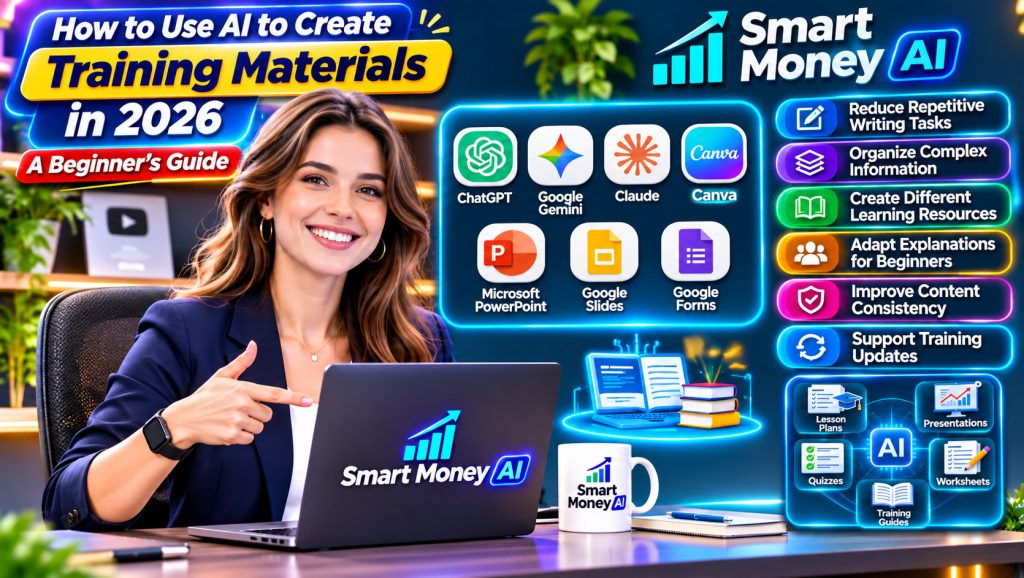
Creating effective training materials takes time, planning, and a clear understanding of what learners need.
Whether you’re a small business owner training new employees, a freelancer developing educational resources, or a teacher preparing lessons, the process often involves writing instructions, organizing information, designing presentations, and creating assessments.
Artificial intelligence can help simplify many of these tasks.
With the right approach, AI tools can assist you in creating training outlines, step-by-step guides, presentations, worksheets, quizzes, and other learning resources.
For example, a small business owner could use AI to turn an existing customer service handbook into a structured employee training program.
A freelancer could use AI to develop beginner-friendly tutorials for a software application.
However, AI-generated training materials still require human review. Incorrect information, unclear instructions, or outdated procedures can create problems for learners.
In this guide, you’ll learn how to use AI to create training materials in 2026, discover practical tools and techniques, and follow a step-by-step process for developing useful educational content.
Table of Contents
What Are AI-Generated Training Materials?
AI-generated training materials are educational resources created or developed with assistance from artificial intelligence.
These materials can support learning, employee development, onboarding, and professional training.
AI can help with tasks such as:
- Writing training outlines.
- Organizing learning objectives.
- Creating instructional documents.
- Preparing presentation content.
- Generating practice questions.
- Developing quizzes and assessments.
- Simplifying complicated explanations.
- Creating role-playing scenarios.
- Summarizing reference documents.
- Adapting content for different experience levels.
For example, a business might have a 30-page employee handbook containing workplace procedures.
Instead of manually turning the entire handbook into a training course, the business could use an AI assistant to identify major topics and prepare an initial course outline.
The trainer would then verify the outline, develop the lessons, and confirm that the material accurately reflects company policies.
Does AI Replace Human Trainers?
No.
AI can assist with preparing learning resources, but human expertise remains important.
A trainer understands the audience, identifies learning difficulties, answers unexpected questions, and evaluates whether learners can apply what they have learned.
AI tools may produce incorrect explanations or overlook important context.
For this reason, AI should be treated as a content development assistant rather than a replacement for qualified instructors.
Why Use AI to Create Training Materials?
Creating training resources is one way businesses can use artificial intelligence. Our guide on how to start an online business with AI explores other practical applications.
AI can make certain parts of the training development process more efficient.
Here are several practical benefits.
1. Reduce Repetitive Writing Tasks
Training programs often require similar documents, including lesson outlines, instructions, summaries, and practice activities.
AI can help prepare initial drafts.
This allows trainers to spend more time reviewing content and improving the learning experience.
2. Organize Complex Information
A lengthy reference document may contain information that needs to be divided into smaller lessons.
AI can suggest logical sections, headings, and learning sequences.
3. Create Different Learning Resources
The same approved source material can support multiple training formats.
For example, a workplace procedure might become:
- A written guide.
- A presentation outline.
- A checklist.
- A practice exercise.
- A short quiz.
Each format serves a different learning purpose.
4. Adapt Explanations for Beginners
AI can help rewrite complicated explanations using simpler language.
This can be useful when preparing introductory training.
However, simplified content must preserve the original meaning and important details.
5. Improve Content Consistency
Clear instructions can help AI maintain a consistent tone, terminology, and structure across training documents.
This is particularly helpful when developing several lessons within the same course.
6. Support Training Updates
When procedures change, AI can help identify sections that may need revision and prepare updated drafts.
A human reviewer must confirm that the revised materials accurately reflect the new procedures.
Who Can Benefit From AI Training Material Creation?
AI-assisted training development can be useful in several situations.
| User | Possible Training Materials |
|---|---|
| Small business owners | Employee onboarding guides |
| Teachers | Lesson outlines and practice questions |
| Freelancers | Client tutorials and training documents |
| Human resources teams | Orientation materials |
| Content creators | Educational video outlines |
| Customer support managers | Service training exercises |
| Software trainers | Application tutorials |
| Team leaders | Workplace procedure checklists |
The most useful application depends on the learner’s needs and the quality of the information available.
Best AI Tools for Creating Training Materials in 2026
Different AI tools support different parts of the training development process.
Beginners do not need to use every tool.
Start with one writing assistant and one document or presentation tool.
If you are new to AI tools, start with our step-by-step guide on how to use ChatGPT for beginners before creating your first training materials.
1. ChatGPT
ChatGPT can help create training outlines, draft lessons, explain concepts, and prepare practice questions.
Possible uses include:
- Employee onboarding materials.
- Step-by-step tutorials.
- Training scripts.
- Knowledge checks.
- Learning summaries.
For example, you could ask ChatGPT to organize approved customer service procedures into five beginner-friendly lessons.
Best for: Drafting, organizing, and improving training content.
Visit the official ChatGPT website to explore how AI can help draft lesson plans, training outlines, quizzes, and instructional content.
2. Google Gemini
Gemini can assist with brainstorming training topics, explaining concepts, and preparing instructional text.
Depending on the available product features, it may also support workflows involving Google productivity applications.
Best for: Training content planning and document-based learning workflows.
Explore Google Gemini to learn how an AI assistant can support research, content organization, and the preparation of educational resources.
3. Claude
Claude can help organize long documents, develop instructional outlines, and rewrite complicated material.
For example, it may assist with turning a detailed procedure document into a structured training guide.
Best for: Reviewing and organizing substantial written training content.
You can also explore Claude for organizing longer training documents, simplifying explanations, and preparing structured learning content.
4. Canva
Canva offers design tools for presentations, worksheets, infographics, and other visual resources.
Its AI-assisted features may help with initial layouts and content creation.
For example, you could create a presentation explaining the steps of a customer onboarding process.
Best for: Visually organized training presentations and worksheets.
Visit Canva to explore templates and design tools for creating training presentations, worksheets, handouts, and other visual learning materials.
5. Microsoft PowerPoint
PowerPoint is widely used for workplace training presentations.
Depending on the subscription and available features, AI-assisted tools may help with drafting, organizing, or designing slides.
Best for: Business presentations and structured training sessions.
Explore Microsoft PowerPoint to create structured training presentations with slides, charts, diagrams, and visual explanations.
6. Google Slides
Google Slides provides a collaborative environment for creating presentations.
It can be useful for organizing lesson content and sharing training materials with colleagues.
Available AI features depend on the account and product configuration.
Best for: Collaborative training presentations.
Google Slides provides a browser-based workspace for building training presentations and collaborating with team members.
7. Google Forms
Google Forms can be used to create quizzes, surveys, and knowledge checks.
An AI assistant can help draft questions that you then review and enter into a form.
Best for: Simple assessments and learner feedback collection.
Google Forms can help trainers create quizzes, knowledge checks, and feedback questionnaires to evaluate learning progress.
How to Choose the Right Tool
Before choosing a platform, consider:
- What type of training are you creating?
- Will learners use written documents, presentations, or videos?
- Do you need collaboration features?
- Does the training contain confidential information?
- What is your budget?
- Will the materials require regular updates?
Some tools offer free features, while others require subscriptions.
Pricing, capabilities, and usage limits can change, so check the provider’s current information before purchasing.
How to Use AI to Create Training Materials: Step-by-Step
Let’s walk through a practical example.
Imagine you own a small online store and want to create a beginner-friendly customer service training program for new employees.
The same process can be adapted for other subjects.
Step 1: Identify Your Training Goal
Before using AI, decide what learners should be able to do after completing the training.
A vague goal might be:
“Teach employees customer service.”
A clearer goal would be:
“Help new employees respond professionally to common customer questions about orders, deliveries, and returns.”
Clear learning goals make it easier to choose relevant content.
Step 2: Understand Your Target Audience
Consider the experience and background of your learners.
Ask:
- Are they complete beginners?
- Do they already understand the subject?
- What tasks will they perform?
- What terminology might be unfamiliar?
- How much time is available for training?
For example, new employees may need simple explanations of company policies before practicing customer conversations.
Step 3: Gather Accurate Reference Materials
Collect the information learners need.
For customer service training, this might include:
- Approved company policies.
- Frequently asked questions.
- Product information.
- Customer communication guidelines.
- Standard operating procedures.
- Examples of common support requests.
Use current, authorized documents.
Avoid uploading confidential information into an AI tool unless your organization permits it and the relevant privacy requirements are satisfied.
Step 4: Ask AI to Create a Training Outline
Once you’ve identified the training goal, ask an AI assistant to suggest a course structure.
Example prompt:
“Create a beginner-friendly employee training outline for a small online retail business.
The training should teach new customer service employees how to respond professionally to questions about orders, shipping, and returns.
Organize the program into five lessons.
For each lesson, include a learning objective, main topics, one practice activity, and an estimated duration.
Do not invent company policies. Mark any missing policy information for review.”
The AI might suggest:
| Lesson | Topic | Learning Objective |
|---|---|---|
| 1 | Customer Service Basics | Understand professional communication |
| 2 | Order Questions | Respond to common order inquiries |
| 3 | Shipping Information | Explain approved delivery procedures |
| 4 | Returns and Refunds | Follow company return policies |
| 5 | Practice and Assessment | Apply the training to sample situations |
Review the outline before proceeding.
Step 5: Develop Each Training Lesson
Instead of asking AI to create an entire course in one response, work on one lesson at a time.
This makes the material easier to review.
Example prompt:
“Using the approved outline, draft Lesson 1: Customer Service Basics.
The audience is new employees with no previous customer service experience.
Use simple American English.
Include an introduction, three key concepts, two practical examples, one practice activity, and a short summary.
Do not add company-specific policies that have not been provided.”
Review the draft for accuracy, clarity, and relevance.
Step 6: Create Supporting Training Documents
After developing the lessons, create materials that help learners follow the training.
These might include:
- Quick-reference guides.
- Checklists.
- Worksheets.
- Process summaries.
- Frequently asked questions.
- Practice scenarios.
For example, a customer service checklist might remind employees to:
- Read the customer’s question carefully.
- Identify the main issue.
- Check the relevant company policy.
- Provide a clear response.
- Explain any required next steps.
- Escalate unresolved issues appropriately.
A checklist should reflect actual approved procedures.
Step 7: Prepare Training Presentations
Presentations can help explain important concepts during instructor-led training.
Use AI to prepare a slide outline.
Example prompt:
“Create an eight-slide presentation outline for a beginner customer service training session.
Include a clear slide title, three to four key points per slide, and short presenter notes.
Use only the approved training information provided.
Avoid overcrowding the slides.”
You can then develop the presentation in Canva, PowerPoint, or Google Slides.
Use diagrams, examples, and visuals only when they improve understanding.
Step 8: Generate Practice Activities
Training becomes more useful when learners apply what they have learned.
AI can help draft practice activities.
For example:
“A customer says their package has not arrived, but the tracking information shows that it is still in transit.”
Learners could practice writing a response using the company’s approved shipping procedures.
The instructor should review the scenario and expected response before using it.
Step 9: Create a Knowledge Assessment
A short quiz can help identify whether learners understand the material.
For example:
Question: What should an employee do when a customer asks a question about a policy they do not understand?
A. Guess the answer.
B. Ignore the question.
C. Check the approved policy or ask an authorized colleague.
D. Promise an immediate refund.
Correct answer: C.
AI can help generate additional questions, but trainers should verify the answers and ensure that each question measures an intended learning objective.
Step 10: Review and Test the Training Materials
Before delivering the training, check:
- Are the instructions accurate?
- Do the examples reflect actual procedures?
- Is the language appropriate for beginners?
- Are the learning objectives clear?
- Do the activities reinforce the lessons?
- Are the assessment answers correct?
- Are the materials accessible to learners?
- Are any documents outdated?
Ask a qualified reviewer to examine the content when necessary.
Step 11: Deliver the Training
Training can be delivered through:
- Live workshops.
- Online meetings.
- Self-paced documents.
- Recorded lessons.
- Learning management systems.
- Small group activities.
Choose the format that suits your audience and available resources.
Step 12: Collect Feedback and Improve
After the training, ask learners:
- Which lessons were most helpful?
- Which explanations were confusing?
- Were the activities relevant?
- What additional examples would help?
- Do they feel prepared to perform the required tasks?
Use the feedback to improve future training sessions.
7 Practical Types of Training Materials You Can Create With AI
Businesses that provide AI-assisted services can also create training resources for clients. Explore our guide on how to offer ChatGPT-powered services to small businesses for related ideas.
AI can support different learning formats.
Here are seven useful examples.
1. Employee Onboarding Guides
Onboarding guides introduce new employees to their responsibilities and workplace procedures.
AI can help organize approved information into sections such as:
- Welcome and introduction.
- Job responsibilities.
- Communication guidelines.
- Workplace procedures.
- Training schedule.
- Important contacts.
Practical use: A small business prepares a structured guide for new team members.
2. Step-by-Step Tutorials
Tutorials explain how to complete a specific task.
For example:
“How to Create a Basic Monthly Sales Report in Google Sheets.”
AI can help organize the instructions into logical steps.
However, software instructions should be tested in the current application because interfaces change.
Practical use: A freelancer prepares a software tutorial for a client.
3. Training Presentations
Presentations help instructors explain concepts visually.
AI can assist with:
- Slide outlines.
- Speaker notes.
- Examples.
- Discussion questions.
- Summary slides.
Practical use: A manager prepares a workplace communication workshop.
4. Worksheets and Practice Exercises
Worksheets give learners opportunities to apply knowledge.
Examples include:
- Matching activities.
- Short-answer questions.
- Problem-solving exercises.
- Scenario analysis.
- Reflection questions.
Practical use: A teacher prepares exercises for an introductory digital skills lesson.
5. Quizzes and Knowledge Checks
Quizzes can help measure understanding.
AI can draft:
- Multiple-choice questions.
- True-or-false questions.
- Short-answer questions.
- Scenario-based questions.
Practical use: A trainer creates a short assessment after an employee orientation session.
6. Quick-Reference Checklists
Checklists help learners remember important steps.
For example, a website publishing checklist might include:
- Review the article.
- Check headings.
- Verify links.
- Review images.
- Confirm formatting.
- Preview the page.
Practical use: A content team creates a consistent publishing process.
7. Training Video Scripts
AI can help prepare scripts for instructional videos.
A script might include:
- Opening explanation.
- Learning objectives.
- Demonstration steps.
- Practical examples.
- Closing summary.
Practical use: A software instructor prepares a video explaining a common application feature.
The final demonstration should be tested and recorded using accurate procedures.
How to Create Better AI Training Prompts
To get clearer lesson plans, quizzes, and training guides, explore our guide on how to write better AI prompts and apply those techniques to your training content.
The quality of your instructions can significantly affect the usefulness of AI-generated materials.
A good prompt should explain what you want, who the learners are, and how the content should be structured.
Include the Training Topic
Be specific about the subject.
Instead of:
“Create a training lesson.”
Try:
“Create a beginner training lesson about organizing files in Google Drive.”
Define the Audience
Explain the learners’ experience level.
For example:
“The audience consists of adults who have basic computer skills but have never used Google Drive.”
Specify the Learning Objective
Tell the AI what learners should understand or accomplish.
For example:
“By the end of the lesson, learners should be able to create folders, upload files, and organize documents.”
Describe the Format
Request a specific structure.
For example:
“Include a short introduction, five instructional steps, two examples, one practice exercise, and a summary.”
Establish Accuracy Requirements
Ask the AI to identify missing information rather than invent details.
For example:
“Use only the reference information provided. Flag any uncertain instructions for manual verification.”
Complete AI Prompt for Creating Training Materials
The following reusable prompt can help you prepare a first draft.
Training Material Creation Prompt:
“You are an instructional content assistant.
Help me create clear, practical, beginner-friendly training materials.
Training topic: [Insert topic]
Target audience: [Describe learners]
Experience level: [Beginner, intermediate, or advanced]
Learning objectives: [Describe what learners should be able to do]
Training duration: [Insert duration]
Reference materials: [Provide approved information]
Create the following:
- A structured training outline.
- Clear learning objectives.
- Step-by-step lesson content.
- Practical examples.
- One hands-on activity.
- Five assessment questions with answers.
- A short lesson summary.
Use natural American English.
Keep explanations clear and easy to understand.
Avoid unnecessary technical jargon.
Do not invent policies, statistics, procedures, or source references.
Clearly identify information that requires verification.
Make the training practical and appropriate for the intended audience.”
You can modify the prompt for different subjects and training formats.
How to Make AI-Generated Training Materials More Engaging
Good training is not simply a collection of information.
Learners need opportunities to understand, practice, and remember what they learn.
Use Realistic Examples
Examples help learners connect ideas with everyday situations.
For instance, a spreadsheet lesson could demonstrate how to organize a simple monthly budget.
Divide Information Into Smaller Lessons
Long explanations can overwhelm beginners.
Organize content into manageable sections, each with a clear objective.
Include Practice Activities
Give learners opportunities to apply new knowledge.
For example, after teaching email writing, ask learners to draft a professional response to a sample customer question.
Use Visuals When Helpful
Screenshots, diagrams, and illustrations can make complex processes easier to understand.
Avoid adding visuals that are unrelated to the lesson.
Encourage Questions
Training should provide opportunities for learners to ask questions and clarify misunderstandings.
Review Learning Progress
Use quizzes, exercises, demonstrations, or discussions to check understanding.
The assessment method should match the learning objective.
How to Check AI Training Materials for Accuracy
AI-generated content can contain mistakes.
A professional training workflow should include a structured review process.
Verify Important Facts
Check technical explanations, dates, statistics, and procedures against reliable sources.
Confirm Company Policies
Never assume AI-generated descriptions of company policies are correct.
Use approved documents.
Test Software Instructions
If the training explains how to use an application, follow the instructions yourself.
Confirm that the steps match the current interface.
Review Assessment Answers
Check every quiz answer.
Incorrect answer keys can confuse learners and undermine the training.
Check for Missing Context
AI may omit exceptions, prerequisites, or important limitations.
Review the material from the learner’s perspective.
Confirm Accessibility
Use readable text, descriptive headings, meaningful link text, and appropriate color contrast.
Provide captions or transcripts for instructional videos when needed.
For important or regulated training, involve qualified subject-matter experts.
Common Mistakes to Avoid When Creating Training Materials With AI
Beginners often make avoidable mistakes when developing AI-assisted educational content.
1. Creating Content Without Learning Objectives
Without clear objectives, lessons may contain unnecessary information.
Decide what learners should be able to do before creating the materials.
2. Trusting AI-Generated Information Without Verification
AI can generate incorrect procedures or outdated explanations.
Always review important information.
3. Making Lessons Too Long
More content does not automatically produce better learning.
Focus on essential information and practical examples.
4. Using Too Many AI Tools
Switching between several platforms can complicate the workflow.
Begin with a small set of tools.
5. Ignoring Learner Experience
Training designed for experienced professionals may confuse beginners.
Adjust the language and examples to the intended audience.
6. Forgetting Practice Activities
Learners often need opportunities to apply new information.
Include exercises that reflect real tasks.
7. Uploading Confidential Documents Without Permission
Training materials may contain internal company information.
Follow organizational policies and applicable privacy requirements.
8. Failing to Update Training Content
Software features, procedures, and regulations can change.
Review materials periodically and update outdated instructions.
Can You Make Money Creating AI-Assisted Training Materials?
Creating training materials with AI can be a useful freelance skill.
Businesses, educators, and organizations sometimes need help turning existing information into clear learning resources.
Potential services include:
- Employee onboarding document creation.
- Training presentation development.
- Software tutorial writing.
- Instructional worksheet design.
- Quiz and assessment preparation.
- Training video scriptwriting.
- Existing training material updates.
Example Freelance Project
Imagine a small business has an employee handbook but no structured onboarding program.
A freelancer could offer to:
- Review the approved handbook.
- Identify training objectives.
- Organize the content into lessons.
- Draft an onboarding guide.
- Create a presentation.
- Prepare practice activities.
- Develop a short assessment.
- Revise the materials after client feedback.
AI could assist with drafting and organizing the content.
However, the freelancer would remain responsible for quality, accuracy, confidentiality, and meeting the client’s requirements.
Skills Worth Developing
If you want to offer this service professionally, focus on:
- Instructional writing.
- Basic learning design.
- Document formatting.
- Presentation design.
- Research and fact-checking.
- AI prompt writing.
- Client communication.
- Content review.
Is Income Guaranteed?
No.
The availability of freelance projects depends on market demand, experience, portfolio quality, and the services offered.
AI tools can assist with production, but clients generally pay for useful, accurate, and professionally prepared results.
For beginners, developing sample training materials and improving instructional design skills is a sensible starting point.
How Much Time Can AI Save When Creating Training Materials?
The time saved depends on the complexity of the training, the quality of the source material, and the amount of review required.
AI may reduce the time spent on:
- Brainstorming lesson structures.
- Preparing initial outlines.
- Drafting basic explanations.
- Generating practice questions.
- Reformatting existing information.
However, it may not substantially reduce time spent on:
- Verifying technical procedures.
- Reviewing sensitive information.
- Testing software demonstrations.
- Confirming legal or regulatory requirements.
- Evaluating learning outcomes.
There is no universal percentage of time saved.
A better approach is to measure your own workflow.
For example, record how long it takes to prepare a lesson manually, then compare it with an AI-assisted version of similar complexity.
Include reviewing and correcting the AI-generated material in your measurement.
Frequently Asked Questions
1. Can AI create complete training materials?
AI can help draft outlines, lessons, presentations, worksheets, and quizzes.
However, complete training materials should be reviewed and approved by a qualified person before use.
2. What is the best AI tool for creating training materials?
There is no single best tool for every situation.
ChatGPT, Gemini, and Claude can assist with written content, while Canva and presentation applications can help create visual materials.
Choose tools based on your training requirements.
3. Can beginners create training materials using AI?
Yes.
Beginners can start with simple lessons, checklists, and practice exercises.
They should use reliable reference information and verify the results.
4. Can AI create employee onboarding guides?
Yes.
AI can help organize approved company information into onboarding guides, lesson plans, and checklists.
Company policies and procedures must be verified.
5. Can AI generate training presentations?
Yes.
AI can help prepare presentation outlines, slide content, and speaker notes.
Some presentation tools also provide AI-assisted design features.
6. Can AI create quizzes for training programs?
Yes.
AI can draft multiple-choice questions, short-answer questions, and scenario-based assessments.
Trainers should verify the answers and ensure the questions match the learning objectives.
7. Do I need coding skills to create AI training materials?
No.
Many basic training materials can be developed using conversational AI tools and standard document applications.
Advanced integrations may require technical skills.
8. Can I sell AI-assisted training materials?
You may be able to offer original training content or instructional design services, subject to applicable laws, licensing requirements, and platform rules.
Avoid copying copyrighted material without permission.
9. Are AI-generated training materials always accurate?
No.
AI can produce incorrect explanations, outdated procedures, and unsuitable examples.
Human review is essential.
10. Can AI replace professional instructional designers?
AI can assist with drafting and organizing content, but professional instructional design involves understanding learners, selecting appropriate teaching methods, developing assessments, and evaluating outcomes.
These responsibilities require human expertise.
Final Thoughts
Learning how to use AI to create training materials in 2026 can help small business owners, freelancers, educators, and professionals develop useful educational resources more efficiently.
AI tools can assist with lesson outlines, instructional documents, presentations, practice exercises, and assessments.
However, creating effective training requires more than generating text.
The materials must be accurate, clearly organized, appropriate for the audience, and connected to meaningful learning objectives.
The best approach is to combine AI-assisted drafting with reliable source information, practical activities, and careful human review.
If you’re a beginner, start with one simple training project.
Choose a topic you understand, identify what learners need to accomplish, and use AI to prepare a structured lesson.
Review the content, test the activities, and improve the material based on feedback.
Your next step: Create a 15-minute beginner training lesson on a familiar topic. Use AI to draft the outline, prepare one practical activity, and generate five knowledge-check questions. Verify everything before sharing it with learners.
The goal is not to create the largest amount of training content. It’s to create materials that genuinely help people learn.