
Online communities have become an important way for businesses, creators, and organizations to connect with their audiences.
From Facebook Groups and Discord servers to professional communities and private membership platforms, people increasingly gather online to share information, ask questions, and discuss common interests.
However, building an online community is only the beginning.
Keeping members engaged, answering questions, organizing discussions, and maintaining a welcoming environment require consistent effort.
Many business owners and content creators don’t have enough time to manage these responsibilities themselves.
This creates an opportunity for freelancers who can provide professional online community management services.
An online community manager helps organizations maintain active, organized, and useful online spaces.
The work may involve welcoming new members, moderating discussions, planning engagement activities, responding to common questions, and preparing performance reports.
You don’t necessarily need a college degree or advanced technical skills to begin learning community management.
However, successful community management requires communication skills, patience, sound judgment, and an understanding of the audience.
In this beginner-friendly guide, you’ll learn how to start an online community management service in 2026, what services you can offer, which tools to use, how to find potential clients, and how to build a sustainable freelance business.
Table of Contents
What Is an Online Community Management Service?
An online community management service helps businesses, creators, and organizations operate and maintain their digital communities.
These communities may exist on:
- Facebook Groups.
- Discord.
- Reddit.
- LinkedIn Groups.
- Slack.
- Private membership platforms.
- Online learning communities.
- Brand-owned discussion forums.
The community manager’s responsibilities depend on the platform, community size, and client’s objectives.
For example, a fitness educator might operate a private community where members discuss workouts, share progress, and ask questions.
A community manager could help welcome members, organize discussions, enforce community guidelines, and direct questions to the appropriate resources.
The manager would not need to provide medical or fitness advice outside their qualifications.
What Does an Online Community Manager Do?
Common responsibilities include:
- Welcoming new members.
- Reviewing posts and comments.
- Enforcing community guidelines.
- Encouraging constructive discussions.
- Responding to routine questions.
- Organizing community activities.
- Collecting member feedback.
- Escalating important issues.
- Monitoring engagement.
- Preparing community reports.
Some clients may need only basic moderation.
Others may require a more comprehensive community engagement strategy.
Why Do Businesses Need Online Community Managers?
An online community can support customer relationships, product education, and audience engagement.
However, a poorly managed community may become inactive, confusing, or difficult to moderate.
Here are several reasons businesses may seek community management support.
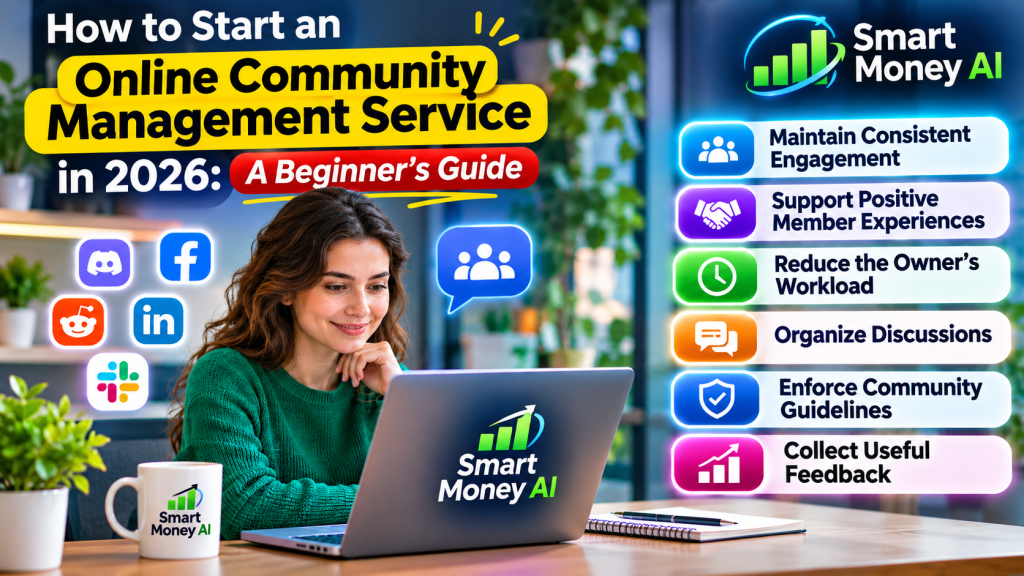
1. Maintain Consistent Engagement
Members may stop participating when discussions receive little attention.
Community managers can encourage useful conversations and help members find relevant topics.
2. Support Positive Member Experiences
New members often need help understanding community rules, navigation, and available resources.
A clear onboarding process can make participation easier.
3. Reduce the Owner’s Workload
Business owners and creators may prefer to focus on their products, services, or content.
A community manager can handle agreed daily responsibilities.
4. Organize Discussions
Large communities can become difficult to navigate.
Moderators can help organize topics, reduce duplicate discussions, and guide members toward useful information.
5. Enforce Community Guidelines
Clear moderation helps reduce spam, harassment, and other inappropriate behavior.
Managers should apply rules consistently and follow platform policies.
6. Collect Useful Feedback
Community discussions may reveal recurring customer questions, product suggestions, and areas of confusion.
A manager can summarize these patterns for the client.
However, community feedback may not represent the views of every customer.
Community Management vs Social Media Management
These services are related, but they focus on different responsibilities.
| Feature | Community Management | Social Media Management |
|---|---|---|
| Main Focus | Member relationships and discussions | Brand content and social presence |
| Typical Tasks | Moderation, engagement, onboarding | Content planning, posting, analytics |
| Communication | Often ongoing conversations | Often content and audience responses |
| Common Platforms | Discord, Facebook Groups, Slack, forums | Instagram, Facebook, LinkedIn, TikTok |
| Primary Goal | Support a useful community experience | Manage brand communication and content |
Example
A social media manager might create and schedule posts for a business’s Instagram account.
A community manager might oversee the business’s private Facebook Group, welcome members, and facilitate discussions.
Some clients combine both roles.
However, beginners should define their services clearly to avoid taking on unlimited responsibilities.
Who Can Start an Online Community Management Business?
Community management may be suitable for people who enjoy communication, organization, and helping others.
Potential service providers include:
- Freelancers.
- Virtual assistants.
- Digital marketing professionals.
- Content creators.
- Customer support professionals.
- Online business owners.
- People with relevant moderation experience.
You don’t need to master every community platform immediately.
Start by learning one or two platforms and understanding their moderation features.
Skills You Need
Important skills include:
Communication: Writing clear, respectful messages.
Organization: Managing discussions, schedules, and recurring tasks.
Moderation: Applying rules fairly and handling difficult situations.
Problem-solving: Identifying issues and deciding when to escalate them.
Time management: Completing agreed responsibilities consistently.
Reporting: Explaining community activity and relevant trends.
Privacy awareness: Handling member information responsibly.
These skills are more important than simply knowing how to post messages.
Step 1: Choose Your Community Management Niche
One of the first decisions is choosing the type of communities you want to manage.
A niche is a specific market or audience.
Working within a niche can make it easier to understand common member questions and client needs.
Potential Niches
Online Education
Course creators may need help managing student discussion communities.
Software and Technology
Software businesses may operate communities where users share tips and ask product questions.
Small Business Communities
Business owners may create private groups for customers or professional networking.
Creator Membership Communities
Content creators may offer private communities to paying supporters.
Professional Networking
Organizations may operate communities for members working in a particular industry.
Hobby and Interest Communities
Some communities focus on photography, gardening, books, gaming, or other shared interests.
How to Choose a Niche
Consider:
- Your existing knowledge.
- Your interests.
- The platforms you understand.
- The types of clients you can realistically support.
- Whether the niche requires specialized qualifications.
For beginners, choosing a familiar subject can reduce the learning curve.
Avoid offering expert advice in regulated fields unless you have the appropriate qualifications.
Step 2: Learn the Main Community Management Platforms
Different platforms provide different moderation and engagement tools.
Facebook Groups
Facebook Groups can support discussions around shared interests, brands, and organizations.
Community managers can review Meta’s official guide to Facebook Group administration tools to learn about member management, moderation options, and administrative features that support group organization.
Community management tasks may include:
- Reviewing membership requests.
- Moderating posts.
- Organizing discussions.
- Welcoming members.
- Enforcing group rules.
Administrative capabilities depend on assigned permissions.
Discord
Discord supports communities organized through servers and channels.
Beginners can explore the official Discord Community Server Guidelines to understand community rules, moderator responsibilities, and ways to maintain a welcoming environment for members.
Community managers may help with:
- Channel organization.
- Community guidelines.
- Member onboarding.
- Moderation.
- Events and discussions.
- Role and permission management.
Discord can be useful for communities that need structured conversations.
Reddit communities are organized into subreddits.
Beginners interested in Reddit community management can explore the official Reddit Moderation Tools Guide. It explains how moderators can review posts, manage community rules, handle reported content, and maintain organized discussions.
Moderators help maintain community rules and discussions.
However, subreddit moderation is not the same as managing a private brand-owned community.
Businesses must respect Reddit’s platform rules, community expectations, and restrictions on promotional activity.
LinkedIn Groups
LinkedIn Groups can support professional discussions.
To understand how professional communities are managed, beginners can review the official LinkedIn Groups Management Guide. It provides guidance on managing membership requests, moderating discussions, handling spam, and organizing professional groups.
Community management may involve:
- Encouraging relevant conversations.
- Reviewing member activity.
- Sharing useful resources.
- Supporting professional networking.
Slack
Slack is often used for workplace collaboration and professional communities.
Beginners who want to manage professional communities can explore Slack’s official Channel Management Guide. It explains how authorized workspace administrators can organize channels, manage settings, and maintain structured communication.
Community managers may help organize channels, welcome participants, and maintain discussion guidelines.
Private Community Platforms
Some businesses use dedicated membership platforms.
These may include features for:
- Member access.
- Discussions.
- Courses.
- Events.
- Paid memberships.
The best platform depends on the client’s requirements.
Beginner Recommendation
Start with one platform.
Learn how to:
- Create or navigate a community.
- Configure basic rules.
- Organize discussions.
- Manage permissions.
- Moderate content.
- Review activity.
Expand to other platforms after gaining practical experience.
Step 3: Decide Which Community Management Services to Offer
A clear service list helps potential clients understand what they are purchasing.
Here are several practical services.
1. Community Setup
Help clients organize a new community.
Tasks may include:
- Planning discussion categories.
- Preparing community guidelines.
- Creating welcome messages.
- Organizing channels.
- Setting up basic member resources.
2. Member Onboarding
Help new members understand how the community works.
Tasks may include:
- Preparing welcome messages.
- Explaining rules.
- Sharing introductory resources.
- Directing members to relevant discussions.
3. Daily Moderation
Review community activity and enforce agreed guidelines.
Tasks may include:
- Reviewing reported content.
- Removing spam when authorized.
- Addressing rule violations.
- Escalating serious issues.
- Maintaining discussion quality.
4. Engagement Planning
Develop activities that encourage meaningful participation.
Examples include:
- Weekly discussion questions.
- Member introductions.
- Educational challenges.
- Topic-based discussions.
- Community feedback sessions.
Avoid using artificial engagement or misleading tactics.
5. Member Support
Answer routine questions using approved information.
For example, a course community manager might direct members to the correct lesson or support resource.
Questions requiring specialized expertise should be referred to qualified staff.
6. Community Reporting
Prepare reports summarizing relevant activity.
Possible metrics include:
- New members.
- Active participants.
- Discussion activity.
- Common questions.
- Moderation issues.
- Member feedback themes.
Metrics should be defined clearly and interpreted in context.
Step 4: Create Your Community Management Service Packages
Service packages help establish boundaries.
Instead of offering unlimited community management, define exactly what is included.
Starter Package
Suitable for a small community with limited activity.
Possible services:
- Scheduled moderation checks.
- Basic member onboarding.
- Spam review.
- Weekly activity summary.
Growth Package
Suitable for a community requiring more regular attention.
Possible services:
- More frequent moderation.
- Member onboarding.
- Weekly engagement activities.
- Routine question handling.
- Monthly reporting.
Advanced Package
Suitable for larger or more active communities.
Possible services:
- Structured moderation coverage.
- Engagement planning.
- Community event coordination.
- Detailed reporting.
- Workflow improvement recommendations.
Important Service Boundaries
Each package should specify:
- Platforms covered.
- Working hours.
- Expected response windows.
- Number of engagement activities.
- Reporting frequency.
- Escalation procedures.
- Services not included.
For example, a client should not assume that a basic package includes 24-hour moderation.
Clear boundaries help prevent misunderstandings.
Step 5: Learn How to Moderate Online Communities Professionally
Moderation is one of the most important community management responsibilities.
A moderator helps maintain a safe, organized, and respectful environment.
Create Clear Community Guidelines
Guidelines should explain acceptable behavior.
Examples include:
- Treat other members respectfully.
- Avoid spam.
- Stay relevant to the community topic.
- Do not share another person’s private information.
- Follow platform rules.
- Report inappropriate content through approved channels.
Apply Rules Consistently
Moderation decisions should follow documented guidelines.
Avoid applying rules differently based on personal preferences.
Handle Disagreements Calmly
Community members may disagree.
Not every disagreement requires intervention.
The manager should distinguish between respectful debate and behavior that violates community rules.
Establish Escalation Procedures
Some issues should be referred to the community owner or designated staff.
Examples include:
- Serious safety concerns.
- Threats or harassment.
- Suspected account compromise.
- Privacy complaints.
- Legal concerns.
- Sensitive customer disputes.
The manager should know when to escalate rather than attempting to resolve every situation independently.
Document Important Actions
Where appropriate, maintain a record of significant moderation decisions.
Follow the client’s privacy and record-retention policies.
Step 6: Build a Community Engagement Strategy
A community needs more than occasional posts.
An engagement strategy helps organize useful activities.
Understand the Community’s Purpose
Ask:
- Why do members join?
- What information do they need?
- What problems are they trying to solve?
- What types of discussions are relevant?
- What does the client want the community to achieve?
For example, an educational community may focus on helping members understand course material.
A professional networking community may focus on useful industry discussions.
Create a Weekly Engagement Plan
Here’s a fictional example for a professional learning community.
| Day | Activity |
|---|---|
| Monday | Weekly learning goal discussion |
| Tuesday | Helpful resource sharing |
| Wednesday | Member questions |
| Thursday | Practical tip or tutorial |
| Friday | Weekly progress discussion |
Not every community needs daily activities.
The right frequency depends on member preferences and community size.
Encourage Meaningful Participation
Good engagement activities should help members.
Examples include:
- Asking relevant questions.
- Sharing useful resources.
- Highlighting helpful discussions.
- Encouraging peer support.
- Organizing topic-based conversations.
Avoid pressuring members to participate.
Review What Works
After several weeks, review which activities produce useful discussions.
Focus on participation quality rather than simply maximizing comment counts.
Step 7: Create a Professional Community Management Portfolio
Potential clients may want evidence that you can organize and manage a community.
If you’re new, you can create sample work without pretending to have previous clients.
Portfolio Example 1: Community Setup Plan
Prepare a sample plan for a fictional online learning community.
Include:
- Community purpose.
- Target audience.
- Proposed discussion categories.
- Community guidelines.
- Welcome message.
- Basic moderation procedures.
Portfolio Example 2: Engagement Calendar
Create a two-week engagement plan.
Include:
- Discussion topics.
- Activity objectives.
- Suggested posting schedule.
- Expected moderator responsibilities.
Portfolio Example 3: Moderation Workflow
Develop a sample workflow explaining how to handle:
- Spam.
- Off-topic posts.
- Repeated rule violations.
- Member complaints.
- Issues requiring escalation.
Portfolio Example 4: Community Report
Create a fictional monthly community report.
Include sample metrics and explain how they would be interpreted.
Clearly label the information as fictional.
Where to Display Your Portfolio
You can use:
- A simple portfolio website.
- A professional document.
- A PDF presentation.
- A suitable freelance profile.
The goal is to demonstrate your process and judgment.
Don’t invent client testimonials, results, or professional experience.
Step 8: How to Find Community Management Clients
Finding clients is often one of the most challenging parts of starting a service business.
If you’re planning to turn your digital skills into a business, read our guide on How to Start an Online Business With AI. It explains how beginners can explore business opportunities, organize services, and use AI tools to support their online business journey.
A useful approach is to identify organizations that already operate communities and may benefit from additional support.
1. Freelance Platforms
Freelance marketplaces may contain opportunities related to:
- Discord moderation.
- Facebook Group management.
- Community engagement.
- Online member support.
- Community operations.
Read project descriptions carefully.
Avoid opportunities that require misleading engagement, spam, or unauthorized access.
2. Professional Networking
Professional networks can help you connect with:
- Course creators.
- Community founders.
- Small business owners.
- Marketing agencies.
- Membership businesses.
Build relationships through useful, professional communication.
3. Your Own Website
A simple service page can explain:
- Who you help.
- Which platforms you manage.
- What services you offer.
- How your process works.
- How potential clients can contact you.
4. Direct Business Outreach
You can contact relevant businesses through appropriate professional channels.
Before reaching out, research whether they operate a community and whether your service could genuinely help.
Avoid sending large volumes of generic promotional messages.
5. Referrals
Satisfied clients may recommend your services to other businesses.
However, referrals are not guaranteed.
Consistent service quality is important.
Step 9: How to Approach Potential Clients
Your outreach message should be clear, relevant, and professional.
Avoid making unrealistic promises.
Example Outreach Message
Subject: Community Management Support for Your Online Group
Hello,
I came across your online community and noticed that you’re building a space for members to connect and share information.
I provide community management support, including member onboarding, discussion organization, moderation, and engagement planning.
If you’re considering additional help managing your community, I’d be happy to discuss your current needs and explain how I could support your team.
Thank you for your time.
Best regards,
[Your Name]
How to Improve Your Outreach
Personalize the message based on publicly available information.
Explain what you can actually provide.
Avoid claiming that a community has problems unless you have reliable evidence.
Respect the recipient’s communication preferences.
Step 10: How Much Should You Charge for Community Management?
Community management pricing varies based on several factors.
These include:
- Community size.
- Platform complexity.
- Number of active members.
- Moderation requirements.
- Working hours.
- Response expectations.
- Reporting responsibilities.
- Your experience.
- Client budget.
There is no universal rate that applies to every project.
Common Pricing Models
Hourly Pricing
You charge for the time spent performing agreed services.
This may suit irregular or short-term work.
Monthly Retainer
The client pays a recurring amount for a clearly defined scope of services.
This may suit ongoing community management.
Project-Based Pricing
You charge a fixed amount for a specific deliverable.
For example:
- Community setup.
- Moderation guidelines.
- Engagement calendar.
- Community audit.
Example Pricing Calculation
Suppose you estimate that a community requires 20 hours of work each month.
If your proposed hourly rate is $25, the basic calculation would be:
20 × $25 = $500
This is a hypothetical pricing example, not a recommended market rate or income guarantee.
Your actual quote should consider expenses, administrative work, taxes, experience, and the responsibilities involved.
Avoid Underpricing Unlimited Work
A monthly retainer should not automatically include unlimited messages, continuous availability, or emergency support.
Define the scope in writing.
Step 11: Create a Simple Client Onboarding Process
Once a client agrees to work with you, establish a clear onboarding process.
Collect Essential Information
Ask the client about:
- Community purpose.
- Target audience.
- Platform.
- Current member activity.
- Existing guidelines.
- Common problems.
- Expected responsibilities.
- Reporting requirements.
Confirm Access Permissions
Use the platform’s official role and permission features where possible.
Avoid requesting unnecessary account credentials.
Review Existing Community Guidelines
Understand how the client expects moderation decisions to be handled.
If guidelines are unclear, discuss improvements before taking major actions.
Establish Communication Procedures
Agree on:
- Primary contact person.
- Reporting schedule.
- Response expectations.
- Escalation process.
- Approval requirements.
Document the Agreement
A written agreement should explain the service scope, payment terms, responsibilities, confidentiality expectations, and termination conditions.
For formal business agreements, obtain appropriate professional guidance when needed.
Step 12: Manage Your Daily Community Management Workflow
A consistent workflow helps you deliver reliable service.
Here’s an example schedule for a small community.
Morning Review
- Check new posts.
- Review reported content.
- Welcome new members when appropriate.
- Identify questions requiring attention.
Midday Check
- Respond to approved routine questions.
- Review ongoing discussions.
- Address moderation issues.
- Escalate important concerns.
End-of-Day Review
- Check unresolved issues.
- Record important moderation actions.
- Update the client when necessary.
- Prepare the next scheduled activity.
This is only an example.
Your actual schedule should match the agreed service hours and community activity.
Weekly Tasks
A weekly review may include:
- Reviewing engagement activities.
- Identifying recurring member questions.
- Updating the discussion calendar.
- Reporting important issues.
- Recommending small improvements.
Monthly Tasks
Monthly responsibilities may include:
- Preparing an activity report.
- Reviewing member feedback.
- Evaluating engagement trends.
- Discussing improvements with the client.
Best Tools for Online Community Management
You don’t need an expensive software collection to begin.
Choose tools based on your actual responsibilities.
Discord Moderation Features
Discord provides built-in moderation and permission features.
These can help manage channels, roles, and community activity.
Facebook Group Administration Tools
Facebook Groups provide administrative and moderation options for authorized managers.
Available capabilities depend on the platform and assigned role.
Google Sheets
Google Sheets can help organize:
- Engagement calendars.
- Community reports.
- Task lists.
- Approved content schedules.
Trello
Trello can help track community management tasks and recurring activities.
For example, you could create cards for upcoming discussions, member resources, and reporting deadlines.
Canva
Canva can help create simple community graphics, announcements, and educational visuals.
Google Forms
Google Forms can help collect feedback or organize community surveys.
Use appropriate privacy practices when collecting member information.
AI Assistants
AI tools can help draft announcements, summarize anonymized feedback, and organize engagement ideas.
However, AI-generated content should be reviewed before publication.
How to Use AI for Community Management
Artificial intelligence can assist with repetitive planning and writing tasks.
If you’re unfamiliar with AI assistants, our guide on How to Use ChatGPT for Beginners explains how to write effective prompts, organize information, and use ChatGPT for practical digital tasks.
However, community management depends heavily on human judgment.
1. Draft Community Welcome Messages
AI can help prepare clear welcome messages.
Example prompt:
“Write a friendly welcome message for a professional learning community. Explain that members should introduce themselves, review the community guidelines, and participate respectfully. Keep the message concise.”
2. Create Engagement Ideas
AI can suggest discussion topics based on the community’s purpose.
Example prompt:
“Suggest 10 useful weekly discussion topics for an online community focused on beginner digital skills. Avoid promotional or repetitive questions.”
3. Organize Community Feedback
AI can help identify recurring themes in properly anonymized feedback.
For example, it might group comments related to:
- Navigation difficulties.
- Requests for tutorials.
- Event suggestions.
- Frequently asked questions.
4. Prepare Reporting Templates
AI can help structure a monthly community report.
Possible sections include:
- Community overview.
- Participation metrics.
- Common questions.
- Moderation summary.
- Recommended improvements.
5. Draft Community Guidelines
AI can help create an initial guideline template.
The community owner should review and approve the final rules.
What AI Should Not Do Independently
Avoid relying entirely on AI for:
- Sensitive moderation decisions.
- Serious member disputes.
- Privacy complaints.
- Safety-related escalation.
- Decisions requiring knowledge of individual circumstances.
Human oversight remains essential.
How to Measure Community Management Performance
Community management should be evaluated using meaningful measurements.
A large member count doesn’t necessarily indicate a healthy community.
1. Active Members
Track how many members participate during a defined period, if the platform provides reliable data.
2. Discussion Activity
Monitor relevant posts, comments, or other participation measures.
3. Member Questions
Track recurring questions and whether they receive appropriate responses.
4. Moderation Issues
Record relevant moderation trends without exposing unnecessary personal information.
5. Member Feedback
Collect feedback about the usefulness and organization of the community.
6. Engagement Quality
Consider whether discussions are relevant, constructive, and useful.
Example Monthly Report
The following figures are fictional.
| Metric | Example Result |
|---|---|
| Total Members | 850 |
| New Members | 65 |
| Members Participating During the Month | 210 |
| Discussion Posts | 95 |
| Moderation Issues Reviewed | 12 |
| Community Activities Organized | 8 |
These numbers provide context, but they don’t automatically prove success.
A useful report should explain what changed, why it may matter, and what the client should consider next.
Common Mistakes When Starting a Community Management Service
Beginners should avoid several common problems.
1. Offering Every Service Immediately
Trying to manage multiple platforms, create content, handle customer support, and provide continuous moderation can become overwhelming.
Start with a clearly defined service.
2. Ignoring Community Guidelines
Moderation without clear rules can lead to inconsistent decisions.
Establish approved guidelines before beginning.
3. Promising Guaranteed Engagement Growth
No manager can guarantee that members will participate.
Community activity depends on many factors.
4. Failing to Define Working Hours
Clients may assume you’re always available unless expectations are documented.
Agree on realistic coverage.
5. Sharing Confidential Member Information
Community managers may encounter private discussions or sensitive information.
Handle this information responsibly.
6. Using Automation Without Oversight
Automated moderation and AI tools can make mistakes.
Review their behavior and maintain human oversight.
7. Measuring Success Only by Member Count
A community with fewer active, satisfied members may be more useful than a larger community with little meaningful participation.
8. Accepting Work Beyond Your Expertise
Some communities require specialized technical, legal, or professional knowledge.
Recognize your limitations and escalate appropriate questions.
9. Ignoring Platform Policies
Every platform has its own rules.
Community managers must follow those rules as well as the client’s guidelines.
10. Failing to Communicate With Clients
Regular updates help clients understand what work is being completed.
Agree on a reporting process.
How to Grow Your Community Management Business
Once you have experience managing smaller communities, you can consider expanding.
Improve Your Skills
Learn more about:
- Community strategy.
- Moderation workflows.
- Member onboarding.
- Reporting.
- Conflict resolution.
- Platform administration.
Develop a Specialization
For example, you might focus on:
- Online course communities.
- Software user communities.
- Professional membership groups.
- Creator communities.
Specialization can help you understand particular client needs.
Improve Your Service Packages
As you gain experience, refine your offerings based on the work clients actually need.
Build Repeatable Processes
Create templates for:
- Client onboarding.
- Community guidelines.
- Engagement calendars.
- Monthly reports.
- Moderation escalation.
Templates can improve consistency, but they should be adapted to each client.
Consider Additional Support
If your business grows beyond what you can manage responsibly, you may eventually need help from other qualified professionals.
Before expanding, consider supervision, training, confidentiality, and service quality.
Frequently Asked Questions
1. What is an online community management service?
An online community management service helps businesses and organizations maintain digital communities through moderation, member support, engagement planning, and reporting.
2. Can beginners become online community managers?
Yes.
Beginners can learn basic community management skills and develop sample projects.
However, professional work requires reliable communication, moderation judgment, and an understanding of platform rules.
3. Do I need a degree to become a community manager?
Not necessarily.
Clients may value relevant experience, communication skills, platform knowledge, and examples of your work.
Some specialized roles may require additional qualifications.
4. Which platforms can community managers work on?
Community managers may work with Facebook Groups, Discord, Reddit, LinkedIn Groups, Slack, and private membership platforms.
5. How much can community managers earn?
Earnings vary widely based on experience, responsibilities, location, client demand, and pricing arrangements.
There is no guaranteed income.
6. Can I manage online communities from home?
Many community management responsibilities can be performed remotely.
However, working arrangements depend on client requirements and agreed schedules.
7. Is community management the same as social media management?
No.
Community management focuses primarily on member relationships, discussions, and moderation.
Social media management generally focuses more on publishing content and managing a brand’s social presence.
8. Can AI replace community managers?
AI can assist with drafting, organization, and some moderation-related tasks.
However, human judgment remains important for sensitive decisions, member relationships, and complex situations.
9. How do I find my first community management client?
You can explore freelance opportunities, build professional connections, create a portfolio, and contact relevant businesses through appropriate channels.
10. What should I include in a community management portfolio?
Useful examples include a community setup plan, engagement calendar, moderation workflow, and fictional reporting sample.
11. Do I need paid tools to start?
Not necessarily.
You can learn many basic skills using available platform features and common productivity tools.
Paid software may become useful as your responsibilities grow.
12. Can I manage more than one community?
Yes, provided you can meet each client’s requirements and maintain appropriate quality, confidentiality, and response coverage.
13. How long does it take to learn community management?
The time required depends on your existing skills, chosen platforms, and the complexity of the communities.
Practical experience and ongoing learning are important.
14. Is online community management a legitimate freelance service?
Yes.
Businesses and organizations may hire professionals to help operate their online communities.
However, freelancers should avoid misleading growth promises, unauthorized account access, and practices that violate platform rules.
Final Thoughts
Learning how to start an online community management service in 2026 can open opportunities for people who enjoy communication, organization, and helping online groups operate effectively.
Businesses, creators, and organizations may need support with moderation, member onboarding, engagement planning, and community reporting.
However, building a professional service requires more than posting messages or replying to comments.
You need to understand community guidelines, manage expectations, protect member information, communicate professionally, and make sound moderation decisions.
For beginners, the best approach is to start small.
Choose one platform, learn its community management features, create a sample portfolio, and develop a clearly defined service package.
As your skills improve, you can explore more specialized services and work with communities that match your experience.
Your next step: Choose one community platform and create a sample management plan for a fictional business. Include community guidelines, a seven-day engagement calendar, a moderation workflow, and a simple monthly reporting template.
The goal isn’t simply to manage more online groups. It’s to help communities become more organized, useful, and welcoming for their members.