
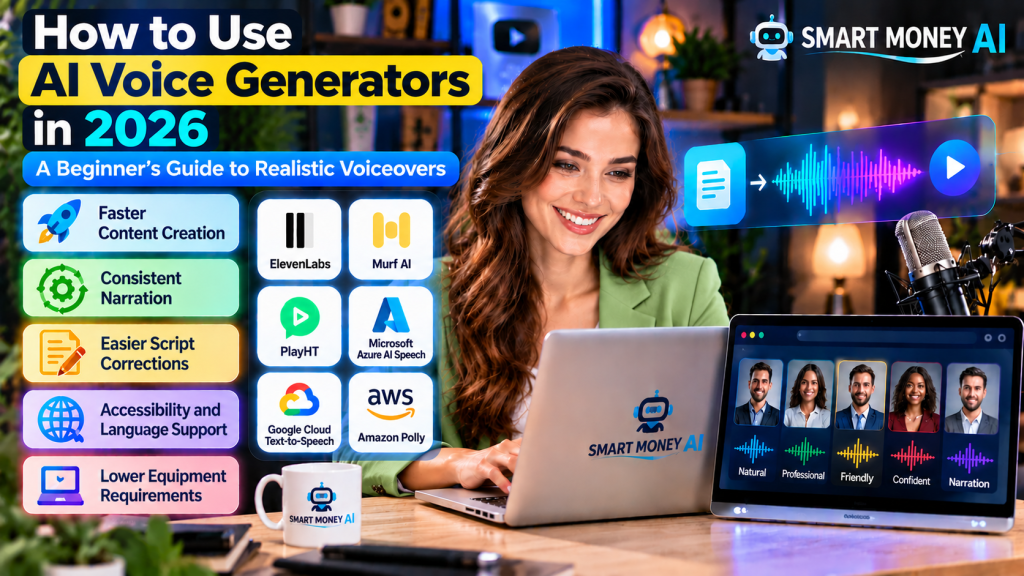
Creating a professional-sounding voiceover once required a microphone, recording equipment, a quiet room, and considerable editing time. Today, artificial intelligence makes it possible to turn written text into spoken audio using an online voice generator.
Whether you want narration for YouTube videos, audio for online courses, product demonstrations, or presentations, AI voice generators can help you produce spoken content without recording every sentence yourself.
However, not every AI-generated voice sounds natural. Choosing the right tool, preparing a conversational script, adjusting pronunciation, and reviewing the final audio all make a significant difference.
In this beginner-friendly guide, you’ll learn how to use AI voice generators in 2026, explore popular tools, create realistic voiceovers step by step, and understand important commercial-use and ethical considerations.
Table of Contents
1. What Is an AI Voice Generator?
An AI voice generator is a software application that uses artificial intelligence to convert written text into spoken audio.
This technology is commonly called text-to-speech (TTS).
Traditional text-to-speech systems often sounded mechanical because they relied on relatively limited speech patterns. Modern AI voice generators can produce more natural pronunciation, rhythm, and expression.
Depending on the tool, you may be able to control:
- Voice selection
- Speaking speed
- Pronunciation
- Pauses and timing
- Language and accent
- Emotional expression
- Audio format and quality
Some platforms also offer voice cloning, which creates a synthetic voice based on recordings of a particular speaker. This feature requires special care because using someone’s voice without appropriate permission can violate their rights or mislead listeners.
For most beginners, standard text-to-speech voices are the simplest starting point.
How Does AI Text-to-Speech Work?
The process usually involves four steps.
- You enter a written script.
- The AI system analyzes the words and sentence structure.
- The system generates speech using a selected synthetic voice.
- You preview, revise, and export the resulting audio.
The exact process varies by provider, but the goal is similar: convert text into speech that sounds clear and understandable.
2. Why Are AI Voice Generators Popular in 2026?
AI voice generation is useful because it simplifies several parts of audio production.
Faster Content Creation
Instead of recording multiple takes, creators can generate a first version of their narration directly from a script.
This is particularly helpful when producing tutorials, product demonstrations, educational videos, or regularly updated content.
Consistent Narration
A synthetic voice can maintain a relatively consistent sound across multiple projects.
For example, a YouTube channel may use the same licensed AI voice for introductions, tutorials, and explanations.
Consistency helps audiences recognize a familiar presentation style.
Easier Script Corrections
If you discover a mistake after producing a video, you may only need to regenerate the affected sentence.
This can be more convenient than recording an entire voiceover again.
However, regenerated sentences should be checked for differences in volume, pacing, and pronunciation.
Accessibility and Language Support
AI voice tools can help turn written information into audio, making content easier to consume for people who prefer listening.
Some services also support multiple languages and accents.
Language availability, pronunciation accuracy, and accessibility features differ between platforms, so always test them before committing to a tool.
Lower Equipment Requirements
You generally do not need an expensive microphone or dedicated recording studio to create basic synthetic narration.
A computer, internet connection, script, and suitable software may be enough.
That said, professional results still require careful editing and quality checks.
3. Best AI Voice Generator Tools for Beginners in 2026
Several AI voice platforms are worth exploring. Each has different features, pricing, licensing terms, and limitations.
The following tools are useful starting points rather than a definitive ranking.
1. ElevenLabs
ElevenLabs offers AI-generated speech and tools for creating spoken audio.
If you want to explore realistic AI narration, visit the official ElevenLabs website to listen to available voices and learn about its text-to-speech features. Before using generated audio for YouTube videos or commercial projects, review the platform’s current pricing and licensing terms.
It is often considered by creators who want expressive narration for videos, stories, educational content, and other projects.
Potential uses:
- YouTube narration
- Educational voiceovers
- Storytelling
- Product explainers
- Multilingual audio projects
What beginners should check: Available voices, language support, export options, usage limits, and commercial licensing.
2. Murf AI
Murf provides AI voiceover creation tools intended for uses such as presentations, training materials, and business communication.
For creating AI voiceovers for business presentations, training videos, and educational projects, explore the official Murf AI website. You can review its voice generation features, available voice styles, and editing options before selecting a plan. Always confirm the current commercial-use terms before publishing monetized content.
Potential uses:
- Business presentations
- Training videos
- Product demonstrations
- Educational lessons
- Corporate explainers
What beginners should check: Voice customization, editing workflow, supported languages, subscription limits, and export permissions.
3. PlayHT
PlayHT was previously a popular AI text-to-speech platform, but its service is no longer available to new users. Beginners should choose an actively supported alternative, such as ElevenLabs, Murf AI, or Amazon Polly, instead.
Potential uses:
- Narration
- Website audio
- Educational content
- Audio applications
- Automated spoken responses
What beginners should check: Current product availability, supported voices, account requirements, and commercial terms.
Because AI services change frequently, verify the platform’s current features before subscribing.
4. Microsoft Azure AI Speech
Microsoft Azure AI Speech offers text-to-speech capabilities for businesses and developers.
To explore advanced text-to-speech technology, visit the official Microsoft Azure AI Speech website. It provides information about synthetic voices, supported languages, speech customization, and integration options for applications. Review the current pricing and technical requirements before getting started.
It can be useful for projects requiring more technical control or integration into applications.
Potential uses:
- Application narration
- Learning software
- Automated announcements
- Accessibility features
- Customer-facing audio experiences
What beginners should check: Account setup, pricing structure, available voices, supported regions, and technical requirements.
5. Google Cloud Text-to-Speech
Google Cloud provides text-to-speech technology for applications and other digital experiences.
For developers and businesses interested in converting written text into natural-sounding audio, explore the official Google Cloud Text-to-Speech website. It provides information about supported voices, languages, audio generation, and integration options. Review the pricing and setup requirements before choosing this service.
It may suit users who want to generate speech programmatically or integrate audio into a larger workflow.
Potential uses:
- Educational applications
- Website narration
- Automated audio content
- Accessibility projects
- Software development
What beginners should check: Billing, voice availability, output formats, and setup complexity.
6. Amazon Polly
Amazon Polly is a cloud-based text-to-speech service from Amazon Web Services.
It can convert written text into audio and may be useful for developers and businesses.
Potential uses:
- E-learning
- Digital applications
- Spoken announcements
- Accessibility features
- Automated narration
What beginners should check: Pricing, language availability, voice options, and AWS account requirements.
Quick Comparison of AI Voice Tools
| AI Voice Tool | Suitable For | Beginner Consideration |
|---|---|---|
| ElevenLabs | Expressive narration and creator projects | Check licensing and usage limits |
| Murf AI | Presentations and business voiceovers | Review editing and export features |
| PlayHT | Narration and speech applications | Verify current service availability |
| Microsoft Azure AI Speech | Business and developer projects | More technical setup may be required |
| Google Cloud Text-to-Speech | Applications and automated speech | Understand cloud billing |
| Amazon Polly | E-learning and software narration | Requires familiarity with AWS setup |
Important: Free plans, pricing, commercial permissions, and supported features can change. Always check the provider’s official website before choosing a paid plan.
4. How to Choose the Right AI Voice Generator
The best tool depends on what you want to create.
A YouTube creator, teacher, and software developer may have completely different requirements.
Step 1: Identify Your Main Purpose
Start by deciding whether you need AI speech for:
- YouTube videos
- Online courses
- Audiobooks
- Social media videos
- Business presentations
- Product advertisements
- Website accessibility
- Mobile or web applications
For example, a beginner creating educational YouTube videos may prioritize natural-sounding narration and simple audio exports.
A developer building an application may prioritize API access and reliable integration.
Step 2: Listen to Voice Samples
Do not choose a service based only on promotional descriptions.
Listen carefully to voice samples and test your own script when possible.
Pay attention to:
- Clarity
- Natural pauses
- Word pronunciation
- Speaking rhythm
- Emotional expression
- Consistency between sentences
A voice that sounds impressive in a short demonstration may not work equally well for a ten-minute tutorial.
Step 3: Check Language and Accent Support
If your content targets viewers in the United States, you may prefer a clear American English voice.
However, the most important factor is whether your audience can understand the narration comfortably.
Avoid assuming that a particular accent is automatically more professional.
Choose a voice that matches your audience and content.
Step 4: Review Commercial Licensing
This step is especially important if you plan to monetize your content.
Some tools restrict commercial use on certain plans or apply special conditions to particular voices.
Check whether your intended activities are permitted, including:
- Monetized YouTube videos
- Paid online courses
- Client projects
- Advertisements
- Podcasts
- Commercial websites
Do not assume that an audio file is commercially usable simply because the tool allows you to download it.
Step 5: Consider the Total Cost
A low subscription price may not be the full cost of production.
Check whether the service charges by:
- Characters
- Words
- Generated minutes
- Credits
- API usage
- Subscription tier
Also check whether regenerating audio consumes additional credits.
Choose a plan that fits your actual production needs rather than paying for features you may never use.
5. How to Use AI Voice Generators: Step-by-Step Tutorial
Now let’s create a realistic AI voiceover using a general text-to-speech workflow.
The interface will vary by platform, but the basic steps are similar.
Step 1: Choose a Voice Generation Platform
Visit the official website of your preferred provider.
Create an account if required.
Before entering payment details, review the current free trial, pricing, and commercial-use conditions.
For your first project, choose a platform that allows you to preview speech without a complicated setup.
Step 2: Prepare Your Voiceover Script
Write the text you want the AI to speak.
For example:
Sample script:
“Welcome to today’s tutorial. In this video, we’ll explore three practical ways artificial intelligence can help you organize everyday tasks. Let’s get started.”
Keep sentences relatively short and conversational.
Written language often sounds different when spoken aloud, so read your script before generating audio.
Step 3: Select a Suitable Voice
Browse the available voice library.
For a beginner-friendly educational video, look for a voice that sounds:
- Clear
- Friendly
- Confident
- Natural
- Easy to understand
If your audience is primarily in the USA, you may test an American English voice.
For business presentations, a calm and measured speaking style may work better than highly expressive narration.
Step 4: Adjust Voice Settings
Depending on the tool, you may be able to adjust speaking speed, pauses, expression, or pronunciation.
Start with the default settings.
Generate a short preview before making major adjustments.
If the narration sounds rushed, reduce the speed slightly.
If it sounds unnatural, try a different voice rather than relying on extreme setting changes.
Step 5: Generate the Audio
Paste your script into the text editor.
Select the voice and click the platform’s speech-generation control.
Listen to the result from beginning to end.
Check whether the AI pronounces important words correctly.
Step 6: Correct Pronunciation and Timing
Some AI voices may mispronounce:
- Company names
- Technical terms
- Abbreviations
- Personal names
- Numbers
- Dates
- Website addresses
For example, the abbreviation “AI” should be spoken as individual letters.
If a tool mispronounces a word, try rewriting the sentence or using its pronunciation controls.
You can also divide long paragraphs into smaller sections to improve timing.
Step 7: Export Your Voiceover
Once you are satisfied, export the audio in a supported format.
Common formats include MP3 and WAV, although availability depends on the service.
MP3 files are convenient for many video editing workflows.
WAV files may be preferable when you need an uncompressed format for further editing.
Step 8: Add the Voiceover to Your Project
Import the audio into your video editor or presentation software.
Align the narration with:
- Video scenes
- Images
- Screen recordings
- On-screen explanations
- Background music
- Captions
Adjust the audio so viewers can hear the narration clearly.
If you use background music, keep it quieter than the spoken voice.
Step 9: Review the Finished Video
Before publishing, watch the complete video.
Check that the narration matches the visuals and that no sentences are missing or repeated.
Also review captions, pronunciation, and any factual statements.
A final human review remains important even when most of the production process uses AI.
6. How to Make AI Voiceovers Sound More Realistic
The difference between an average AI voiceover and a professional-sounding one often comes down to preparation.
Here are several techniques that can help.
Write for Speaking, Not Reading
A long written sentence may be difficult to follow when spoken.
Instead of:
“Artificial intelligence technologies facilitate the optimization of numerous administrative workflows across multiple organizational environments.”
Try:
“AI can help businesses organize everyday tasks and save time.”
The second sentence is easier to understand when heard aloud.
Use Natural Punctuation
Periods, commas, and question marks can influence how a text-to-speech system reads your script.
For example:
“Let’s explore three tools. First, we’ll look at voice generation. Next, we’ll discuss editing. Finally, we’ll cover publishing.”
Clear punctuation can make narration easier to follow.
However, different tools interpret punctuation differently, so test the results.
Break Long Scripts Into Sections
Instead of generating a lengthy script in one uninterrupted block, consider dividing it into manageable sections.
This makes it easier to:
- Correct individual mistakes
- Adjust pacing
- Replace specific sentences
- Match audio with video scenes
- Review pronunciation
You can combine the sections later in a video or audio editor.
Choose a Voice That Matches the Subject
A lively voice may suit an introductory technology video.
A calm voice may be more appropriate for a detailed educational explanation.
A professional business presentation may benefit from a steady, measured delivery.
The goal is not to find the most dramatic voice. It is to find the voice that communicates your message effectively.
Avoid Excessive Emotional Effects
Some platforms offer expressive speech settings.
These can be useful, but too much variation may sound artificial or distracting.
For most educational content, clarity and consistency are more important than dramatic delivery.
Review Every Generated Section
Even advanced AI speech systems can produce awkward pauses or pronunciation errors.
Listen carefully and regenerate any sections that sound incorrect.
Do not publish an audio file without checking it.
7. How to Write Better Scripts for AI Voice Generation
A well-written script improves the quality of the final voiceover.
Learning how to use AI voice generators starts with preparing a clear script and choosing a suitable voice. Beginners should test different speaking styles, adjust pronunciation when needed, and listen carefully to the generated audio before using it in a finished project.
If you’re new to AI writing tools, our step-by-step guide on how to use ChatGPT for beginners explains how to get started, write useful instructions, and generate ideas. These skills can help you prepare clearer scripts before converting them into AI-generated voiceovers.
You can use AI writing assistants to help prepare a first draft, but the content should still be reviewed and edited.
Writing clear prompts can help you create better voiceover scripts with AI. For practical techniques, read our guide on how to write better AI prompts in 2026, which explains how beginners can give more specific instructions and improve AI-generated results.
Start With a Clear Objective
Before writing, decide what your audience should learn.
For example:
“Explain three ways small business owners can use AI to organize customer communication.”
This gives your script a clear direction.
Use a Simple Structure
A beginner-friendly voiceover can follow this format:
- Introduction
- Problem or question
- Main explanation
- Practical examples
- Summary
- Closing message
This structure works well for tutorials, presentations, and educational videos.
Create a Strong Introduction
Your opening should explain why the viewer should continue listening.
For example:
“Creating voiceovers doesn’t have to involve expensive recording equipment. Today, I’ll show you how AI can help turn a simple script into clear spoken audio.”
Avoid exaggerated promises or claims that a tool can guarantee professional results.
Add Useful Examples
Practical examples make technical information easier to understand.
Instead of simply saying that AI voices can support educational content, explain how a teacher might use one to narrate a short lesson.
Review Factual Accuracy
AI writing tools can produce inaccurate statements, outdated information, or invented examples.
Verify product features, statistics, and other factual claims before turning the script into audio.
A realistic voice does not make inaccurate information more reliable.
8. How to Create AI Voiceovers for YouTube Videos
AI-generated narration can be used in YouTube content, including educational and explanatory videos.
However, using AI speech does not automatically make a video original, engaging, or eligible for monetization.
Step 1: Choose an Original Video Topic
Start with a topic that answers a genuine audience question.
For example:
“How to Organize Your Daily Tasks Using Free Digital Tools.”
Research the subject and identify practical information viewers will find useful.
Step 2: Prepare an Original Script
Create a script that explains the topic in your own structure and includes helpful examples.
Avoid simply copying articles or reading material from other websites without meaningful original contribution.
Step 3: Generate Your Narration
Choose a licensed AI voice and generate the script in sections.
Review the audio for pronunciation, pacing, and clarity.
Step 4: Create Supporting Visuals
Add visuals that genuinely help explain the topic.
Creating engaging videos involves more than generating narration. You also need useful visuals, clear editing, and a well-organized production process. Explore our guide to the 10 best AI tools for content creators in 2026 to discover additional tools that can support your creative workflow.
These might include:
- Screen recordings
- Original graphics
- Demonstrations
- Diagrams
- Licensed stock footage
- Relevant animations
Visuals should support the narration rather than simply fill the screen.
Step 5: Edit the Video
Combine the narration and visuals in a video editor.
Add captions where useful and remove unnecessary pauses.
Check that each scene matches what the narrator is explaining.
Step 6: Review YouTube’s Current Policies
YouTube’s monetization and disclosure rules can change.
In general, the platform evaluates the overall content and whether it provides original value, rather than judging a video solely by whether an AI voice was used.
Mass-produced, repetitive, or minimally transformed material can create monetization problems.
Certain realistic synthetic or altered content may also require disclosure.
Review YouTube’s current policies before publishing and avoid presenting synthetic audio as an authentic recording of a real person.
9. Can You Monetize YouTube Videos With AI Voiceovers?
AI narration alone does not automatically prevent YouTube monetization.
What matters is the complete video and whether it meets the platform’s eligibility and content policies.
For example, a tutorial with original explanations, helpful demonstrations, accurate information, and properly licensed audio may offer meaningful value to viewers.
By contrast, a channel that repeatedly uploads nearly identical videos with generic narration and minimal original contribution may face monetization challenges.
Important Factors to Consider
Originality: Develop useful explanations, examples, and demonstrations.
Accuracy: Verify the information in your script.
Licensing: Ensure the AI voice service permits your intended commercial use.
Copyright: Use visuals, music, and other materials you have permission to include.
Disclosure: Follow applicable platform requirements for realistic synthetic or altered content.
Viewer experience: Make videos clear, useful, and easy to follow.
No AI voice generator can guarantee that a YouTube channel will qualify for monetization.
10. Using AI Voice Generators for Online Courses
Teachers, trainers, and course creators can use synthetic narration to support educational materials.
For example, a digital skills instructor could create an introductory lesson explaining how to organize files using cloud storage.
The workflow might involve:
- Preparing the lesson outline.
- Writing a clear narration script.
- Generating the voiceover.
- Creating slides or demonstrations.
- Combining the narration with the lesson visuals.
- Reviewing the material for accuracy.
- Sharing the completed lesson through an appropriate learning platform.
Benefits for Course Creators
AI narration can make it easier to update lessons when software interfaces or instructions change.
It can also help creators maintain a consistent voice across multiple modules.
However, course quality still depends on accurate teaching, clear explanations, and useful learning activities.
Students should not be misled about whether an instructor personally recorded the audio.
11. Using AI Voiceovers for Small Business Marketing
Small businesses may use AI-generated narration for certain marketing activities.
Examples include:
- Product demonstrations
- Explainer videos
- Website tutorials
- Training materials
- Informational social media posts
- Customer onboarding videos
Imagine a small online store preparing a short product demonstration.
The business could write a script explaining the product’s features, generate a licensed voiceover, and combine it with original product footage.
This may reduce the time required to prepare a first version of the advertisement.
Keep Marketing Claims Accurate
AI-generated narration should not exaggerate product benefits or make unsupported claims.
Businesses should also avoid using synthetic voices to impersonate customers, celebrities, or employees without proper authorization.
Transparency helps maintain customer trust.
12. Can You Make Money Offering AI Voiceover Services?
AI voice generation can support a service-based business, but it does not guarantee earnings.
If you’re interested in turning AI skills into a service-based business, explore our beginner’s guide on how to start an online business with AI in 2026. It explains how to choose a business idea, organize your services, and use AI tools to support everyday business tasks.
Some freelancers offer services involving:
- Video narration
- Educational audio
- Presentation voiceovers
- Product explainers
- Audio editing
- Script preparation
- Multilingual content production
The value of the service usually comes from more than clicking a text-to-speech button.
Clients may need help with script editing, pronunciation corrections, timing, audio cleanup, and integrating narration into finished videos.
Example Service Workflow
Suppose a client needs a voiceover for a two-minute product tutorial.
You could:
- Discuss the client’s requirements.
- Review or prepare the script.
- Select an appropriate licensed AI voice.
- Generate a short sample.
- Make requested adjustments.
- Produce the final audio.
- Deliver the agreed files and usage information.
Before accepting paid work, verify that your chosen AI voice service permits client projects and commercial redistribution where applicable.
How Much Can You Earn?
Earnings vary widely depending on your skills, the scope of work, client demand, licensing costs, and the quality of your service.
Avoid treating online income estimates as guaranteed results.
A sensible starting point is to build sample projects, understand production costs, and develop a clear service offering.
13. AI Voice Generation vs. Human Voice Recording
Both AI narration and human recording have advantages.
| Feature | AI Voice Generation | Human Voice Recording |
|---|---|---|
| Initial production | Can generate audio from text | Requires recording |
| Script revisions | Often easy to regenerate | May require another recording |
| Equipment | Usually minimal | Microphone and recording setup may be needed |
| Emotional nuance | Varies by model and settings | Human performers can provide nuanced interpretation |
| Consistency | Can be relatively consistent | Depends on recording conditions and performance |
| Personal connection | Depends on presentation | Can convey an identifiable personal style |
| Licensing | Governed by provider terms | Governed by performer agreements and applicable rights |
| Best use | Repeatable narration and certain production workflows | Personal storytelling, distinctive performances, and projects needing human direction |
AI speech is not necessarily better than human narration.
For some projects, a real speaker may create a stronger personal connection.
For others, synthetic speech may be a practical production choice.
The best option depends on your audience, budget, content, and creative goals.
14. Common AI Voice Generation Mistakes to Avoid
Beginners often encounter problems that are easy to prevent.
Mistake 1: Choosing a Voice Without Testing It
A voice may sound natural in a short sample but become tiring during longer narration.
Test several paragraphs before committing to a voice.
Mistake 2: Using Long, Complicated Sentences
Dense sentences can make even a realistic AI voice difficult to understand.
Use conversational language and break complicated explanations into smaller ideas.
Mistake 3: Ignoring Pronunciation Errors
Mispronounced product names, numbers, or technical terms can reduce credibility.
Review the entire audio file before publishing.
Mistake 4: Adding Music That Is Too Loud
Background music should support the narration, not compete with it.
Listen to your finished audio on different devices when possible.
Mistake 5: Assuming Every Voice Is Licensed for Commercial Use
Commercial rights vary between services, subscription plans, and voice types.
Read the applicable terms before using generated audio in advertisements or paid projects.
Mistake 6: Using Someone Else’s Voice Without Permission
Do not clone or imitate a recognizable person’s voice without appropriate authorization.
Even when a platform technically supports voice cloning, that does not mean every use is permitted.
Mistake 7: Publishing Without Reviewing the Script
An AI voice can deliver inaccurate information confidently.
Verify the script and review the final narration.
Mistake 8: Expecting AI to Replace All Editing
AI can simplify audio production, but editing, quality control, and creative decisions remain important.
15. Legal and Ethical Considerations for AI Voice Generation
AI-generated audio raises questions about consent, intellectual property, privacy, and transparency.
These issues matter especially when content is used commercially.
Voice Cloning and Consent
A person’s voice can be closely associated with their identity.
Creating a synthetic version of a real person’s voice without appropriate permission may violate applicable laws or platform policies.
Avoid impersonating another person or suggesting that someone endorsed a product when they did not.
Commercial Licensing
Read the voice generator’s current terms of service.
Pay particular attention to:
- Commercial-use permissions
- Restrictions on voice cloning
- Ownership and usage rights
- Client delivery terms
- Redistribution limitations
- Subscription cancellation rules
Terms may change, so review them before each significant commercial project.
Copyright and Scripts
Using an AI voice does not automatically give you permission to narrate copyrighted material.
You still need appropriate rights to the underlying script, music, visuals, and other protected content.
Write original scripts or use material you are legally authorized to reproduce.
Privacy and Personal Information
Avoid uploading sensitive personal information or private recordings to an AI platform without appropriate permission and a clear understanding of how the service handles data.
This is especially important for client projects, employee recordings, and educational content involving students.
Transparency and Disclosure
When synthetic audio could reasonably mislead listeners into believing a real person said something, clear disclosure may be necessary.
Platform policies and applicable laws can differ depending on the content and location.
Review the requirements relevant to your project.
16. How to Improve Your AI Voiceover Workflow
Once you understand the basics, you can create a more efficient production process.
Create Reusable Script Templates
Prepare a simple structure for recurring content.
For example:
Introduction: Explain the topic and what viewers will learn.
Main section: Present the key steps or ideas.
Examples: Demonstrate practical applications.
Conclusion: Summarize the important points.
This helps maintain consistency without making every video identical.
Build a Pronunciation Reference List
Keep a record of words that your chosen AI voice regularly mispronounces.
Include brand names, technical terms, and abbreviations relevant to your content.
Use the platform’s pronunciation controls where available.
Organize Audio Files Clearly
Use descriptive filenames.
For example:
- tutorial-introduction.mp3
- tutorial-step-one.mp3
- tutorial-step-two.mp3
- tutorial-conclusion.mp3
Clear filenames make editing and revisions easier.
Keep Track of Licensing
Record which service and subscription plan you used for each commercial project.
Save relevant license documentation and client agreements.
This can help if you need to confirm usage permissions later.
Review Your Finished Projects
After publishing, evaluate whether the narration was easy to understand.
Look for opportunities to improve pacing, script clarity, and audio consistency.
Do not rely solely on automation to judge quality.
17. Frequently Asked Questions About AI Voice Generators
What is the best AI voice generator for beginners?
There is no single best tool for everyone. ElevenLabs and Murf AI are examples of platforms beginners may explore, while Google Cloud, Microsoft Azure, and Amazon Polly may suit users with more technical requirements. Compare voice quality, ease of use, pricing, and licensing before choosing.
Can AI voice generators create realistic human-like voices?
Yes. Modern AI text-to-speech systems can produce natural-sounding narration. However, realism varies by voice, script, language, and settings, and generated audio may still contain pronunciation or timing errors.
Are AI voice generators free?
Some services offer limited free access, trials, or usage allowances. Restrictions and commercial-use permissions vary, so check the provider’s current pricing and terms.
Can I use AI voices for YouTube videos?
Yes, provided your use complies with the voice provider’s terms and YouTube’s applicable policies. AI narration alone does not guarantee or prevent monetization.
Can I use AI-generated voiceovers commercially?
Many services offer commercial-use options, but permissions depend on the provider, plan, and specific voice. Always verify the applicable license.
Do I need a microphone to create AI voiceovers?
Not for standard text-to-speech generation. You can usually create synthetic narration by entering text into a supported platform. Voice cloning or other recording-based features may require audio samples.
Can AI voice generators speak different languages?
Many platforms support multiple languages and accents. Availability and pronunciation quality vary, so test the languages you need.
Can I clone my own voice?
Some services offer voice cloning with identity verification and consent requirements. Review the provider’s policies, data handling practices, and applicable rights before uploading recordings.
Can AI voiceovers replace professional voice actors?
AI voiceovers can be useful for certain projects, but professional voice actors provide creative interpretation, direction, and human performance that may be preferable for many types of content.
How can I make an AI voice sound less robotic?
Use a conversational script, shorter sentences, natural punctuation, suitable voice settings, and careful audio review. Choosing a better-matched voice can also make a significant difference.
18. Conclusion: Getting Started With AI Voice Generators in 2026
Learning how to use AI voice generators in 2026 can help beginners explore new ways to create narration for videos, lessons, presentations, and business content.
You do not need to start with expensive equipment or complicated software.
Begin with a short original script, test a few suitable voices, listen carefully to the results, and make adjustments until the audio sounds clear and natural.
As you gain experience, you can develop more efficient workflows for longer videos, educational projects, and professional content.
Remember that realistic audio is only one part of a successful project. Accurate information, useful explanations, appropriate licensing, and responsible use of AI are equally important.
Smart Money AI Editor’s Note: AI voice technology continues to evolve, and platform features, pricing, and usage policies may change. Always confirm current information directly with the service provider before purchasing a plan or using generated audio commercially.
Final Takeaway: Start with a simple voiceover project, focus on clarity and originality, and use AI as a tool to improve your creative workflow—not as a replacement for thoughtful content creation.