
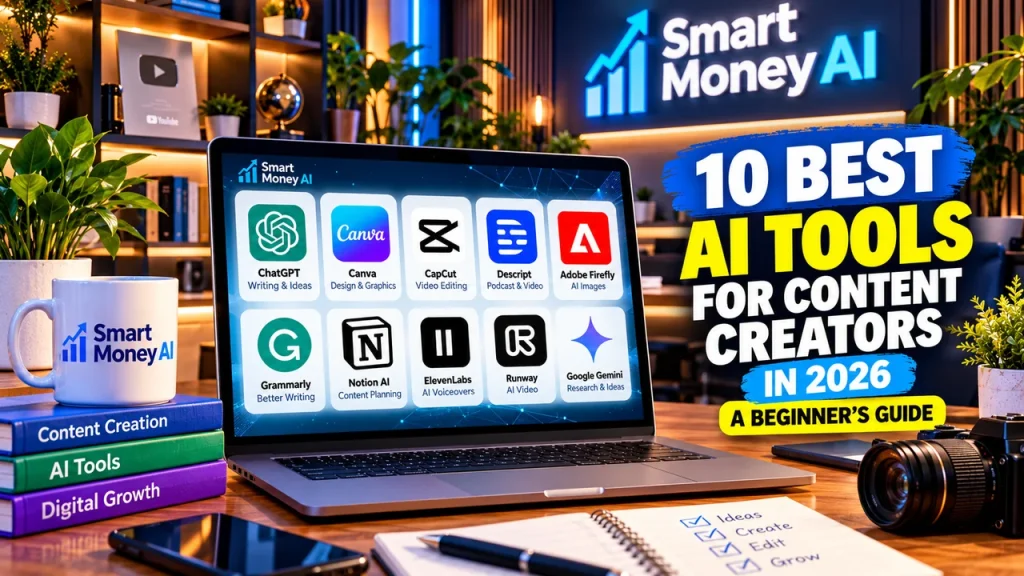
Creating high-quality content consistently can be challenging, especially when you are managing a blog, YouTube channel, Instagram account, or small business.
The best AI tools for content creators can help simplify everyday tasks such as brainstorming ideas, writing scripts, designing graphics, editing videos, and planning social media posts.
In 2026, creators have access to a wide range of artificial intelligence tools. However, choosing the right tools matters more than using as many as possible.
This beginner-friendly guide explores 10 useful AI tools, what they do, their advantages and limitations, and how to choose the right combination for your content creation workflow.
Table of Contents
What Are AI Content Creation Tools?
AI content creation tools are software applications that use artificial intelligence to assist with creative tasks.
Depending on the tool, AI can help you:
- Generate blog and video ideas.
- Draft articles, captions, and scripts.
- Design thumbnails and social media graphics.
- Edit videos and improve audio.
- Create images and visual concepts.
- Repurpose long content into shorter formats.
- Organize content calendars.
These tools are most effective when they support your own ideas, expertise, and creative decisions.
For a broader introduction, read our guide to the best AI tools for beginners.
Quick Comparison: 10 AI Tools for Content Creators
| AI Tool | Best For | Beginner-Friendly |
|---|---|---|
| ChatGPT | Writing, research planning, and ideas | Yes |
| Canva | Graphics, thumbnails, and presentations | Yes |
| CapCut | Short-form video editing | Yes |
| Descript | Video and podcast editing | Yes |
| Adobe Firefly | AI image creation and design | Yes |
| Grammarly | Writing improvement | Yes |
| Notion AI | Content planning and organization | Yes |
| ElevenLabs | AI voiceovers | Moderate |
| Runway | AI video generation and effects | Moderate |
| Google Gemini | Brainstorming and content research | Yes |
Features, free usage limits, pricing, and availability can change. Check each provider’s official website before choosing a plan.
1. ChatGPT — Best for Content Ideas and Writing
ChatGPT is a conversational AI assistant that can help creators plan, draft, and improve written content.
What can content creators do with ChatGPT?
- Brainstorm YouTube video topics.
- Create outlines for blog articles.
- Draft video scripts and social media captions.
- Generate headline variations.
- Build content calendars.
- Rewrite complicated explanations in simpler language.
Practical example
Imagine you run a YouTube channel about beginner-friendly technology.
You could ask ChatGPT:
“Suggest 10 useful YouTube video topics about AI productivity tools for beginners in the United States. Include a clear audience benefit for each idea.”
Review the suggestions, check their accuracy, and choose ideas that fit your audience.
Advantages
- Versatile across many content formats.
- Useful for beginners.
- Helps overcome creative blocks.
- Can speed up early drafting.
Limitations
- May produce inaccurate information.
- Generated writing can sound generic.
- Important claims require independent verification.
Best practice: Treat ChatGPT as a writing assistant rather than a replacement for your own expertise.
Learn more in our step-by-step ChatGPT guide for beginners.
2. Canva — Best for Thumbnails and Social Media Graphics
Canva is a design platform offering templates, editing features, and AI-assisted creative tools.
It is particularly useful for creators who do not have professional graphic design experience.
Popular uses
- YouTube thumbnails.
- Instagram posts and stories.
- Pinterest graphics.
- Blog featured images.
- Presentations.
- Promotional materials.
Practical example
A beginner creating a YouTube video about productivity could start with a thumbnail template, replace the sample headline, add original visuals, and adjust the colors to match their channel branding.
Advantages
- Beginner-friendly interface.
- Wide selection of templates.
- Useful for maintaining consistent branding.
- Supports several content formats.
Limitations
- Some templates and features require payment.
- Popular templates may look similar across creators.
- AI-generated design elements may need manual corrections.
Best practice: Customize templates rather than publishing them unchanged.
3. CapCut — Best for Short-Form Video Editing
CapCut provides video editing tools for creators producing short videos and social media content.
Depending on the version and region, its features may include automatic captions, effects, templates, and AI-assisted editing.
Popular uses
- YouTube Shorts.
- Instagram Reels.
- TikTok videos.
- Product demonstrations.
- Short educational videos.
Practical example
A creator can record a 45-second tutorial, trim unnecessary pauses, add readable captions, and export the finished video for a supported platform.
Advantages
- Accessible editing workflow.
- Helpful for vertical videos.
- Caption and template features can save time.
- Suitable for beginners learning video editing.
Limitations
- Some features may require a subscription.
- Availability differs by location.
- Templates do not guarantee audience engagement.
Best practice: Review every caption before publishing, especially names and technical terms.
4. Descript — Best for Podcasts and Talking-Head Videos
Descript offers tools for editing audio and video through a text-based workflow.
It can be useful for creators who produce interviews, podcasts, tutorials, and educational videos.
Popular uses
- Editing recorded conversations.
- Removing unnecessary pauses.
- Creating transcripts.
- Preparing podcast clips.
- Producing subtitles.
Practical example
Suppose you record a 15-minute educational video. Descript can help you work from a transcript to identify sections that need trimming or restructuring.
Advantages
- Text-based editing can feel intuitive.
- Useful for spoken-word content.
- Supports transcription workflows.
- Helps repurpose longer recordings.
Limitations
- Transcriptions may contain mistakes.
- Advanced capabilities may require payment.
- Some edits still need careful manual review.
Best practice: Listen to the final recording to confirm that edits preserve the speaker’s intended meaning.
5. Adobe Firefly — Best for AI Images and Creative Design
Adobe Firefly offers generative AI features for creating and editing visual content.
Creators can use it to explore visual concepts, generate illustrative assets, and experiment with design ideas.
Popular uses
- Blog illustrations.
- Background concepts.
- Creative image variations.
- Promotional visuals.
- Design experimentation.
Practical example
A blogger writing about digital productivity could generate an illustration of a modern workspace, then customize the composition and add their own branding.
Advantages
- Supports visual experimentation.
- Useful for creators without photography resources.
- Can help develop original design concepts.
Limitations
- Generated images may contain visual errors.
- Usage limits and commercial terms depend on the plan and feature.
- Important branding details may require manual editing.
Best practice: Review image quality and licensing terms before using generated visuals commercially.
6. Grammarly — Best for Improving Written Content
Grammarly is a writing assistant that helps users review grammar, clarity, tone, and other aspects of written communication.
Popular uses
- Blog editing.
- Email newsletters.
- Social media captions.
- Video descriptions.
- Business communications.
Practical example
After drafting a blog post, a creator can use Grammarly to identify unclear sentences and potential grammar mistakes.
Advantages
- Useful for proofreading.
- Helps improve readability.
- Works across common writing tasks.
Limitations
- Suggestions are not always appropriate.
- Automated rewriting may change the intended tone.
- It does not replace factual checking.
Best practice: Accept suggestions selectively and preserve your own writing voice.
7. Notion AI — Best for Content Planning
Notion combines documents, databases, project organization, and AI-assisted workflows.
It can help creators manage ideas and organize their publishing schedules.
Popular uses
- Editorial calendars.
- Video production checklists.
- Blog post planning.
- Research notes.
- Content databases.
Practical example
A creator publishing three videos each week could build a content calendar with columns for topic, script status, recording, editing, and publication.
AI features may help summarize notes or draft planning materials.
Advantages
- Keeps creative projects organized.
- Useful for managing multiple content formats.
- Supports repeatable workflows.
Limitations
- Initial setup can take time.
- Some AI features may require a paid plan.
- Beginners may not need its more advanced features.
Best practice: Start with a simple content calendar before building complex systems.
For more workflow ideas, see our guide to AI tools for productivity.
8. ElevenLabs — Best for AI Voiceovers
ElevenLabs offers AI-generated speech and voice-related tools.
Content creators may use it for narration, educational demonstrations, and audio production.
Popular uses
- Educational video narration.
- Explainer videos.
- Accessibility-focused audio.
- Multilingual content workflows.
Practical example
A creator producing a tutorial can write an original script, generate a voiceover using an authorized voice, and combine the narration with their own visuals.
Advantages
- Can support narration workflows.
- Offers different voice and language options.
- Useful for audio experimentation.
Limitations
- AI narration may require pronunciation corrections.
- Pricing and usage rights vary.
- Using another person’s voice requires appropriate permission.
Best practice: Use voices you have permission to use and follow platform disclosure rules where applicable.
9. Runway — Best for AI Video Generation
Runway provides AI-assisted video creation and editing capabilities.
It is more suitable for creators interested in visual storytelling and experimenting with generated footage.
Popular uses
- Short creative video sequences.
- Concept visualization.
- Video effects.
- Experimental storytelling.
- Visual backgrounds.
Practical example
A creator making an educational video about future technology might generate a short illustrative scene and combine it with independently verified information and original narration.
Advantages
- Supports creative visual experimentation.
- Can help produce footage that would otherwise be difficult to film.
- Useful for developing visual concepts.
Limitations
- Generated scenes may be inconsistent.
- Advanced features can involve additional costs.
- Creating longer, coherent videos may require multiple clips and manual editing.
Best practice: Review generated footage for errors, misleading details, and appropriate usage rights.
10. Google Gemini — Best for Brainstorming and Research Planning
Google Gemini is an AI assistant that can support brainstorming, outlining, and certain research-related tasks.
Popular uses
- Generating topic ideas.
- Organizing research questions.
- Drafting content outlines.
- Explaining unfamiliar concepts.
- Comparing possible approaches.
Practical example
A blogger could ask Gemini to suggest an outline for an article about beginner-friendly digital skills, then verify the recommendations against reliable sources.
Advantages
- Useful for early-stage content planning.
- Supports a variety of writing and learning tasks.
- Can provide alternative ways to structure an article.
Limitations
- Responses can contain inaccuracies.
- Some features and access levels vary.
- AI-generated summaries should not replace original sources.
Best practice: Verify statistics, quotations, and product claims before publishing.
How to Choose the Best AI Tools for Content Creators
Choosing the best AI tools for content creators depends on your goals, the type of content you produce, and how much time you want to spend learning new software.
The best tool depends on the type of content you create.
For bloggers
Consider starting with:
- ChatGPT for outlines and drafting.
- Grammarly for proofreading.
- Canva for featured images.
For YouTubers
Consider:
- ChatGPT for script planning.
- Canva for thumbnails.
- CapCut or Descript for editing.
For social media creators
Consider:
- Canva for graphics.
- CapCut for short videos.
- Notion for scheduling and organization.
For creators experimenting with AI visuals
Consider:
- Adobe Firefly for images.
- Runway for generated video concepts.
- ElevenLabs for authorized narration.
You do not need all 10 tools. Start with two or three that solve your biggest content creation challenges.
For a related workflow, read our guide to AI for social media marketing.
Free vs. Paid AI Tools: What Should Beginners Choose?
Many of the best AI tools for content creators offer free plans or limited free features. Beginners can start by testing these options before deciding whether a paid subscription is worthwhile. The best AI tools for content creators are those that match your workflow, budget, and creative goals.
Many AI platforms offer free access, trials, or limited usage options, although the exact terms can change.
Beginners should generally test available free features before considering a subscription.
Ask yourself:
- Does this tool solve a problem I regularly experience?
- Can I learn its basic features quickly?
- Will I use it often enough to justify its cost?
- Are its output quality and licensing terms suitable for my work?
- Can I accomplish the same task with tools I already have?
Avoid subscribing to several platforms before you understand your actual needs.
Explore additional options in our guide to the best free AI tools.
5 Common Mistakes to Avoid When Using AI for Content Creation
Even the best AI tools for content creators require careful planning, fact-checking, and human creativity to produce useful, original content.
1. Publishing AI-generated content without reviewing it
AI can make mistakes. Always check facts, instructions, and examples.
2. Using too many tools
A complicated workflow can waste more time than it saves.
3. Copying generic AI outputs
Add original examples, personal insights, demonstrations, or useful research.
4. Ignoring copyright and permissions
Check licensing terms for images, music, video, and voices before publishing.
5. Focusing on quantity instead of usefulness
Publishing frequently is not a substitute for creating accurate, original, and helpful content.
Frequently Asked Questions
What is the best AI tool for beginner content creators?
There is no single best tool for everyone. ChatGPT is useful for planning and writing, Canva is useful for graphics, and CapCut is useful for short-form video editing.
Can I create YouTube videos using AI tools?
Yes. AI tools can assist with scripts, narration, visuals, and editing. However, creators should follow YouTube’s applicable content, copyright, and monetization policies. AI use alone does not guarantee monetization eligibility.
Are free AI tools enough for beginners?
Often, yes. Free features can be sufficient for learning basic workflows and testing whether a tool is useful.
Can AI replace human content creators?
AI can automate or assist with certain tasks, but creators still provide judgment, originality, fact-checking, audience understanding, and creative direction.
How many AI tools should a beginner use?
Starting with two or three complementary tools is usually more manageable than learning many platforms simultaneously.
Conclusion
The best AI tools for content creators in 2026 can simplify writing, graphic design, video editing, and content planning. Choosing the right combination of tools can help beginners build an efficient and creative workflow.
The best AI tools for content creators in 2026 can make writing, designing, editing, and planning more manageable.
ChatGPT and Gemini can support brainstorming. Canva and Adobe Firefly can help with visual creation. CapCut, Descript, and Runway can support video workflows. Grammarly, Notion, and ElevenLabs can assist with writing, organization, and narration.
The most effective approach is to choose tools based on your goals, review AI-generated outputs carefully, and focus on creating content that genuinely helps your audience.
Start with one content format, choose a few useful tools, and build a consistent workflow as your skills improve.
Disclosure: Tool features, pricing, availability, and licensing terms may change. This article provides general educational information and does not guarantee results.