
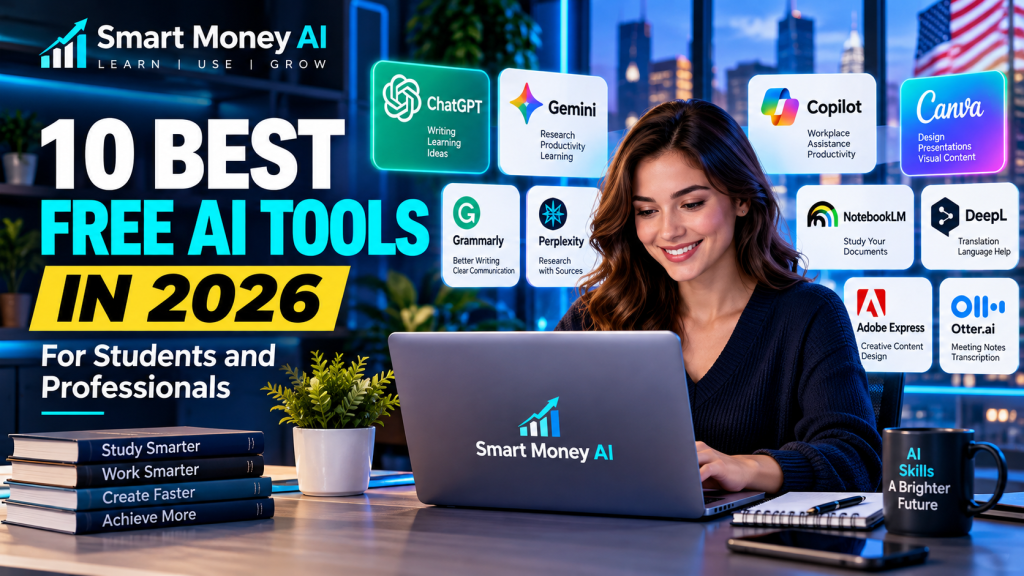
Artificial intelligence is changing how people study, work, research, and create content. Whether you’re a college student preparing assignments, a professional managing daily tasks, or a beginner exploring artificial intelligence, the right AI tools can help you work more efficiently.
The good news is that you don’t always need an expensive subscription to get started.
In this guide, we’ll explore 10 of the best free AI tools for students and professionals in 2026, including their key features, practical applications, advantages, and free-plan limitations. Whether you’re looking for the best free AI tools to support your studies or improve workplace productivity, this comparison will help you choose suitable options.
You’ll also learn how to choose tools that suit your needs without paying for features you may never use.
Editor’s note: AI tools frequently change their pricing, features, usage limits, and availability. The free options discussed below may have restrictions, and some features may require paid subscriptions. Always check each provider’s official website for current details.
Table of Contents
What Are Free AI Tools?
Free AI tools are applications that use artificial intelligence to help users complete tasks such as writing, researching, designing, analyzing information, organizing projects, and creating presentations.
Some tools offer permanently available free plans with restrictions. Others provide limited free credits or trial access.
For example, an AI chatbot may let you ask questions without paying, but advanced models, higher usage limits, or specialized features might require a subscription.
Understanding these differences helps you avoid unexpected costs.
10 Best Free AI Tools for Students and Professionals
1. ChatGPT — Best for Writing, Learning, and Brainstorming
ChatGPT, developed by OpenAI, is a conversational AI assistant that can help with a wide variety of everyday tasks.
Students can use ChatGPT to understand difficult topics, create study outlines, and practice questions. Professionals can use it to draft emails, organize ideas, summarize information, and brainstorm solutions.
Key uses:
- Explaining complicated topics in simpler language
- Creating study guides and practice questions
- Drafting professional emails and documents
- Brainstorming project and content ideas
- Learning basic coding concepts
Free-plan considerations: ChatGPT offers free access, but model availability, message limits, and certain advanced features may vary.
Best for: Students, writers, office workers, and beginners.
Official website: https://chatgpt.com/
If you’re new to ChatGPT, read our How to Use ChatGPT for Beginners: A Step-by-Step Guide.
2. Google Gemini — Best for Learning and Everyday Productivity
Google Gemini is Google’s AI assistant, designed to help with writing, explanations, brainstorming, and information-related tasks.
It can be useful for students researching a topic or professionals preparing outlines and planning projects.
Key uses:
- Explaining academic concepts
- Brainstorming ideas
- Drafting and revising written content
- Planning projects and study schedules
- Working through questions step by step
Free-plan considerations: Google offers free Gemini access, but advanced models and certain features may require a paid plan. Availability can vary by region and account.
Best for: Students and people who regularly use Google’s services.
Official website: https://gemini.google.com/
Want to understand the differences? Read our ChatGPT vs Google Gemini comparison.
3. Microsoft Copilot — Best for General Workplace Assistance
Microsoft Copilot is an AI assistant that can help with everyday questions, drafting, brainstorming, and research.
It is particularly relevant to professionals who are familiar with Microsoft’s ecosystem.
Key uses:
- Drafting emails and messages
- Summarizing ideas
- Brainstorming business content
- Explaining workplace concepts
- Planning routine tasks
Free-plan considerations: Free Copilot experiences are available, but premium features and integrations with Microsoft 365 applications may require eligible paid subscriptions.
Best for: Office workers, job seekers, and general productivity users.
Official website: https://copilot.microsoft.com/
4. Canva — Best for AI-Assisted Graphic Design
Canva is an online design platform with templates and AI-assisted creative features.
Students can use it for class presentations, posters, and project graphics. Professionals can create social media posts, marketing visuals, and presentation materials.
Key uses:
- Creating presentations
- Designing posters and social media graphics
- Preparing resumes and visual documents
- Editing images
- Exploring AI-assisted design tools
Free-plan considerations: Canva has a free plan, but premium templates, assets, and many AI features have usage restrictions or require payment.
Best for: Students, creators, teachers, and small-business professionals.
Official website: https://www.canva.com/
5. Grammarly — Best for Improving Writing
Grammarly is a writing assistant that helps users improve spelling, grammar, clarity, and communication.
It can be particularly useful when preparing academic work, business emails, resumes, and professional documents.
Key uses:
- Checking spelling and grammar
- Improving sentence clarity
- Reviewing professional communication
- Polishing resumes and cover letters
- Supporting everyday writing
Free-plan considerations: Basic writing assistance is available for free, while advanced suggestions and generative AI capabilities may have restrictions.
Best for: Students, job seekers, writers, and professionals.
Official website: https://www.grammarly.com/
6. Perplexity — Best for Research with Sources
Perplexity is an AI-powered answer and research service that helps users explore questions and find relevant online sources.
Its source links can be useful when researching unfamiliar subjects, although users should still verify important claims.
Key uses:
- Researching unfamiliar topics
- Finding sources for further reading
- Exploring technical questions
- Comparing information
- Preparing research outlines
Free-plan considerations: Perplexity provides free access, but advanced searches, models, and other capabilities may have usage limits.
Best for: Students, researchers, and knowledge workers.
Official website: https://www.perplexity.ai/
Important: AI-generated citations can sometimes be incomplete or misleading. Open the original sources and check them before using information in academic or professional work.
7. NotebookLM — Best for Studying Your Own Documents
NotebookLM, developed by Google, helps users work with information from documents and other supported sources they provide.
Rather than relying entirely on general AI knowledge, it can assist with understanding and organizing material from a selected collection of sources.
Key uses:
- Summarizing class notes
- Exploring research documents
- Creating study questions
- Understanding lengthy reading materials
- Organizing information from multiple sources
Free-plan considerations: A no-cost version is available for eligible users, with limits on notebooks, sources, and certain features. Access may depend on age, account type, or region.
Best for: Eligible students, educators, researchers, and professionals.
Official website: https://notebooklm.google.com/
8. DeepL — Best for Translation and Language Assistance
DeepL provides AI-powered translation and writing-related services.
It can help students understand foreign-language material and assist professionals communicating across languages.
Key uses:
- Translating short passages
- Understanding foreign-language text
- Reviewing multilingual communication
- Comparing translation alternatives
- Supporting language learning
Free-plan considerations: Free translation access is available with limits. Document translation, text length, privacy options, and advanced writing features may differ by plan.
Best for: Language learners and professionals working with multilingual content.
Official website: https://www.deepl.com/
9. Adobe Express — Best for Quick Creative Content
Adobe Express is a design and content creation platform offering templates, editing features, and selected AI-powered capabilities.
It can help students create school graphics and professionals produce visual content for presentations and marketing.
Key uses:
- Designing social media posts
- Creating posters and flyers
- Editing visual content
- Preparing simple promotional materials
- Exploring selected AI-assisted creative features
Free-plan considerations: Adobe Express has a free plan, but premium assets and some generative AI capabilities require credits or paid access.
Best for: Creators, students, and marketing beginners.
Official website: https://www.adobe.com/express/
10. Otter.ai — Best for Meeting Notes and Transcription
Otter.ai is an AI-powered transcription and meeting notes service.
It can help users organize spoken information into searchable notes, making it useful for meetings, interviews, and lectures where recording is permitted.
Key uses:
- Transcribing meetings
- Reviewing spoken discussions
- Organizing interview notes
- Finding important points in recordings
- Supporting meeting follow-up
Free-plan considerations: Otter.ai offers a limited free plan. Monthly transcription allowances, recording lengths, and advanced features are restricted.
Best for: Professionals, interviewers, and eligible students.
Official website: https://otter.ai/
Privacy reminder: Always obtain appropriate permission before recording conversations, classes, or meetings.
Best Free AI Tools: Quick Comparison
| AI Tool | Primary Use | Free Option | Best For |
|---|---|---|---|
| ChatGPT | Writing and learning | Yes, limited | Beginners and students |
| Google Gemini | Research and productivity | Yes, limited | General productivity |
| Microsoft Copilot | Workplace assistance | Yes, limited | Office professionals |
| Canva | Graphic design | Yes, limited | Creators and students |
| Grammarly | Writing improvement | Yes, limited | Writers and job seekers |
| Perplexity | Source-based research | Yes, limited | Researchers |
| NotebookLM | Document-based learning | Yes, eligibility and limits apply | Studying documents |
| DeepL | Translation | Yes, limited | Language learners |
| Adobe Express | Visual content creation | Yes, limited | Designers and marketers |
| Otter.ai | Transcription | Yes, limited | Meetings and notes |
Note: “Free option” does not mean every feature is free. Check official websites for current restrictions.
How to Choose the Best Free AI Tools
Choosing the right AI tool depends on what you actually need to accomplish.
For Students
Start with a tool that supports understanding rather than simply generating answers.
For example, ChatGPT or Gemini can explain concepts, while NotebookLM can help eligible users study their own learning materials.
Use AI to support your thinking, and follow your school’s rules for AI-assisted work.
For Office Professionals
Focus on communication and productivity.
Grammarly can support writing quality, Microsoft Copilot can assist with general tasks, and Otter.ai may help organize meeting information when recording is permitted.
Avoid entering confidential company information into tools unless your employer has approved their use.
For Content Creators
Canva and Adobe Express can help produce visual content, while ChatGPT can assist with outlines and brainstorming.
Always review AI-generated materials before publishing, including checking accuracy, originality, and usage rights.
For Researchers
Perplexity and NotebookLM can support early-stage research and document exploration.
However, they should not replace original sources, reliable publications, or independent fact-checking.
Are Free AI Tools Really Free?
Many AI platforms use a freemium model.
This means they provide selected features without charge while offering additional capabilities through paid plans.
Common free-plan restrictions include:
- Daily or monthly usage limits
- Reduced access to advanced AI models
- Limited file uploads
- Restricted AI image or video generation
- Fewer collaboration features
- Limits on transcription or research tasks
Before creating an account, review the pricing page and check whether payment information is required.
Five Practical Ways to Use AI Tools Every Day
1. Create a Study Plan
Ask an AI assistant to organize topics into a realistic weekly study schedule.
Example prompt:
“Create a seven-day beginner study plan for learning Excel. Include one practical exercise each day.”
2. Improve a Professional Email
Use a writing assistant to review tone, clarity, and grammar.
Example prompt:
“Rewrite this email in a professional and friendly tone while keeping the original meaning.”
3. Prepare a Presentation
Use Canva or Adobe Express to organize information into visually clear slides.
Start with a simple outline and review every fact before sharing.
4. Research an Unfamiliar Topic
Use Perplexity to discover possible sources, then read the original articles or documents.
Do not assume that every AI-generated summary is correct.
5. Organize Notes
Use a suitable document-based AI tool to create summaries and practice questions from material you’re permitted to upload.
Avoid uploading sensitive personal or confidential information.
Important Limitations of AI Tools
Although AI tools can be useful, they are not always accurate.
AI systems may:
- Generate incorrect facts
- Misunderstand questions
- Produce outdated information
- Miss important context
- Create misleading references
- Handle uploaded information according to different privacy policies
For academic, financial, medical, or legal matters, verify important information using trustworthy sources and qualified professionals where appropriate.
AI should assist your judgment, not replace it.
Can Learning AI Tools Improve Your Digital Skills?
Yes. Learning to use AI tools effectively can help you develop valuable digital abilities, including research, communication, critical thinking, content planning, and productivity.
However, knowing how to use a chatbot is only one part of digital literacy.
You should also understand how to evaluate information, protect your privacy, organize files, and communicate professionally.
For a broader learning roadmap, read our 10 Essential Digital Skills for Beginners in 2026.
You can also explore our 10 Best AI Tools for Beginners: A Practical Guide for additional ideas.
Frequently Asked Questions
What are the best free AI tools for beginners in 2026?
ChatGPT, Google Gemini, Microsoft Copilot, Canva, and Grammarly are useful starting points for many beginners. The best choice depends on whether you need help with writing, learning, productivity, or design.
Can students use AI tools for free?
Many platforms provide free options, but availability, age requirements, and feature limits vary. Students should also follow their school’s academic integrity rules.
Which free AI tool is best for writing?
ChatGPT can help with brainstorming and drafting, while Grammarly focuses on writing quality and corrections. Different tools suit different writing tasks.
Which AI tool is best for research?
Perplexity can help users discover online sources, while NotebookLM can help eligible users explore information from their own documents. Always verify original sources.
Do I need a paid AI subscription?
Not necessarily. Beginners can often accomplish everyday tasks using free plans. A paid subscription may become useful when you consistently need higher limits or specific premium features.
Are free AI tools safe?
Safety depends on the tool, its privacy practices, and how you use it. Avoid sharing passwords, sensitive documents, or confidential information, and review each service’s policies.
Want to explore more AI tools beyond the free options covered here? Read our 10 Best AI Tools for Beginners: A Practical Guide to discover additional AI tools, understand their practical uses, and choose the right solutions for your everyday tasks.
Want to make better use of these tools in your daily routine? Read our guide on 10 Practical Ways to Use AI Tools for Productivity in 2026 to discover how AI can help with writing, research, scheduling, and everyday tasks.
Want to use free AI tools for more than everyday tasks? Explore our AI for Digital Marketing in 2026 guide to learn how beginners can use AI for content creation, SEO, and marketing campaigns.
Looking for practical ways to use free AI tools for social media? Read our beginner’s guide to AI for social media marketing to discover how AI can help you create engaging posts, plan content, and simplify your social media workflow.
Looking for AI tools specifically designed for creative projects? Explore our guide to the 10 best AI tools for content creators in 2026 to discover options for writing, graphic design, video editing, voiceovers, and content planning.
Conclusion
The best free AI tools for students and professionals in 2026 can support learning, writing, research, design, communication, and everyday productivity.
ChatGPT and Google Gemini are flexible starting points. Canva and Adobe Express are useful for visual content. Grammarly supports writing, while Perplexity and NotebookLM can help with different research and study workflows.
Rather than trying every AI platform at once, begin with two or three tools that match your goals. Learn their strengths, understand their limitations, and build practical skills through regular use.
Most importantly, remember that AI-generated information should be reviewed and verified before you rely on it.
Editor’s Note: This article is published by Smart Money AI for educational and informational purposes. Product names belong to their respective owners. Free-plan availability, eligibility, pricing, and features can change. We encourage readers to check official product websites before making decisions.