
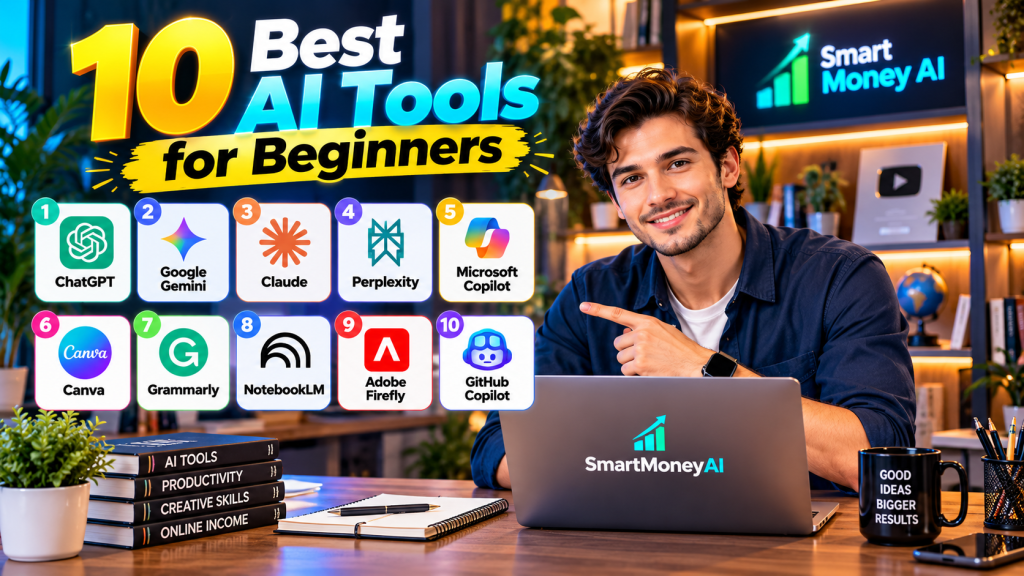
Introduction
Choosing the best AI tools for beginners can be confusing because hundreds of AI products are now available.
Artificial intelligence is no longer something only programmers and technology companies use. Today, beginners can use AI to research topics, improve writing, summarize information, create visuals, organize ideas, learn new skills, and save time on everyday digital tasks.
The difficult part is choosing the right tool. There are hundreds of AI products, and many have overlapping features. Instead of trying everything, it makes more sense to start with a small set of tools that solve different problems.
In this guide, we’ll look at 10 useful AI tools for beginners, what each one is good at, and how you can decide which tools are worth trying.
Important: AI products, features, pricing, and free-plan limits change frequently. Always check the provider’s current website before purchasing a subscription.
The best AI tools for beginners are not necessarily the most advanced ones—they are the tools that are easy to understand, useful for everyday tasks, and suitable for your specific goals.
Table of Contents
Quick Comparison: AI Tools for Beginners
| AI Tool | Good Starting Use |
| ChatGPT | Writing, brainstorming, research and general AI assistance |
| Google Gemini | AI assistance and Google-related workflows |
| Claude | Writing, analysis and working with documents |
| Perplexity | Web research with cited sources |
| Microsoft Copilot | Microsoft-focused productivity assistance |
| Canva | AI-assisted graphics and visual content |
| Grammarly | Writing improvement and editing |
| NotebookLM | Learning and researching from your own sources |
| Adobe Firefly | AI-assisted image and creative work |
| GitHub Copilot | Coding assistance for people learning development |

1. ChatGPT – Best All-Round AI Assistant for Beginners
ChatGPT is a general-purpose AI assistant that can help beginners with writing, brainstorming, learning, research, planning, summarizing information, analyzing files, and many other everyday tasks.
Why beginners may find ChatGPT useful
- Easy to use through a conversational interface
- Helps explain complicated topics in simpler language
- Can brainstorm ideas and create outlines
- Can assist with writing and rewriting
- Can work with uploaded files and images
- Can help research information and organize findings
Beginner Example
Suppose you want to learn digital marketing but don’t know where to begin. You could ask ChatGPT:
“Create a 30-day beginner learning plan for digital marketing. Give me one practical task to complete each day.”
Instead of simply asking AI to do everything for you, use the response as a starting point and verify important information.
Free or Paid?
ChatGPT has free access as well as paid plans. Features, usage limits, and plan availability can change, so check the official ChatGPT website for current details.
Limitations
AI-generated answers can sometimes contain mistakes or outdated information. Important facts, financial information, statistics, and other high-impact information should be checked against reliable sources.
Best For
Beginners who want one AI assistant for learning, writing, brainstorming, research, and everyday productivity.
If you’re new to ChatGPT, read our How to Use ChatGPT for Beginners: A Step-by-Step Guide for practical instructions, example prompts, and useful tips.
2. Google Gemini – Best for Google Users
Google Gemini is an AI assistant from Google that can help with writing, brainstorming, learning, summarizing information, research, planning, and working with different types of content.
For beginners who already use Google products, Gemini can be particularly useful because Google offers Gemini features across parts of its wider ecosystem.
Why Beginners May Find Google Gemini Useful
- Easy conversational interface
- Helps brainstorm ideas and create drafts
- Can explain topics and answer questions
- Useful for summarizing and organizing information
- Can work with different types of content
- Useful for people who regularly use Google’s services
Beginner Example
Imagine you are preparing a blog post about saving money. You could ask Gemini:
“Create an outline for a beginner-friendly article about 10 simple ways to reduce monthly expenses. Organize it with clear headings and practical examples.”
You can then use the outline as a starting point, add your own research and experience, and verify important facts before publishing.
Free or Paid?
Gemini offers free access as well as paid Google AI plans with additional capabilities and higher limits. Features, limits, and pricing can change, so check Google’s official Gemini website for the latest information.
Limitations
Like other generative AI assistants, Gemini can occasionally provide incorrect, incomplete, or outdated information. Do not automatically publish AI-generated content without reviewing it. Verify important facts using reliable sources.
Best For
Beginners who want an AI assistant for research, writing, learning, brainstorming, and workflows connected with Google’s ecosystem.
3. Claude – Best for Writing and Working with Documents
Claude is an AI assistant developed by Anthropic. It can help with writing, brainstorming, summarizing information, analyzing documents, explaining complex topics, and assisting with coding and other knowledge-based tasks.
Its conversational style and ability to work with substantial amounts of information can make it useful for beginners who want help understanding, organizing, or improving written material.
Why Beginners May Find Claude Useful
- Helps draft and improve written content
- Can summarize and analyze documents
- Explains difficult topics in simpler language
- Useful for brainstorming and organizing ideas
- Can assist with coding and technical questions
- Works well for reviewing and refining longer pieces of text
Beginner Example
Suppose you have written the first draft of a blog article but feel that it is difficult to read. You could ask Claude:
“Review this article for clarity and structure. Point out repetitive sections and suggest ways to make it easier for a beginner to understand.”
Instead of automatically accepting every suggested change, review the recommendations and keep the ones that genuinely improve your article.
Free or Paid?
Claude offers free access as well as paid plans that provide additional usage and capabilities. Features, usage limits, and pricing can change, so check Anthropic’s official Claude website for current information.
Limitations
Claude can still produce incorrect or incomplete information. AI-generated facts, statistics, quotations, financial information, and other important claims should be independently verified before they are published or used for important decisions.
Best For
Beginners who want help with writing, document analysis, summarization, learning, brainstorming, and working with longer pieces of information.
4. Perplexity – Best for AI-Powered Web Research
Perplexity is an AI-powered research and search tool designed to answer questions using information gathered from the web. One of its most useful features is that responses can include citations and links to the sources used, making it easier to check where information came from.
For beginners, this can be especially helpful when researching blog topics, comparing information from different sources, or getting an overview of an unfamiliar subject.
Why Beginners May Find Perplexity Useful
- Searches the web and summarizes information
- Provides citations and links to supporting sources
- Useful for researching unfamiliar topics
- Can help find information more quickly than opening many search results individually
- Useful for gathering starting points for deeper research
- Can help compare information from multiple sources
Beginner Example
Suppose you are researching an article about AI tools for small businesses. You could ask:
“What are some practical ways small businesses are using AI in 2026? Provide reliable sources for the main claims.”
Perplexity can provide an overview along with sources. You should still open the important sources yourself and verify the information before using it in your article.
Free or Paid?
Perplexity offers free access as well as paid plans with additional capabilities and higher usage limits. Features, limits, and pricing can change, so check Perplexity’s official website for the latest information.
Limitations
Citations do not automatically make every answer correct. A source may be outdated, misunderstood, or less reliable than another source. Always examine important sources yourself rather than relying only on the AI-generated summary.
Best For
Beginners who want an AI tool for web research, finding sources, exploring topics, and checking information before creating content.
5. Microsoft Copilot – Best for Microsoft Users
Microsoft Copilot is an AI assistant from Microsoft that can help users search for information, brainstorm ideas, draft and summarize text, answer questions, and perform a variety of everyday productivity tasks.
Microsoft also offers Copilot experiences across parts of its product ecosystem. This can make Copilot particularly useful for people who already work with Microsoft products.
Why Beginners May Find Microsoft Copilot Useful
- Easy conversational interface
- Helps generate and improve written content
- Can summarize and explain information
- Useful for brainstorming and planning
- Can assist with research and everyday questions
- Offers AI capabilities within Microsoft’s wider ecosystem
Beginner Example
Suppose you need to prepare a simple outline for a presentation about artificial intelligence. You could ask Copilot:
“Create a beginner-friendly presentation outline explaining five practical uses of artificial intelligence in everyday work.”
You can then review the outline, verify important information, and rewrite sections to match your own audience and purpose.
Free or Paid?
Microsoft offers free access to some Copilot capabilities as well as paid Copilot products and plans. Features, usage limits, availability, and pricing can vary by product and change over time. Check Microsoft’s official Copilot website for current details.
Limitations
Copilot can generate incorrect, incomplete, or outdated information. Important facts, statistics, financial information, and other significant claims should be verified using reliable sources before you rely on or publish them.
Best For
Beginners who already use Microsoft products and want AI assistance for writing, brainstorming, research, learning, and everyday productivity.
6. Canva – Best for AI-Assisted Design and Visual Content
Canva is an online design platform that helps beginners create presentations, social media graphics, posters, thumbnails, documents, videos, and other visual content. It also includes AI-powered features that can assist with different parts of the creative process.
Unlike general-purpose AI assistants, Canva is especially useful when your final result needs to be visual.
Why Beginners May Find Canva Useful
- Beginner-friendly drag-and-drop design tools
- Large selection of ready-made templates
- Useful for social media graphics and presentations
- Can help create YouTube thumbnails and marketing visuals
- Includes AI-assisted creative features
- Allows text, images, graphics, and other design elements to be combined in one workspace
Beginner Example
Suppose you need a featured image for a blog article about AI tools. You could start with a Canva blog or website graphic template, customize the text and visual elements, and use its AI-assisted features where appropriate.
The final design should still be reviewed carefully to make sure it accurately represents your article and does not contain incorrect AI-generated text or imagery.
Free or Paid?
Canva offers a free plan as well as paid plans with additional templates, assets, AI capabilities, storage, and other features. Features and usage limits can change, so check Canva’s official website for current plan details.
Limitations
Templates can make it easy to create attractive designs, but relying too heavily on standard templates can make your content look similar to other websites. AI-generated visual elements can also contain errors, so review everything before publishing.
Best For
Beginners who want to create blog graphics, presentations, social media posts, YouTube thumbnails, marketing materials, and other visual content without learning complex professional design software.
7. Grammarly – Best for Improving and Editing Writing
Grammarly is a writing assistant that helps users review and improve their written communication. It can identify issues involving grammar, spelling, clarity, tone, and sentence structure, while its AI features can also assist with rewriting and generating text.
For beginners, Grammarly can be particularly useful as a final editing layer after writing an email, article, report, or other piece of content.
Why Beginners May Find Grammarly Useful
- Checks grammar and spelling
- Suggests improvements for clarity
- Helps identify awkward or difficult-to-read sentences
- Provides writing and tone suggestions
- Can assist with rewriting text
- Useful for reviewing content before publishing
Beginner Example
Suppose you have finished writing a blog article but some paragraphs feel too complicated. Grammarly can help identify unclear sentences and suggest alternative wording.
However, you should review each suggestion rather than accepting every change automatically. Sometimes your original wording may better reflect your intended meaning or writing style.
Free or Paid?
Grammarly provides free access to some writing features as well as paid options with additional capabilities. Features, AI usage limits, and pricing can change, so check Grammarly’s official website for current information.
Limitations
Grammarly can improve writing, but it cannot guarantee that the information you have written is factually correct. It may also suggest changes that alter your intended meaning or personal writing style.
Always review important edits yourself before publishing.
Best For
Beginners who want help improving grammar, spelling, clarity, tone, and overall readability before publishing or sending their writing.
8. NotebookLM – Best for Learning and Researching Your Own Sources
NotebookLM is an AI-powered research and learning tool from Google. Unlike a general AI chatbot, NotebookLM is designed to help you work with sources that you provide, such as documents, websites and other supported materials.
It can help you understand, organize, summarize and explore information contained in those sources. This makes it particularly useful for students, researchers, writers and content creators who need to work through a collection of material.
Why Beginners May Find NotebookLM Useful
- Helps summarize information from your selected sources
- Lets you ask questions about the material you provide
- Useful for studying and understanding complex topics
- Can help identify important themes and ideas
- Helps organize research before writing
- Can generate useful learning and research outputs based on supported sources
Beginner Example
Suppose you are preparing a detailed article about artificial intelligence. You could add several reliable sources about the topic to a NotebookLM notebook.
You could then ask:
“What are the main ideas shared across these sources? Organize them into a beginner-friendly article outline and indicate which sources support each section.”
This can help organize your research, but you should still read the important original sources and verify the information before publishing.
Free or Paid?
Google offers access to NotebookLM with different capabilities and limits depending on the account or plan. Features, limits and availability can change, so check Google’s official NotebookLM information for the latest details.
Limitations
NotebookLM can make researching your sources easier, but its summaries and interpretations should not replace reading important original material. A source itself can also contain outdated or incorrect information.
Always check important claims against reliable primary or authoritative sources.
Best For
Beginners who want to study documents, organize research, understand source material and turn a collection of information into useful notes, questions and outlines.
9. Adobe Firefly – Best for AI-Assisted Images and Creative Work
Adobe Firefly is a family of generative AI tools from Adobe designed for creative tasks such as generating and editing images, creating visual effects, and assisting with design workflows.
For beginners, Firefly can provide an accessible way to experiment with AI-generated visuals without immediately learning complicated professional design techniques.
Why Beginners May Find Adobe Firefly Useful
- Can generate images from text prompts
- Provides AI-assisted image editing capabilities
- Useful for exploring visual concepts and creative ideas
- Can help create graphics for digital content
- Integrates with parts of Adobe’s creative ecosystem
- Provides tools for experimenting with different visual styles and compositions
Beginner Example
Suppose you are creating a blog article about artificial intelligence and need an original featured-image concept.
You could describe the type of visual you want, such as:
“Modern workspace with a laptop displaying abstract AI graphics, clean professional lighting, blue and teal accents, realistic technology-blog style.”
You can then review the generated result, refine it, and make sure the final image accurately represents your article.
Free or Paid?
Adobe provides different levels of access to Firefly and generative AI features, including usage based on generative credits in some plans. Features, credit limits, availability, and pricing can change, so check Adobe’s official Firefly information before choosing a plan.
Limitations
AI-generated images can contain visual errors, inaccurate text, or unrealistic details. Always inspect generated images carefully before publishing them.
You should also consider usage rights, licensing terms, and Adobe’s current generative AI policies when using generated content commercially.
Best For
Beginners who want to experiment with AI-generated images, creative concepts, visual content, and AI-assisted image editing.
10. GitHub Copilot – Best for Beginners Learning to Code
GitHub Copilot is an AI-powered coding assistant designed to help developers write, understand, and work with code. It can provide code suggestions, explain programming concepts, assist with debugging, and help with development tasks.
For someone learning programming, Copilot can be useful as an assistant, but it should not replace learning the fundamentals of coding.
Why Beginners May Find GitHub Copilot Useful
- Suggests code while you work
- Can help explain unfamiliar code
- Assists with common programming tasks
- Can help identify and fix some coding problems
- Useful for learning how different pieces of code work
- Can reduce time spent writing repetitive code
Beginner Example
Suppose you are learning Python and want to understand how to create a simple calculator.
Instead of asking Copilot to build the entire project without explanation, you could ask:
“Show me how to create a basic calculator in Python and explain what each part of the code does.”
You can then study the suggested code, test it yourself, and learn why it works.
Free or Paid?
GitHub offers different levels of Copilot access, including options that may provide limited free usage and paid plans with additional capabilities. Features, limits, eligibility, and pricing can change, so check GitHub’s official Copilot website for current details.
Limitations
AI-generated code is not guaranteed to be correct, secure, or efficient. Beginners should test suggested code, understand what it does, and avoid blindly copying code into important projects.
For security-sensitive or production applications, AI-generated code should be carefully reviewed and tested.
Best For
Beginners who are learning programming and want AI assistance with understanding code, generating suggestions, debugging, and practicing development skills.
How to Choose the Best AI Tools for Beginners
You do not need to use all 10 AI tools at once. For a beginner, it is usually better to choose one or two tools that solve the problems you actually have and learn how to use them well.
Here is a simple way to decide:
- For an all-purpose AI assistant: ChatGPT
- For Google-focused workflows: Google Gemini
- For writing and working with documents: Claude
- For web research and finding sources: Perplexity
- For Microsoft-focused productivity: Microsoft Copilot
- For graphics and visual content: Canva
- For writing improvement and editing: Grammarly
- For researching and learning from your own sources: NotebookLM
- For AI-assisted images and creative work: Adobe Firefly
- For learning and working with code: GitHub Copilot
If You Are Completely New to AI
Start with one general-purpose AI assistant rather than creating accounts for every tool on this list.
Learn how to:
- Write clear prompts
- Ask follow-up questions
- Check important facts
- Compare AI answers with reliable sources
- Edit AI-generated material in your own words
- Protect private or sensitive information
Once you understand these basics, you can add specialized tools when you have a genuine need for them.
Free Tools vs Paid AI Plans
Beginners usually do not need to subscribe to several paid AI services immediately.
Start with the free access offered by the tools that interest you. After using them for a while, you will have a much better idea of which paid features, if any, would actually save you enough time or provide enough value to justify the cost.
AI plans and usage limits change frequently, so always check the provider’s official website before purchasing a subscription.
A Simple Rule for Using AI Responsibly
Treat AI as an assistant, not as an unquestionable source of truth.
AI can help you work faster, generate ideas and understand information, but you remain responsible for checking important facts and deciding what to publish, submit or act upon.
Frequently Asked Questions About AI Tools for Beginners
What is the easiest AI tool for a beginner?
There is no single best tool for everyone. A general-purpose AI assistant such as ChatGPT, Gemini, Claude or Microsoft Copilot can be a practical starting point because it allows you to experiment with writing, learning, brainstorming and everyday questions in one place.
Can I use AI tools for free?
Many AI tools offer some level of free access, but features and usage limits vary. Free plans are usually enough for beginners to explore a tool before deciding whether a paid plan is worthwhile. Always check the provider’s official website for current plan details.
Which AI tool is best for research?
Perplexity can be useful for web research because its answers can include citations to web sources. NotebookLM is useful when you want to research and learn from sources you provide. General AI assistants can also help with research, but important information should always be verified against reliable sources.
Can AI tools help me make money online?
AI tools can help with productive tasks such as research, writing assistance, design, coding and content creation, but using an AI tool does not guarantee income. Earning money online still requires useful skills, quality work, a legitimate business or service, and consistent effort.
Can I use AI-generated content on my blog?
AI can assist with brainstorming, research, outlines, editing and drafting, but publishing large amounts of unreviewed AI-generated content is a poor strategy. Your final article should provide genuine value to readers, be fact-checked, and comply with applicable platform and search-engine policies.
Is information generated by AI always accurate?
No. AI systems can produce incorrect, incomplete or outdated information. Important facts, statistics, quotations and other significant claims should be checked against reliable sources.
Do I need several paid AI subscriptions?
Probably not when you are starting. Try free versions first and learn which tools genuinely help you. Consider paying only when a particular feature or higher usage limit provides enough value to justify the cost.
Looking for AI tools that you can start using without paying for a subscription? Explore our 10 Best Free AI Tools for Students and Professionals in 2026 to compare free options for writing, research, studying, design, and everyday productivity.
If you’re interested in creating videos, blog posts, or social media content, explore our guide to the 10 best AI tools for content creators in 2026. It covers useful tools for writing, graphic design, video editing, and content planning.
Conclusion
When choosing the best AI tools for beginners, focus on tools that solve a real problem for you rather than trying to use every AI platform available. AI tools can make many digital tasks easier, but the best tool depends on what you are trying to accomplish.
ChatGPT, Gemini, Claude and Microsoft Copilot provide broad AI assistance. Perplexity and NotebookLM can support different types of research. Canva and Adobe Firefly focus more heavily on visual creation, Grammarly assists with writing improvement, and GitHub Copilot is designed around coding.
If you are new to AI, start small. Pick one tool, learn how to write clear prompts, check the results carefully, and understand its limitations before adding more tools to your workflow.
Want to explore more beginner-friendly guides? Visit our AI Tools section for more tutorials, comparisons, and practical AI resources.
The goal should not be to use as much AI as possible. The goal is to use the right tools thoughtfully to learn faster, work more efficiently and produce better-quality work.
Want to build practical technology skills beyond AI tools? Explore our 10 Essential Digital Skills for Beginners in 2026 to learn about AI literacy, spreadsheets, cybersecurity, online research, and more.
Editor’s Note
AI products evolve quickly. Features, free-plan limits, paid plans and pricing mentioned or described in this guide may change after publication. Check each provider’s official website for the latest information before making a purchase or subscription decision.