
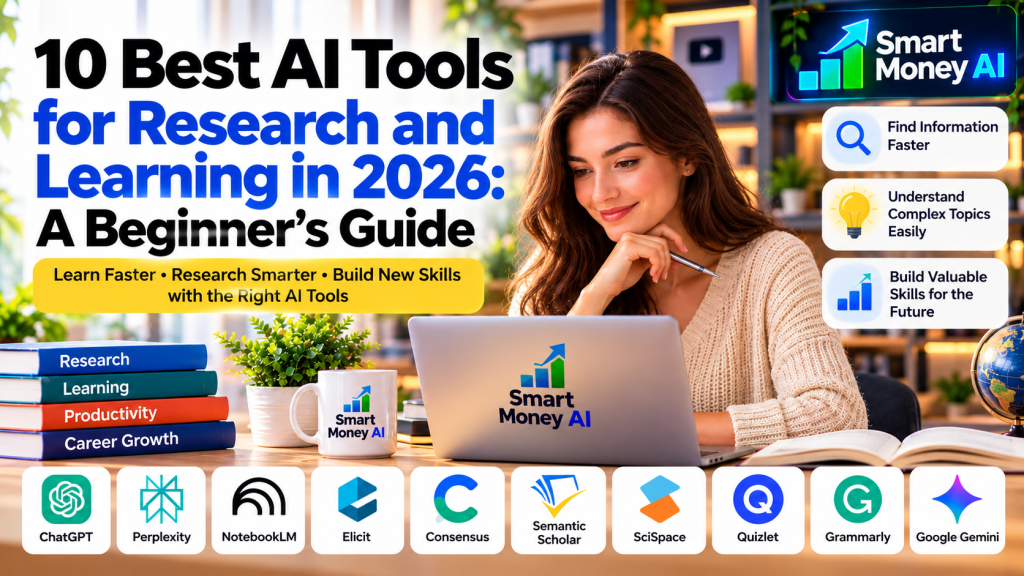
Research and learning have changed dramatically with the development of artificial intelligence. Whether you’re a college student, a working professional, a teacher, or someone learning a new skill, AI can help you discover information, understand difficult subjects, organize notes, and study more effectively.
But with so many applications available, how do you decide which ones are actually useful?
The best AI tools for research and learning can support different parts of the learning process. Some help you find academic papers, others explain complex ideas, and some turn your own notes into useful study materials.
In this beginner-friendly guide, we’ll explore 10 AI tools, explain what each one does, and show you how to use them responsibly. We’ll also cover their limitations, because AI-generated answers should never replace careful research or independent thinking.
If you’re new to AI, begin with our guide to the best AI tools for beginners before exploring specialized research applications.
Table of Contents
Why Use AI Tools for Research and Learning?
Traditional research often involves searching multiple websites, reading lengthy documents, taking notes, and comparing sources. These activities remain important, but AI tools can make certain steps more manageable.
For example, AI can help you:
- Find relevant information and research papers.
- Understand unfamiliar terminology.
- Summarize lengthy documents.
- Organize questions before starting a research project.
- Generate practice questions and study plans.
- Compare different explanations of a topic.
- Identify areas where more research is needed.
- Improve the clarity of your writing.
The biggest advantage is not that AI does all the work. It is that AI can support a more structured and productive learning process.
You can also follow our roadmap to learn AI skills for free and develop practical knowledge step by step.
However, you should always verify important claims using trustworthy sources, especially when preparing academic assignments, professional reports, or published material.
10 Best AI Tools for Research and Learning in 2026
1. ChatGPT — Best for Understanding Complex Topics
ChatGPT is a general-purpose AI assistant that can explain concepts, answer follow-up questions, brainstorm ideas, and help organize information.
It is especially useful when you’re beginning a new subject and need an accessible explanation.
How you can use ChatGPT:
- Ask for beginner-friendly explanations.
- Break complex topics into smaller lessons.
- Create study schedules.
- Generate practice questions.
- Compare different concepts.
- Improve the structure of your notes.
Practical example:
Suppose you’re learning digital marketing. You could ask:
“Explain search engine optimization to a beginner using a small-business example. Then give me five questions to test my understanding.”
ChatGPT can provide an explanation and help you identify concepts you need to revisit.
Advantages: Flexible, conversational, and useful across many subjects.
Limitations: It can produce incorrect or unsupported claims. Never assume a citation or factual statement is accurate without checking it.
2. Perplexity — Best for Exploring Questions and Finding Sources
Perplexity is an AI-powered answer and search service that can help users investigate topics and locate supporting webpages.
It is useful for starting a research project and discovering sources to examine more closely.
How you can use Perplexity:
- Explore unfamiliar topics.
- Discover relevant webpages.
- Compare information from multiple sources.
- Develop follow-up research questions.
- Locate background reading.
Practical example:
A learner researching renewable energy could ask for an overview of solar energy adoption and then open the cited sources to check the underlying information.
Advantages: Source-oriented research workflow and convenient follow-up questions.
Limitations: A citation does not automatically prove a claim. Sources can be outdated, irrelevant, or misinterpreted.
3. Google NotebookLM — Best for Learning From Your Own Sources
NotebookLM is designed to help users work with source materials they provide.
It can support document-based study, note organization, and exploration of information contained in uploaded or connected sources.
How you can use NotebookLM:
- Study uploaded documents.
- Explore lecture notes.
- Ask questions about source materials.
- Create study guides.
- Compare ideas across documents.
- Review key concepts before an examination.
Practical example:
A student could add course notes and approved reading materials, then ask NotebookLM to identify the main concepts covered in the documents.
Advantages: Useful when you want to focus on a defined collection of source material.
Limitations: The quality of the output depends on the materials supplied. Users must respect copyright, confidentiality, and institutional rules when uploading documents.
4. Elicit — Best for Academic Literature Research
Elicit is an AI-assisted research tool designed to support workflows involving scientific and academic literature.
It can help researchers locate papers and work with information from studies.
How you can use Elicit:
- Search for academic research.
- Explore evidence related to a research question.
- Review information from studies.
- Organize literature findings.
- Identify papers that deserve closer reading.
Practical example:
A student preparing a literature review about online learning could use Elicit to explore relevant academic studies and identify papers to read in full.
Advantages: Designed around research literature rather than general conversation alone.
Limitations: AI-generated summaries and extracted findings need verification against the original papers. It does not replace a systematic research method.
5. Consensus — Best for Exploring Scientific Evidence
Consensus is a research-focused search service that helps users explore questions through scientific literature.
It can be useful when you want to understand what published research says about a particular subject.
How you can use Consensus:
- Explore research-backed questions.
- Discover relevant scientific papers.
- Compare findings across studies.
- Identify evidence gaps.
- Find references for further reading.
Practical example:
A learner studying workplace productivity could investigate what research says about different work habits and then review the original studies.
Advantages: Research-oriented discovery and a focus on scientific sources.
Limitations: Scientific findings may depend on study quality, population, and context. A brief AI summary cannot capture every important limitation.
6. Semantic Scholar — Best for Discovering Academic Papers
Semantic Scholar is a research discovery platform that uses AI-related technologies to help users explore scientific literature.
It is especially useful when you need to find academic papers, authors, and related research.
How you can use Semantic Scholar:
- Search scholarly publications.
- Discover related papers.
- Explore citation relationships.
- Identify influential research.
- Build an initial reading list.
Practical example:
Someone studying machine learning could search for papers on a particular technique and follow related publications to understand how the field has developed.
Advantages: Focused on scholarly discovery and useful for finding relevant literature.
Limitations: Coverage varies by discipline, and finding a paper does not establish that its conclusions are correct.
7. SciSpace — Best for Understanding Research Papers
SciSpace provides tools intended to help users read and work with academic literature.
It can be helpful when research papers contain unfamiliar terminology or complicated explanations.
How you can use SciSpace:
- Explore academic papers.
- Understand technical terminology.
- Ask questions about research content.
- Review key concepts.
- Support literature-reading workflows.
Practical example:
A beginner reading a technical paper about artificial intelligence could use SciSpace to clarify unfamiliar terms before returning to the original paper.
Advantages: Particularly relevant for people learning how to read research literature.
Limitations: Simplified explanations can omit important qualifications. Check the original paper before citing or relying on a finding.
8. Quizlet — Best for Flashcards and Study Practice
Quizlet is a learning platform that offers digital flashcards, practice activities, and selected AI-assisted learning features.
It is useful for subjects that require repeated review and recall.
How you can use Quizlet:
- Create flashcards.
- Review vocabulary.
- Practice definitions.
- Organize study sets.
- Test your understanding.
- Build a regular revision routine.
Practical example:
A student learning business terminology could create a set of important definitions and practice recalling them over several study sessions.
Advantages: Convenient for structured revision and active recall.
Limitations: User-created material can contain mistakes, and some advanced features depend on subscription availability.
9. Grammarly — Best for Improving Research Writing
Grammarly provides writing assistance that can help users review grammar, clarity, and tone.
It is relevant to learners who need to communicate research findings clearly.
How you can use Grammarly:
- Review grammar and spelling.
- Improve sentence clarity.
- Edit reports and assignments.
- Refine professional writing.
- Check whether wording matches the intended tone.
Practical example:
A student could write a report independently and then use Grammarly to review unclear sentences before submitting it.
Advantages: Useful for proofreading and improving written communication.
Limitations: Suggestions are not always correct. Users should follow their school or employer’s rules about AI assistance and preserve their own ideas and authorship.
10. Google Gemini — Best for Interactive Learning and Explanations
Google Gemini is a general-purpose AI assistant that can support writing, explanations, brainstorming, and research-related tasks.
It can be useful for exploring new subjects through a conversational interface.
How you can use Gemini:
- Ask follow-up questions.
- Request simpler explanations.
- Compare concepts.
- Prepare learning outlines.
- Brainstorm project ideas.
- Review unfamiliar terminology.
Practical example:
A beginner studying cybersecurity could ask Gemini to explain the difference between authentication and authorization using everyday examples.
Advantages: Flexible learning assistance across a variety of subjects.
Limitations: Generated answers can be inaccurate, and capabilities vary by product and subscription.
Comparison of the Best AI Tools for Research and Learning
The following table summarizes the main purpose of each tool.
| AI Tool | Best For | Example Use |
|---|---|---|
| ChatGPT | Learning explanations | Understanding a new concept |
| Perplexity | Source discovery | Exploring a research question |
| NotebookLM | Studying supplied materials | Reviewing lecture notes |
| Elicit | Literature research | Finding academic studies |
| Consensus | Scientific evidence discovery | Exploring research findings |
| Semantic Scholar | Academic paper discovery | Building a reading list |
| SciSpace | Research paper comprehension | Understanding technical papers |
| Quizlet | Study practice | Reviewing flashcards |
| Grammarly | Writing improvement | Editing a research report |
| Google Gemini | Interactive learning | Asking follow-up questions |
The best AI tools for research and learning depend on what you’re trying to accomplish. A tool designed for academic papers may be less suitable for vocabulary practice, while a conversational assistant may be more useful for introductory explanations.
How to Choose the Right AI Research Tool
Identify Your Learning Goal
Start by deciding what you need.
If you’re trying to understand a difficult concept, a conversational assistant may help. If you need peer-reviewed research, choose a scholarly discovery tool. If you want to review your own notes, use a source-based study tool.
Check the Quality of Sources
For research, reliable evidence matters more than a polished AI response.
Open the original sources, review publication dates, and check whether the material supports the claim being made.
Consider Your Budget
Many platforms provide some form of free access, while advanced features may require payment.
Because pricing and usage limits change, review the current terms on the provider’s official website before subscribing.
Review Privacy and Academic Rules
Do not upload confidential research, private student information, or unpublished documents without appropriate permission.
Schools and universities may also have specific policies governing AI-assisted assignments.
Test Two or Three Tools
Instead of adopting every tool, try a small number that fit your learning needs.
For more practical applications, read our guide to using AI tools to improve productivity in everyday tasks.
Compare their usefulness, accuracy, ease of use, and whether they genuinely improve your understanding.
A Practical Five-Step AI Research Workflow
Step 1: Define Your Research Question
Begin with a clear question rather than a broad topic.
For example, instead of researching “online education,” ask:
“What factors influence student engagement in online courses?”
Step 2: Discover Relevant Sources
Use a research-oriented service such as Semantic Scholar, Elicit, Consensus, or Perplexity to locate potentially useful material.
Step 3: Read and Verify the Sources
Open the original documents. Check the author, publication date, methodology, and relevance.
You can also explore academic publications and education-related research through the ERIC database.
Do not rely exclusively on an AI-generated summary.
Step 4: Organize Your Findings
Use your preferred notes application or a source-based learning tool to record important ideas, citations, and unanswered questions.
Step 5: Explain the Topic in Your Own Words
Use an AI assistant to test your understanding, but write your conclusions based on evidence you have reviewed.
This approach combines AI assistance with genuine learning.
Common Mistakes to Avoid When Using AI for Research
Trusting Every AI-Generated Answer
AI can generate convincing but incorrect statements. Always verify important information.
Using Citations Without Opening Them
A citation might not support the sentence attached to it. Read the actual source before referencing it.
For guidance on academic citations and research writing, consult the Purdue Online Writing Lab.
Copying AI-Generated Assignments
Using AI to produce work that you submit as entirely your own may violate academic rules and can prevent genuine learning.
Use AI to support understanding, not to bypass the learning process.
Uploading Sensitive Documents
Research files and personal information may be confidential. Check permissions and privacy settings before uploading.
For additional information about consumer privacy and protecting personal information, visit the Federal Trade Commission’s official website.
Using Too Many Tools
Ten tools are not necessarily better than two. A focused workflow is usually easier to maintain.
Frequently Asked Questions
What are the best AI tools for research and learning in 2026?
ChatGPT and Gemini can help explain concepts, while tools such as Elicit, Consensus, Semantic Scholar, and SciSpace focus more specifically on academic research. NotebookLM is useful for studying source materials.
Are AI research tools free?
Some offer free access, limited plans, or trials. Pricing and feature availability vary, so check the official provider websites.
Can AI replace traditional research?
No. AI can assist with discovering, summarizing, and organizing information, but source evaluation, critical thinking, and independent verification remain essential.
Which AI tool is best for studying notes?
NotebookLM can be useful for working with source documents, while Quizlet is relevant for flashcards and repeated study practice.
Can AI tools help beginners learn difficult subjects?
Yes. They can offer explanations, examples, and practice questions. However, learners should verify important facts and use reliable educational resources.
Is it acceptable to use AI for school or college assignments?
That depends on your institution’s policies and the assignment requirements. Use AI transparently and follow applicable academic-integrity rules.
Final Thoughts
The best AI tools for research and learning are those that help you understand information more deeply, not simply produce answers more quickly.
ChatGPT and Gemini can assist with explanations, Perplexity can help explore sources, NotebookLM can support document-based study, and research-focused services such as Elicit, Consensus, Semantic Scholar, and SciSpace can help users navigate academic literature.
Start with a clear learning goal, choose a suitable tool, verify the information you find, and develop your own understanding.
Explore more AI and digital-skills guides on Smart Money AI to continue learning practical ways to use artificial intelligence.
Editor’s note: This article is for educational purposes. Product capabilities, pricing, and availability may change. Check official provider information before relying on a feature or purchasing a subscription.